
Cortex is your command center for managing i3CONNECT interactive displays remotely, securely, and at scale. This guide is for IT admins, facilities managers, or anyone setting up a new Cortex organization.
If you want to join an existing Cortex organization, please ask your administrator to send you an invite from the Cortex platform. Follow the instructions in the invitation email and do not follow the instructions below.
By the end of this guide, you’ll have created a Cortex account, set up your organization, and know how to activate your free trial or choose a license. If you run into issues or don’t see the Cortex dashboard after registration, contact i3CONNECT support.
Creating an account
-
Go to Cortex
Browse to https://cortex.i3-connect.com. -
Start a Free Trial
Select the “Start Your Free Trial” button on the top right of the page.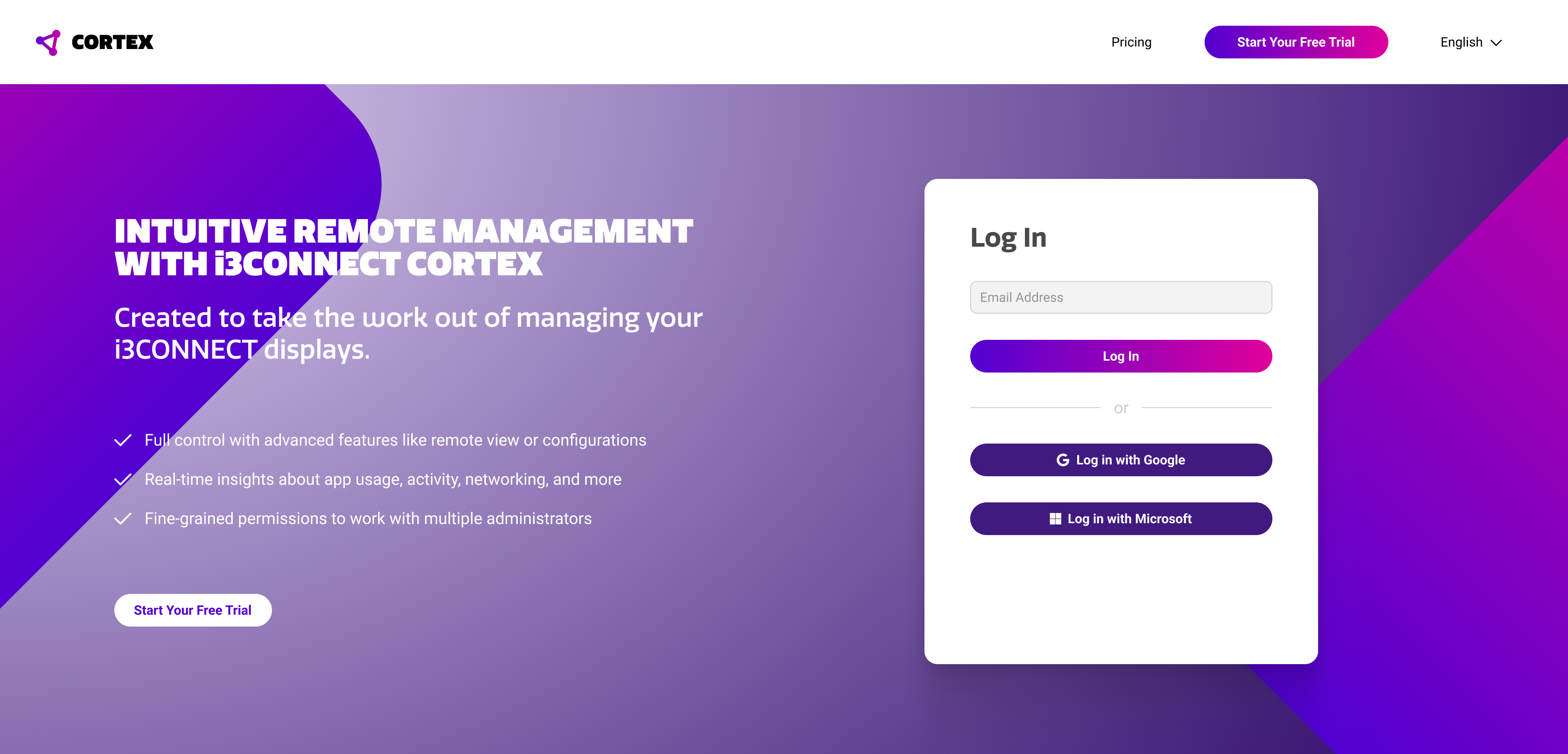
-
Select a Sign-In Method
Enter the email address you would like to use for your account. You can also login with your Google or Microsoft account to instantly create a new Cortex account.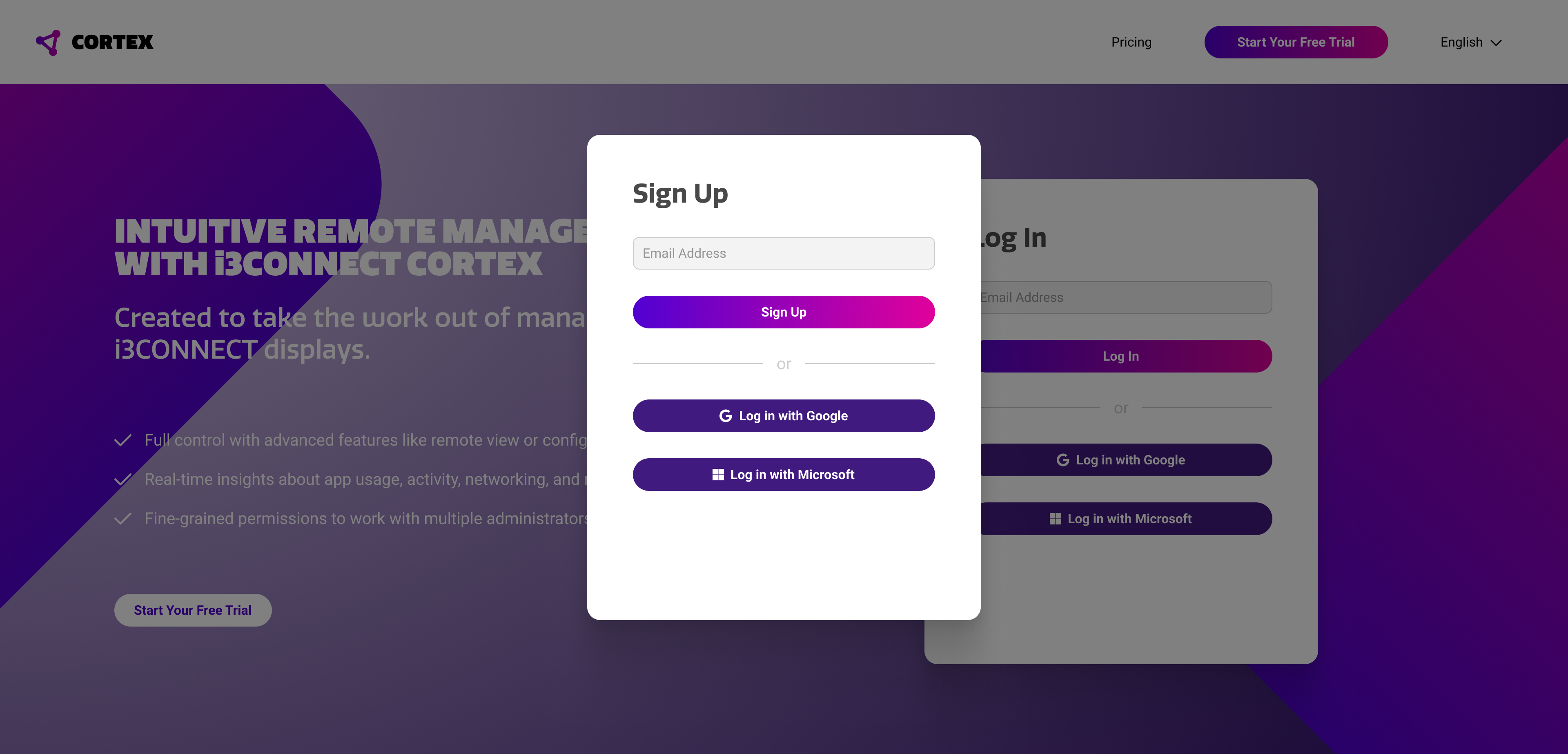
-
Finalize the Registration
Fill the details of the registration form. This is also where you choose the name for your organization. Some details may be pre-filled when using a Google or Microsoft account. -
Registration Complete
You have successfully created your Cortex account and organization. You will now redirect to the Cortex dashboard where you can start using the platform.
Cortex license types
Cortex is available in three different licenses, so you can choose the one that best fits your needs. You can see the exact features and prices of all plans on the Cortex landing page when you are not logged in.
-
Basic - Great for simple adjustments Free
-
Plus - Great for enhanced security and insights
-
Pro - Great for full control and access
When you setup your new Cortex organization, you will get a free Cortex Pro trial for 90 days. During this period, you can use all Cortex functionality and register as many displays as you like. To continue using Cortex after this period, you can choose one of these options.
-
Purchase a license through the Cortex platform FASTEST
In the Cortex platform, you can press the upgrade button on the top right. Follow the instructions to purchase your desired Cortex plan and amount of licenses.
-
Purchase a license through your reseller
You can contact your reseller to purchase Cortex licenses. In this case, i3CONNECT will add the licenses to your account after purchase. -
Automatically convert to the free Cortex Basic license
When you do not take action before your Cortex Pro trial expires, it will automatically be converted to a Cortex Basic license. You will lose access to paid features.
Troubleshooting
-
If you don’t receive a registration or invitation email, check your spam folder or contact your admin.
-
If you can’t access the Cortex dashboard after registration, clear your browser cache or try a different browser.