
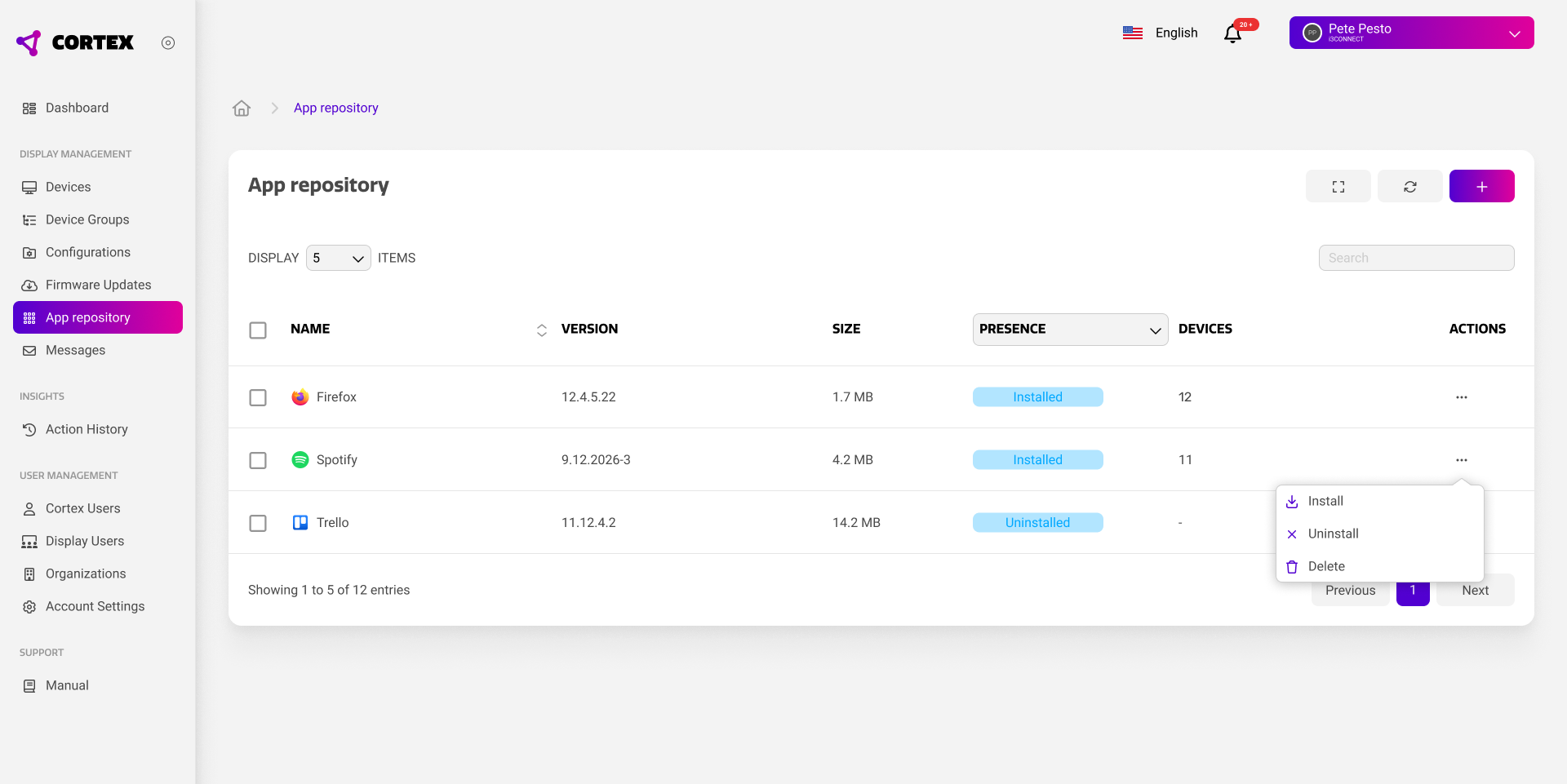
Using the Cortex app repository, you can curate your own library of apps that can be remotely installed on your devices.
|
Property |
Purpose |
|---|---|
|
Name |
The name of the application. |
|
Version |
The version of the application. Note that you can have multiple versions of the same app in your repository. |
|
Size |
The size of the application. |
|
Presence |
Whether the app is used on one or more of your devices. |
|
Devices |
The amount of devices that the app is installed on. |
Managing your repository
The Cortex app repository is your own library of applications. It is not linked to any 3rd party app stores such as the Google Play store.
Apps in your repository must be of the Android Package Kit (.apk) format. Other formats are not supported as they cannot be installed on your devices. You can add new applications by using the plus button in the top right, and selecting a file from your local file system.
Many Android applications can be downloaded online, such that they can be used in your Cortex app repository. However, installing android apps from 3rd party sources is at your own risk. i3CONNECT does not take any responsibility for the functioning or security of your device as a result of installing 3rd party apps.
Installing apps
Apps can be installed using the action menu on the far right and pressing the ‘install’ button. This opens a dialog to select the devices or device groups that you want to install the app on.
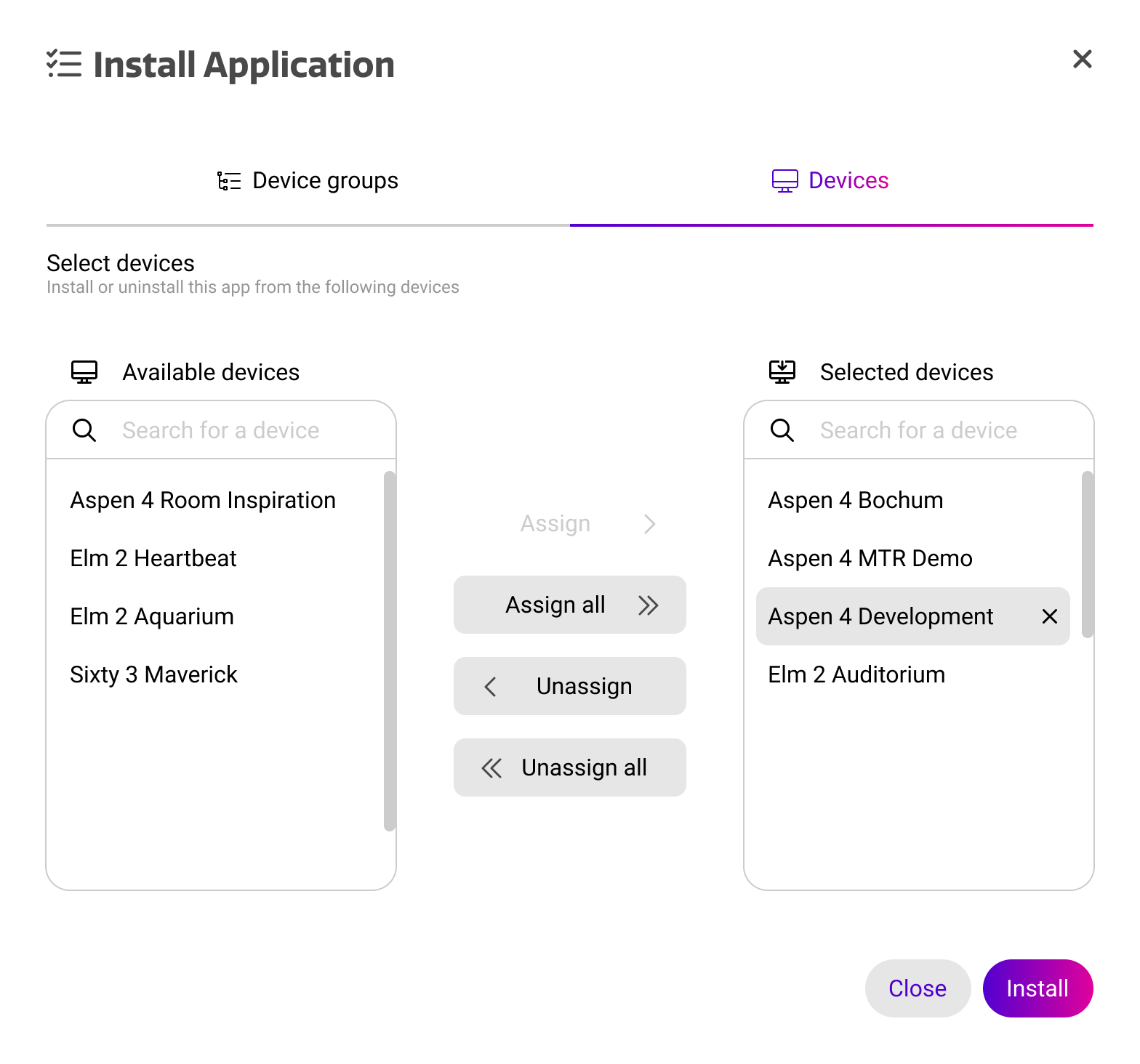
Installation of apps through apps is silent. This means that ongoing activity on the display will not be interrupted and installation happens in the background.