
The device details page is where you will find all information and remote management features for your device. It is essentially a dashboard for each specific device. You can access it by clicking on your device in the device overview page. In this article, we’ll guide you through the possibilities for the device details page.
Device details page
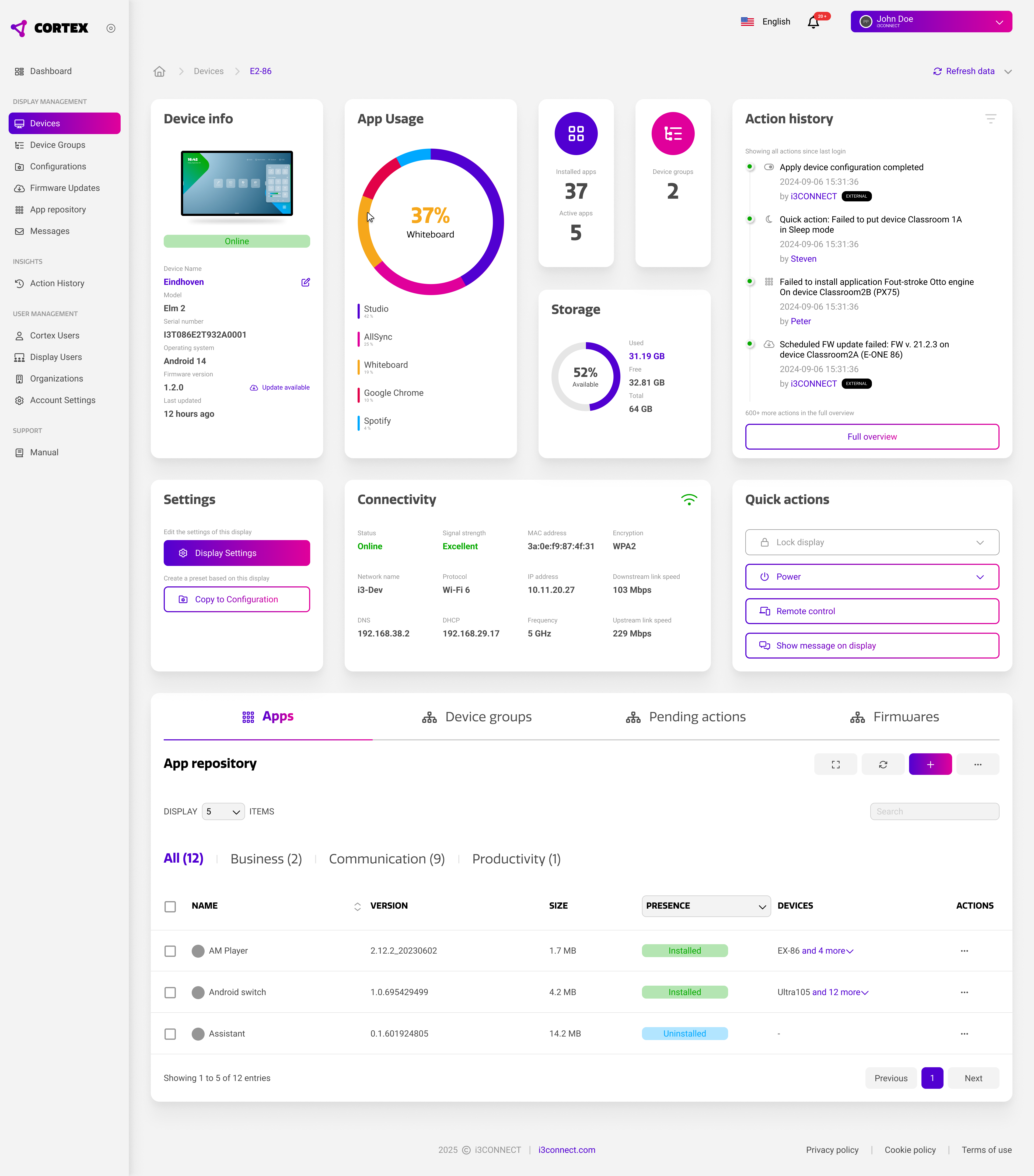
The device details page is built out of multiple sections that each provide a specific set of information or features in a clear and organized way.
You can always access the device details page, even when it is offline. Actions performed while the device is offline will be performed when the device comes back online. These actions can be viewed through the ‘pending actions’ section.
Device details widgets
Below is an overview of the widgets and functionality of the device details page. It is the central place to find and adjust anything related to a specific device.