
The device details page in Cortex provides useful information about your device, such as technical information, usage information, and other details. Apart from changing settings or taking actions, this section of the device details page provides your with a dashboard-like overview for a specific device.
Overview
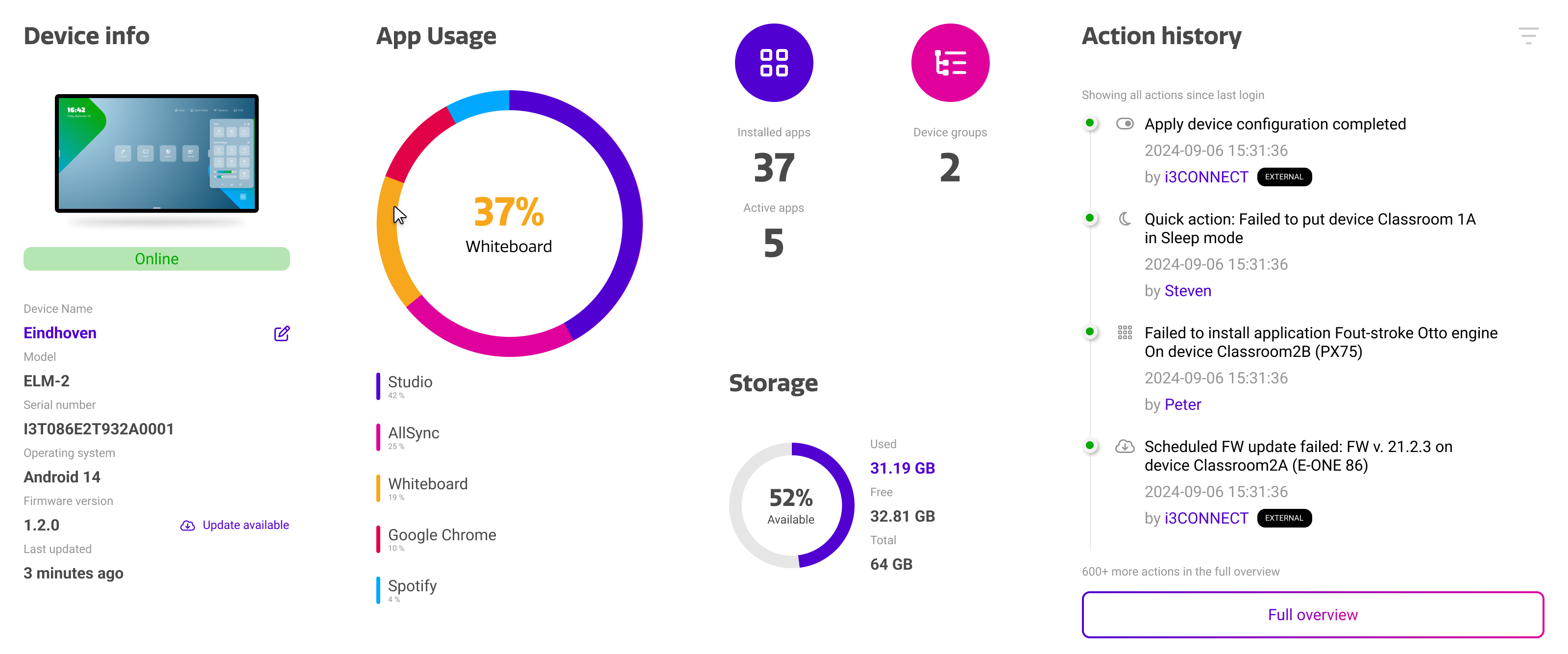
Information is neatly grouped into dedicated containers, concisely combining information that you can access at a glance.
|
Container |
Purpose |
|---|---|
|
Device Info |
The device info shows you basic technical information about your device, such as the online/offline status, serial number, as well as the Android and firmware versions. |
|
App Usage |
The app usage shows you the top 5 applications that are used on your device, including the relative distribution between them. |
|
Storage |
The storage shows the used, available, and total storage of your device. |
|
Action History |
The action history keeps track of the actions performed in Cortex related to this specific device. This can range from settings changes, reboots, remote control sessions, and more. It tracks the action type, date, and the user that performed the action. |
Connectivity Info
Below the regular device info section, you can find the connectivity info of your device. This shows useful information for configuring networks, VLANs, or generally assessing the quality of your connection.
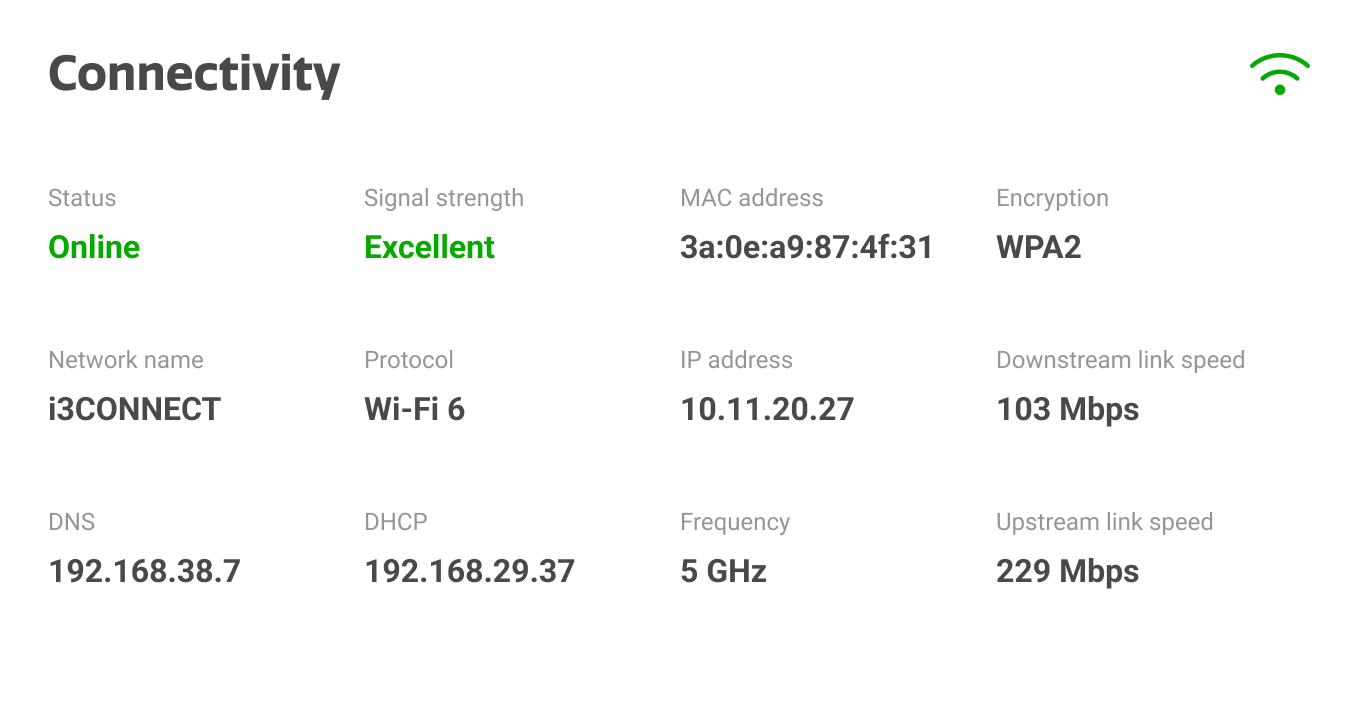
The connectivity info is available for both LAN and WLAN networks, but the available information depends on the connection type and your individual network.