
On the bottom of the device details page, you will find the ‘apps’ section, which allows you to install and manage the apps on your device.
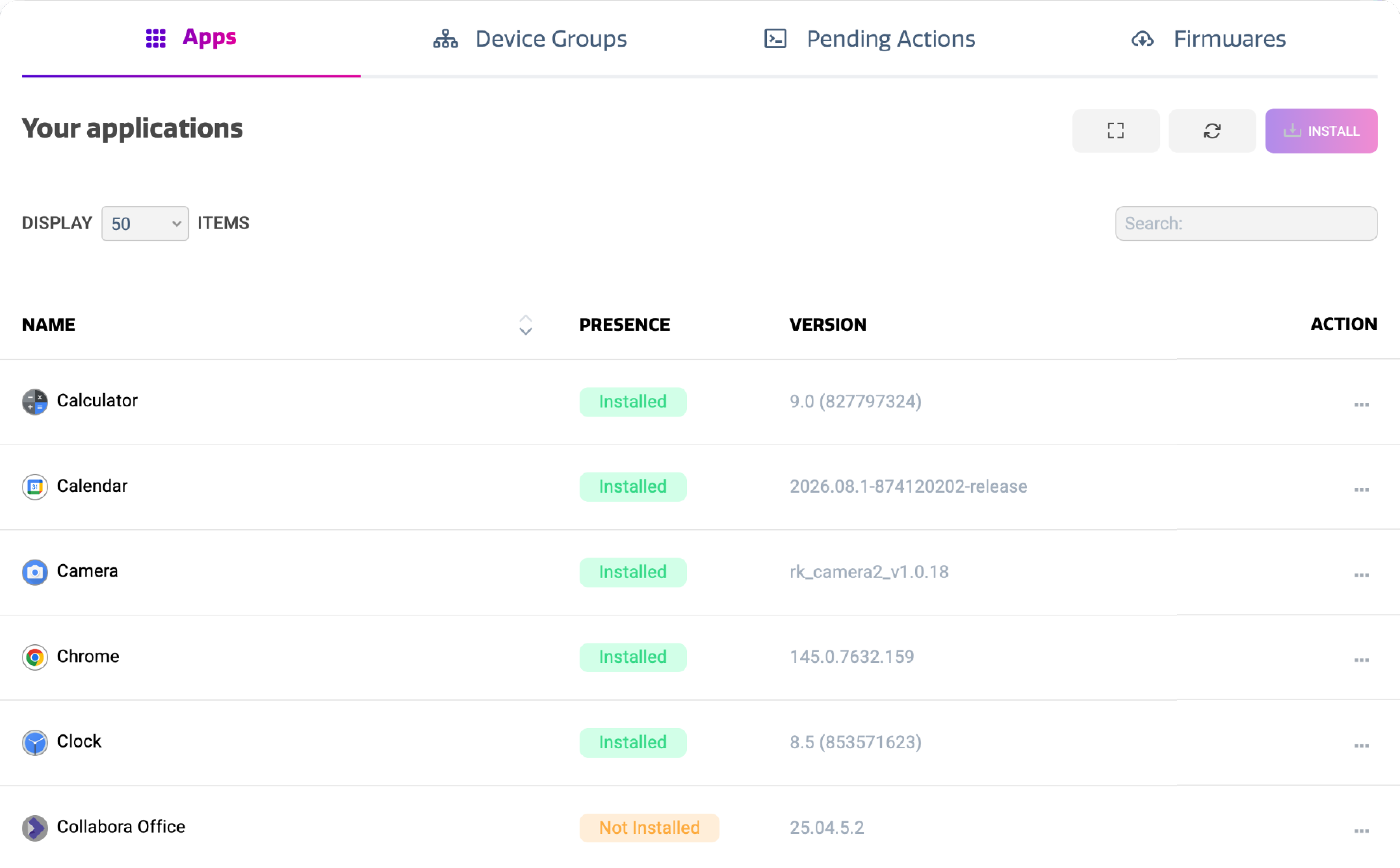
The apps view shows a list of applications that is based on the apps in your Cortex library, as well as the applications installed on the display. The list shows:
-
App Name and Icon
-
Install State
-
Version
You can have multiple version of the same app in your Cortex library, however only one version can be installed on the device at a time.
Installing and uninstalling apps
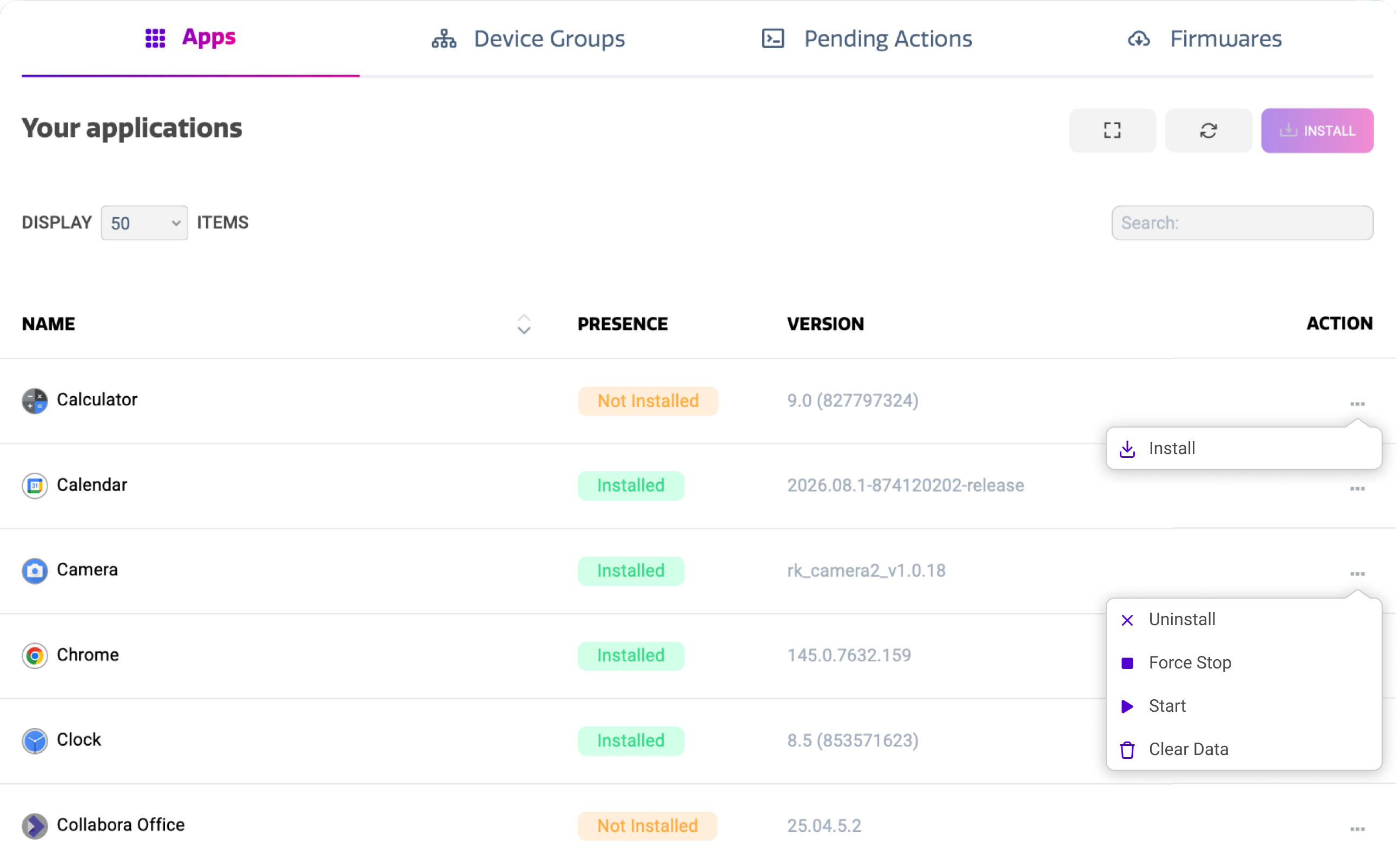
You can install and uninstall apps by pressing the three dots in the action column for the desired app in the list. Depending on your internet speed and the size of the app, it may take a few minutes for an application to be installed.
Installation of apps will always happen silently in the background. It will therefore not interrupt any ongoing activities on the display.
Uninstallation of apps will in principle also happen silently in the background, unless the app you are uninstalling is actively being used. In this case, the user will be reverted to the homescreen.
Some apps cannot be uninstalled because they are part of the device’s firmware, such as the Cortex or Settings apps.
App actions
Apart from installing and uninstalling, the actions menu for apps that are already installed offers some additional functionality that can be useful for troubleshooting. The table below describes the actions seen in the picture above.
|
Action |
Purpose |
|---|---|
|
Start |
This launcher the application on the device. |
|
Force Stop |
This force stops the application and closes it in recent apps. When an app is misbehaving, this can sometimes resolve the issue. |
|
Clear Data |
When an issue persists after force stopping it, this action can be used to clear its cache and app data. This essentially resets the app to a newly installed state. |
Clearing app data may result in unexpected results and behavior of the app, and potentially results in a loss of data for the specific app.