When using AllSync to connect devices to your i3CONNECT display, you may notice that not all connected devices appear in the list of connected users. This article explains why this happens and when to expect it.
This is not a bug, use AllSync.
If your device is connected using AirPlay, Google Cast or a 3rd party sharing device, then it will not appear in the connected users list. Due to limitations of AirPlay and Google Cast these connections cannot displayed in the AllSync connected users list. 3rd party devices also require their own app.
If you wish to have all devices shown in the list, use the AllSync App or Dongle.
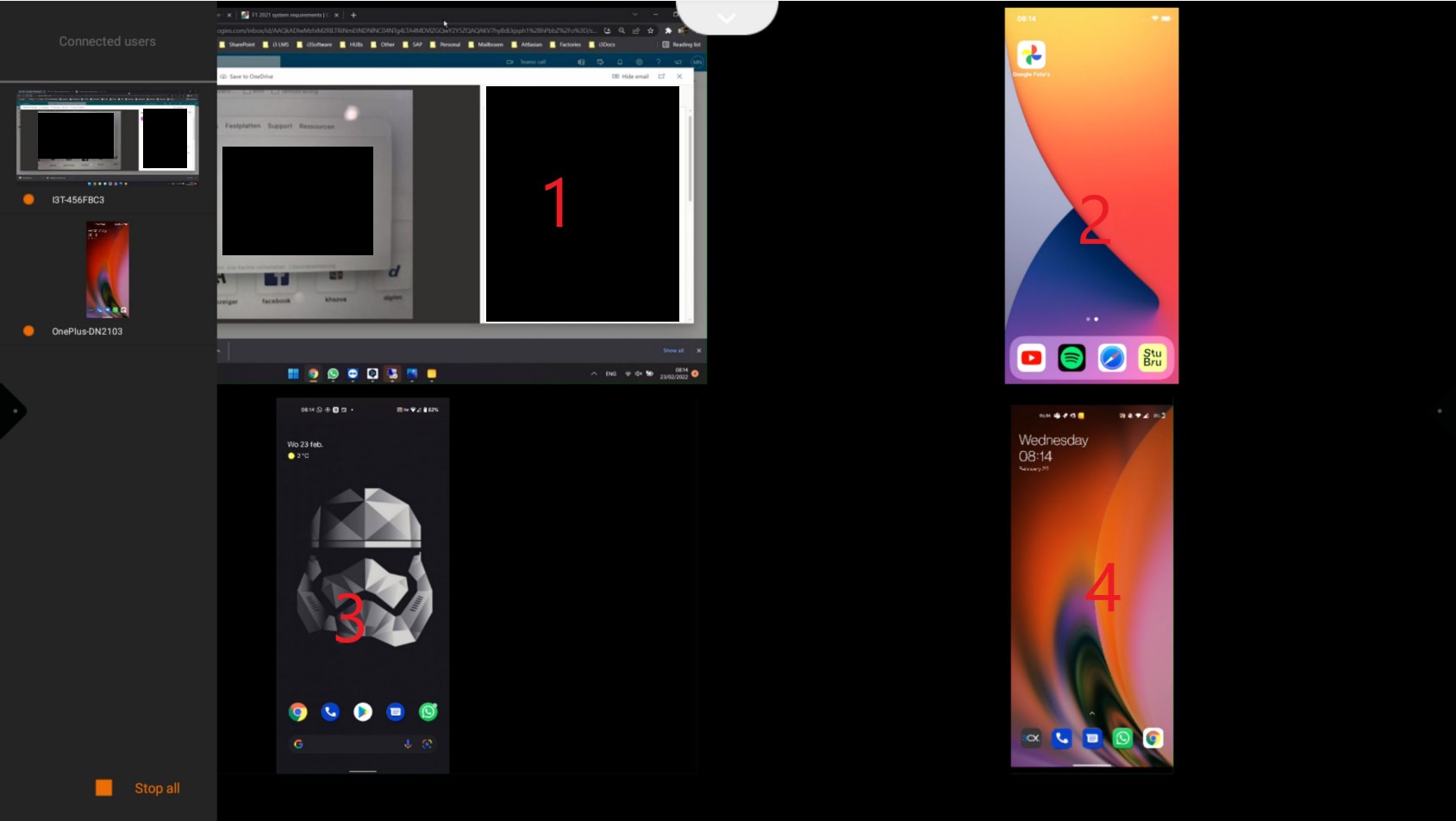
In the the image we see 2 devices that are not included in the list because they are not AllSync:
|
Device |
Sharing with |
Connected Devices list |
|---|---|---|
|
Windows Laptop |
AllSync Dongle (Transmitter) |
|
|
iPhone X |
Apple Airplay |
|
|
Google Pixel |
Screencast (3rd party) |
|
|
OnePlus Nord 2 |
AllSync App (Transmitter) |
|