
Follow the instructions below.
Use the touch test tool:
20231113.M108706.HXIntegrationTools-C.MinGW_32.S7146.V00312(1).zip
-
Connect a Windows10/11 computer with USB and HDMI to the i3TOUCH to avoid the message below.
-
Run test software “HXIntegrationTools-C.exe” to enter into the testing interface.
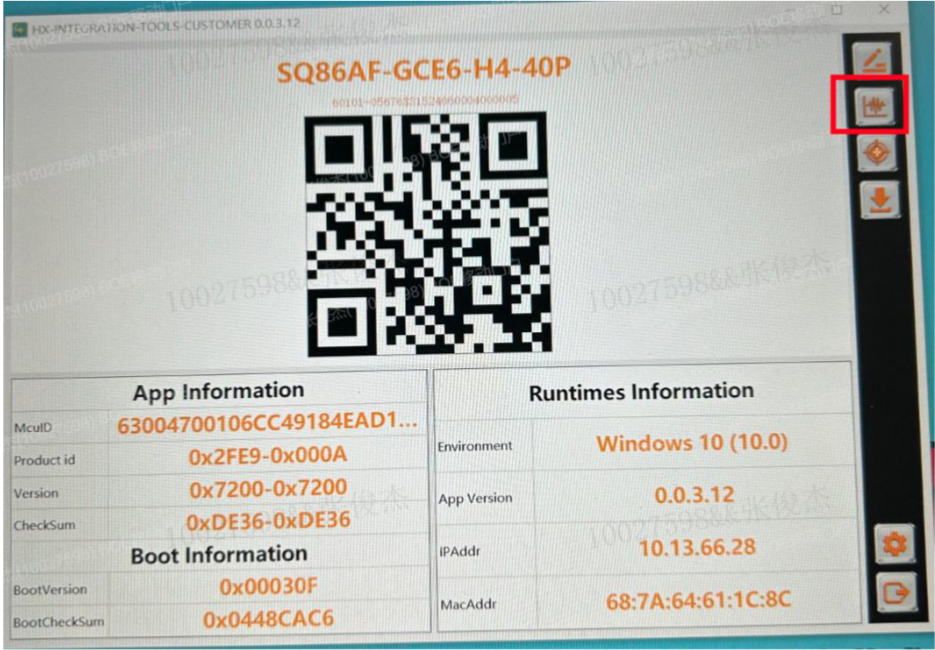
-
The result will be ‘PASS’ or ‘NG’. If it showed NG, please capture the NG page and provide it with Files in the Data Folder. Here you can have 2 different results
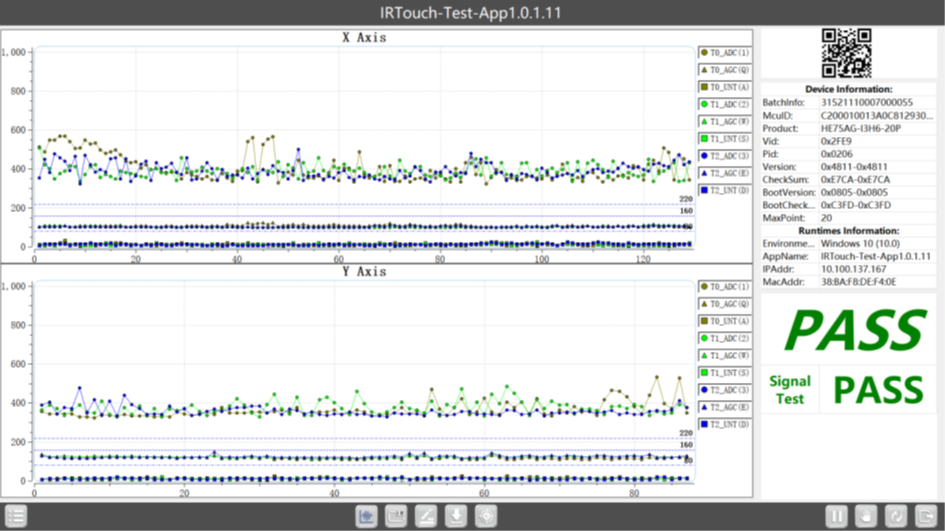
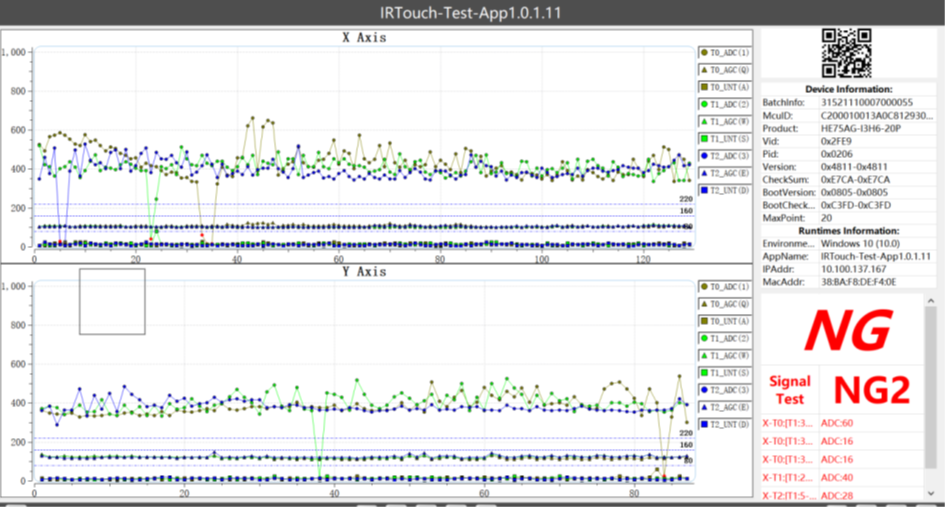
Please take a picture or a video of the result and send it to us.
Please film this and send it to us
!!! Please do not touch the display during this test !!!