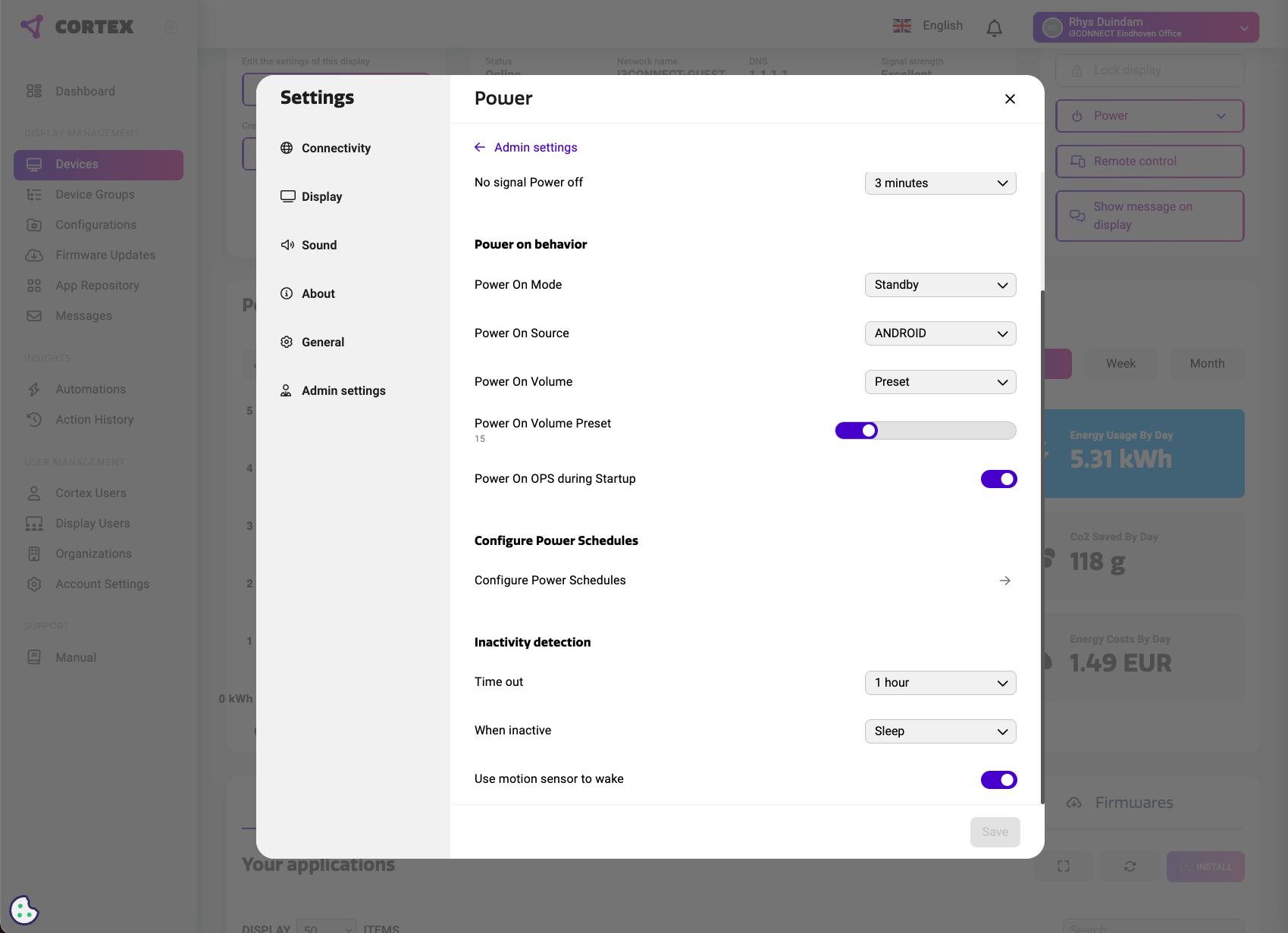
Human Presence Detection is also referred to as Inactivity detection in Cortex. The available options can vary by display model and firmware version.
Configure via Cortex
-
Open the display in Cortex.
-
Go to Admin Settings > Power.
-
Find Inactivity detection.
-
Set Time out to the preferred inactivity delay.
-
Choose what the display should do When inactive, such as Sleep.
-
Enable Use motion sensor to wake if you want the display to wake automatically when motion is detected.
-
Click Save.
Note: If you do not see these settings, check that the display model supports inactivity detection and that Cortex is updated.