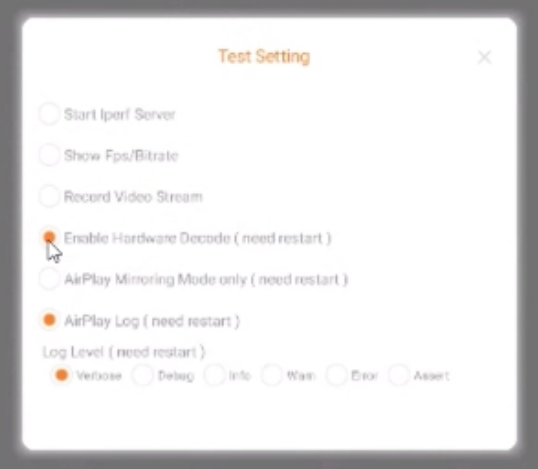
If you’re experiencing issues while mirroring your device using AllSync on your i3CONNECT display, adjusting the hardware decode setting may help.
Instructions
-
Access the factory settings of the AllSync display app
-
Toggle on / off the setting
“Enable Hardware Decode (needs restart)” to enable or disable hardware decoding -
Restart the AllSync app for the change to take effect.
Troubleshooting
If enabling or disabling hardware decode does not resolve your mirroring issue, try restarting your display.