
Access our ticketing system via your mobile browser in desktop mode to create a request.
An account is advised, but not mandatory, to access the i3CONNECT Support portal.
Advantages
-
Unique reference number (SR-###) to track your different tickets
-
Get email notifications on changes
-
Share the progress with your team
-
Always keep a good overview
-
Add attachments
Instructions: Create an account
-
Go to the portal via https://support.i3-connect.com/
-
At the top right corner you will see a Log in button, press that.
-
You will be asked to login or create an account. Enter in the email address you already used when entering in your ticket. If you have not made a ticket yet, feel free to use any other email.
-
Press Next
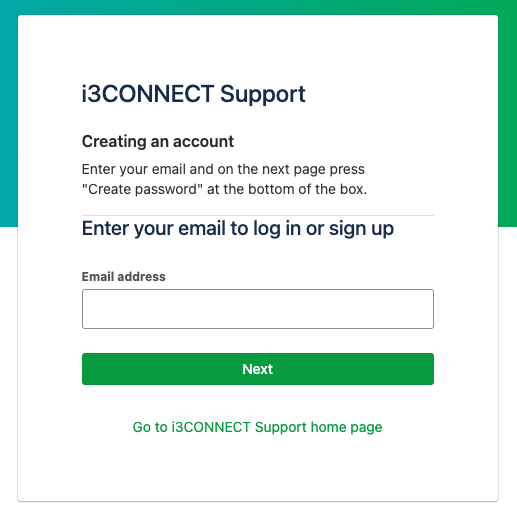
-
In the next window, you may see:
-
A green Sign up button (if your email has not been seen before). Press on this.
-
or a Continue button (if your email is known) In the second situation, press on the “Create Password” link at the bottom of the box.
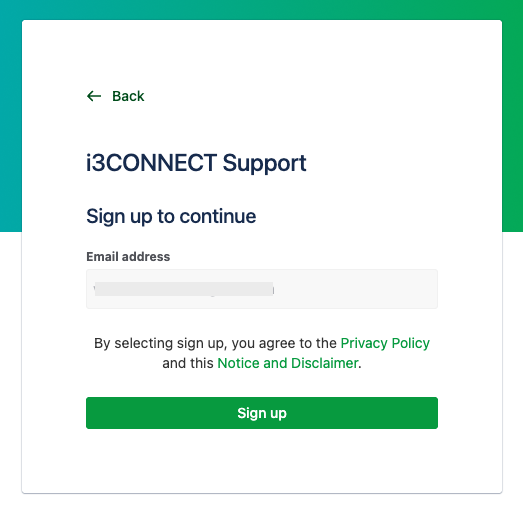
-
-
You will get an email sent to you to create your password.