
Instructions
-
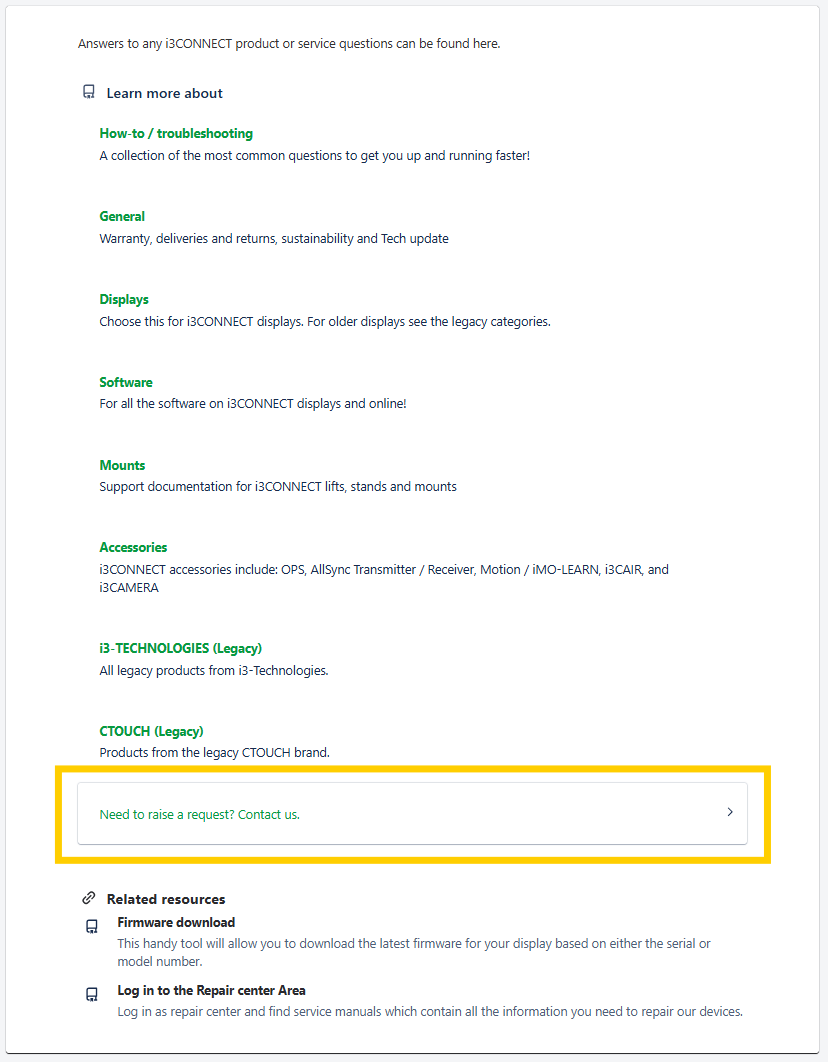
When arriving on the homepage of https://support.i3-connect.com/ you will see a search, some Topics below that, and below that you will find the support request forms under the title “Need to raise a request? Contact us.”. They will look like this:
-
Depending on your needs you will be able to request support with your:
-
Hardware
-
Software
-
or Other Questions
-
Below these forms are other commonly used resources
-
-
Click on the form that fits your situation best
-
Enter in the details of your problem in the form.
-
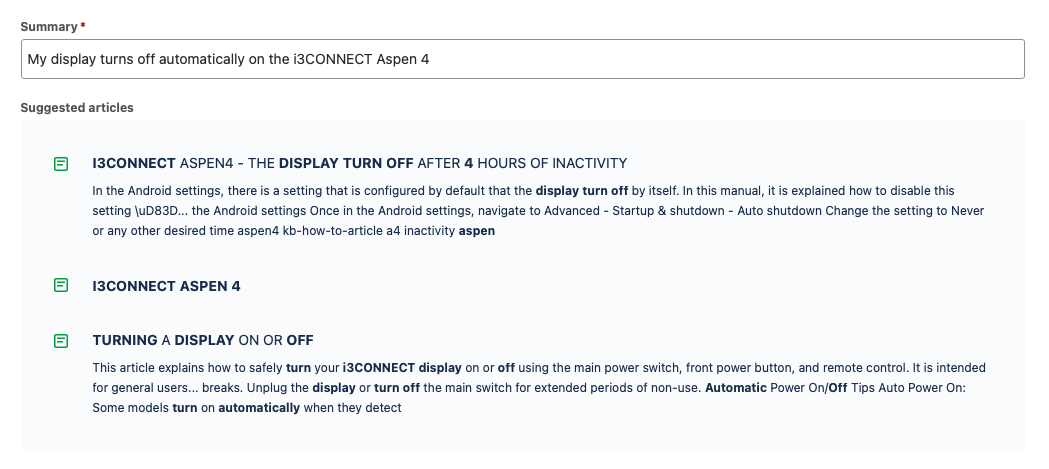
While typing your question in the Summary field, you will be shown suggested articles from our Knowledge Base. Looking at these could solve your problem instantly, instead of needing to wait for support. Worth a look!
-
-
Once you enter in the form details and press Send, you will receive an email with your ticket reference. Any future ticket updates and changes will be sent to your email through there.