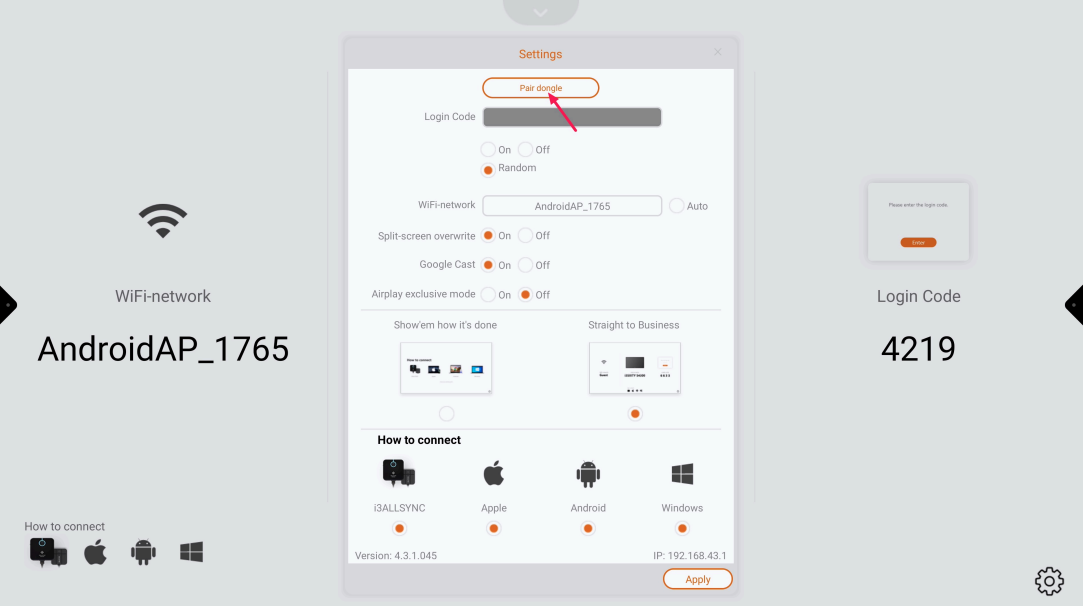
📘 Instructions
-
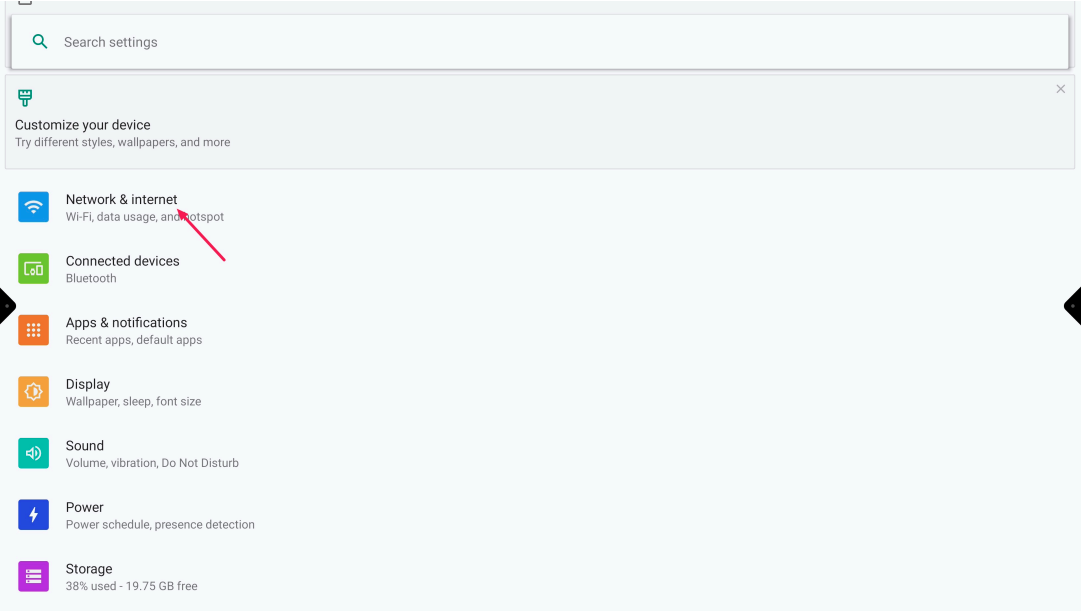
Go to the Android Settings and select “Network & Internet”
-
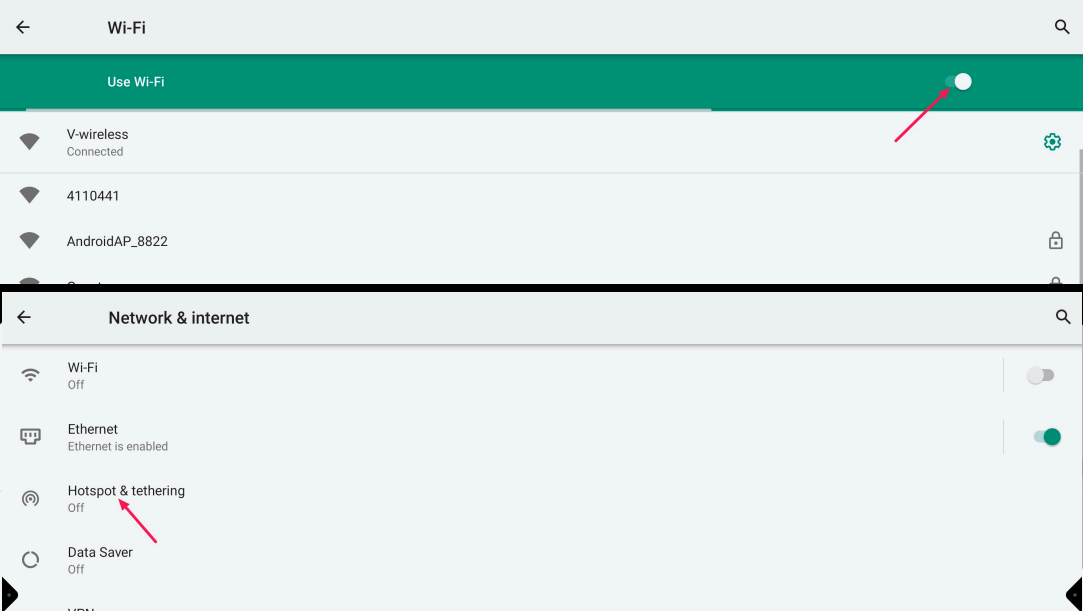
Turn off the Wi-Fi and Ethernet and go back and select “Hotspot & Tethering”
-
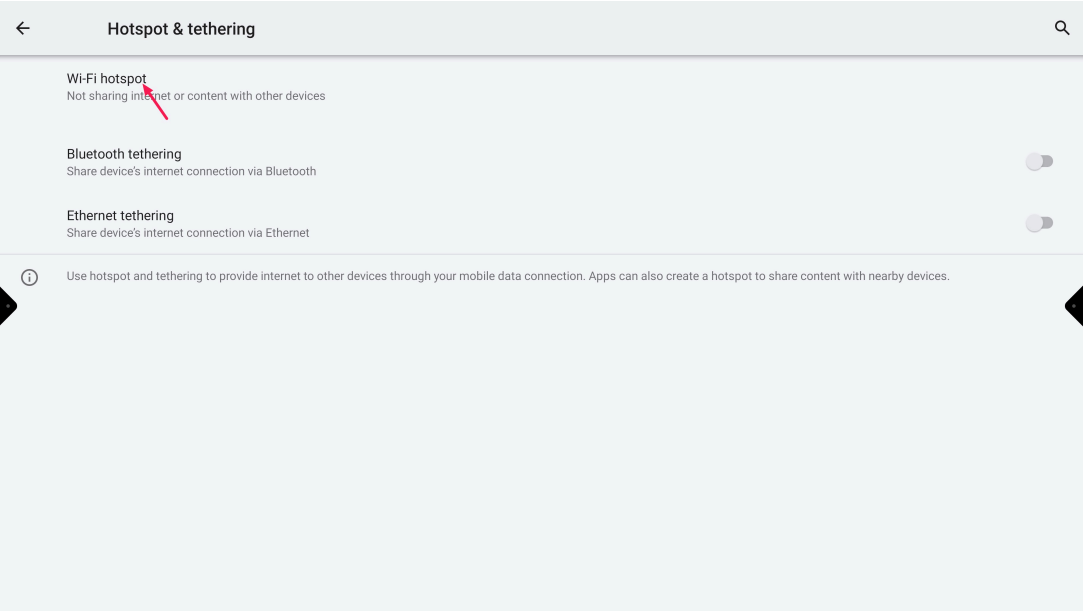
Select “Wi-Fi hotspot”
-
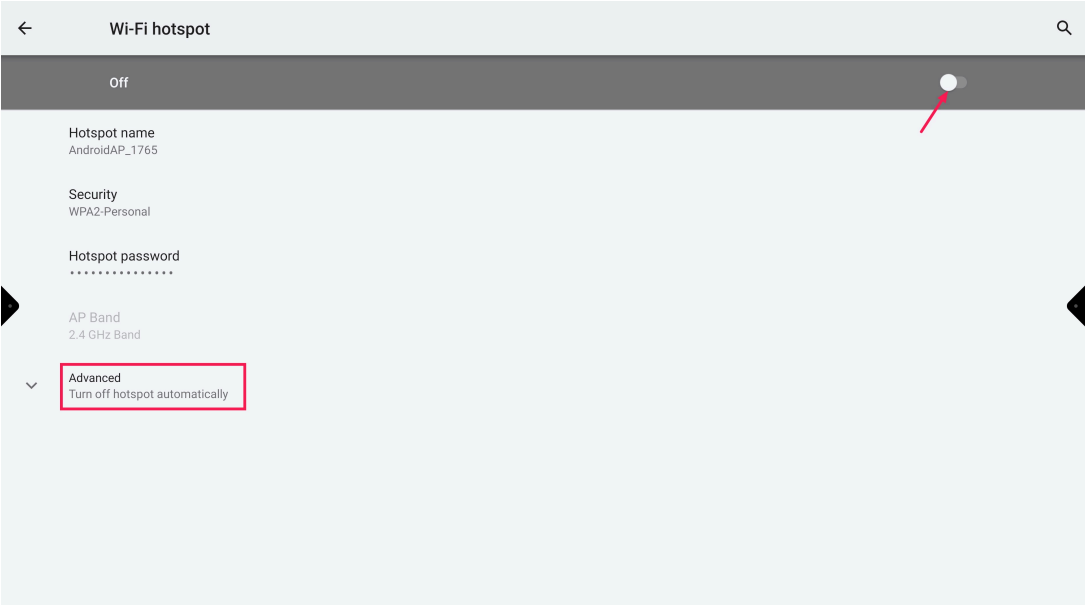
Turn on the hotspot and expand “Advanced”
-
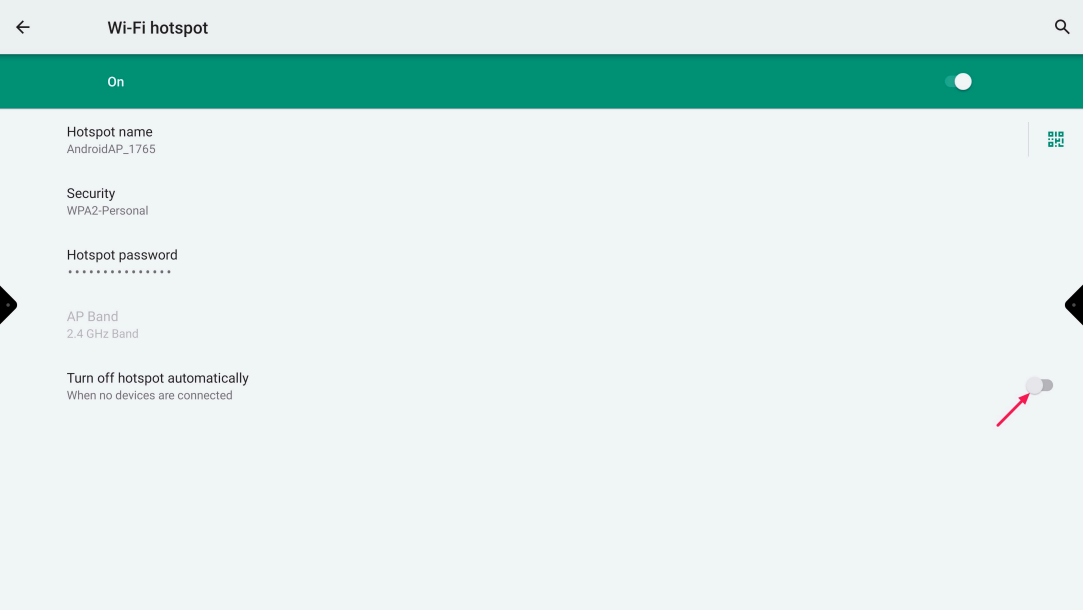
Turn off the setting “Turn off hotspot automatically”
-
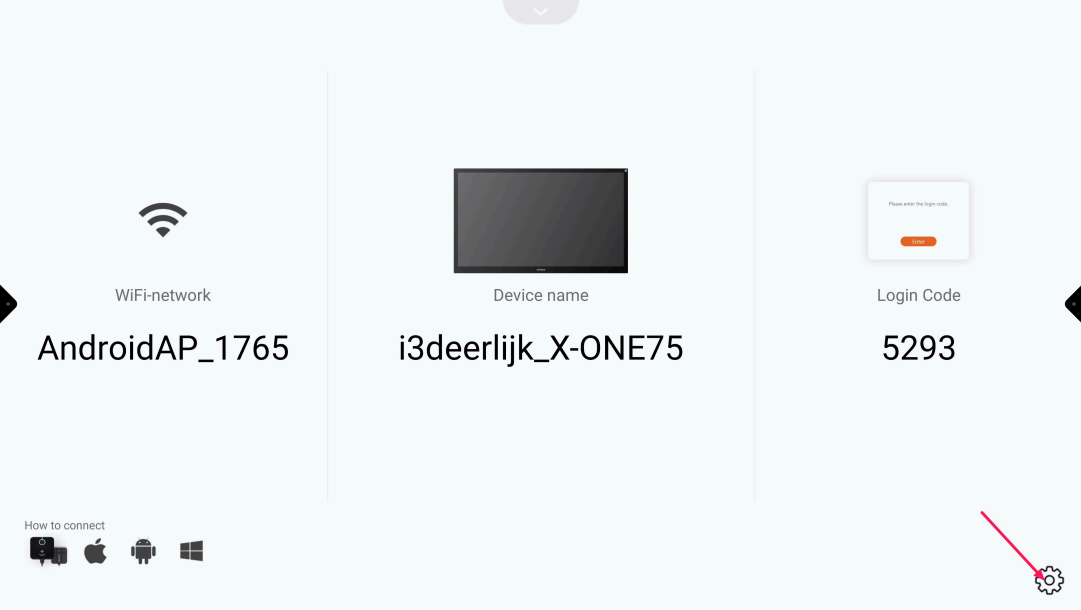
Open “Present” and select the “Settings cog-wheel”
-
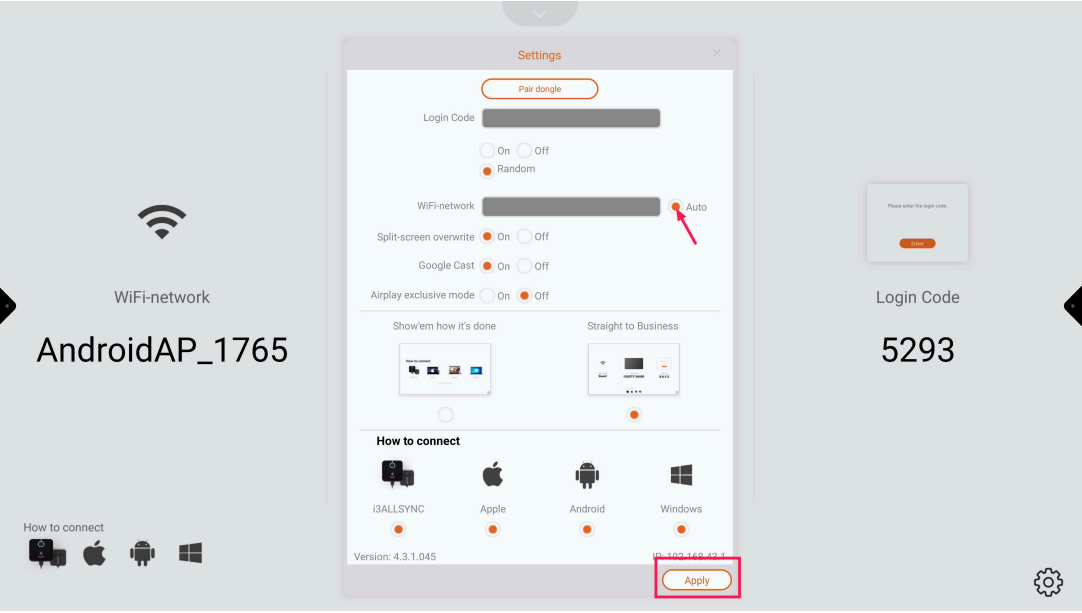
Deselect “Auto” and press “Apply”
-
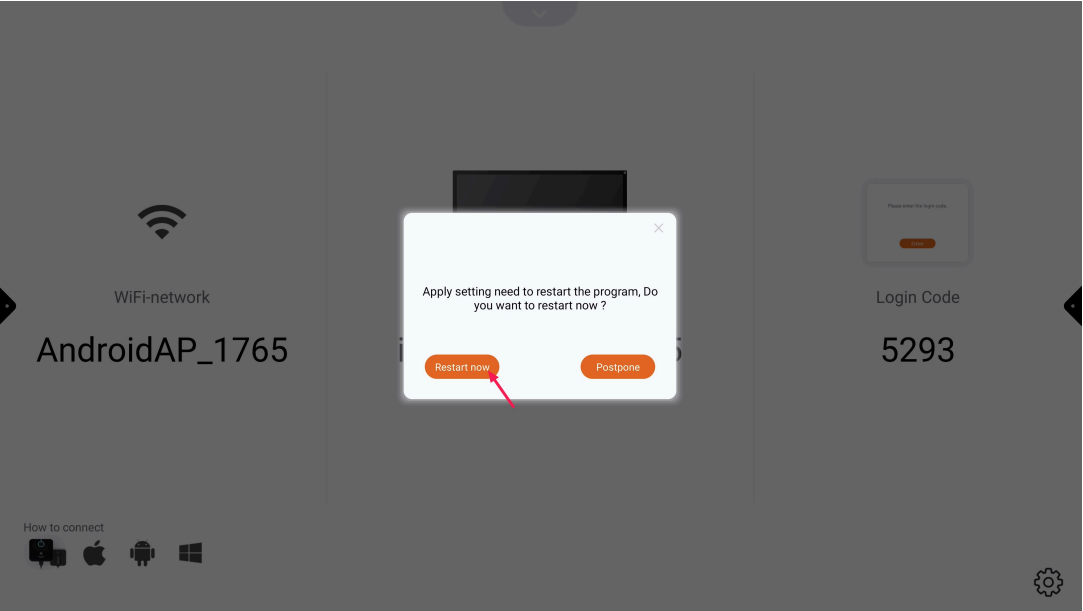
Press “Restart now” and wait until Present has restarted
-
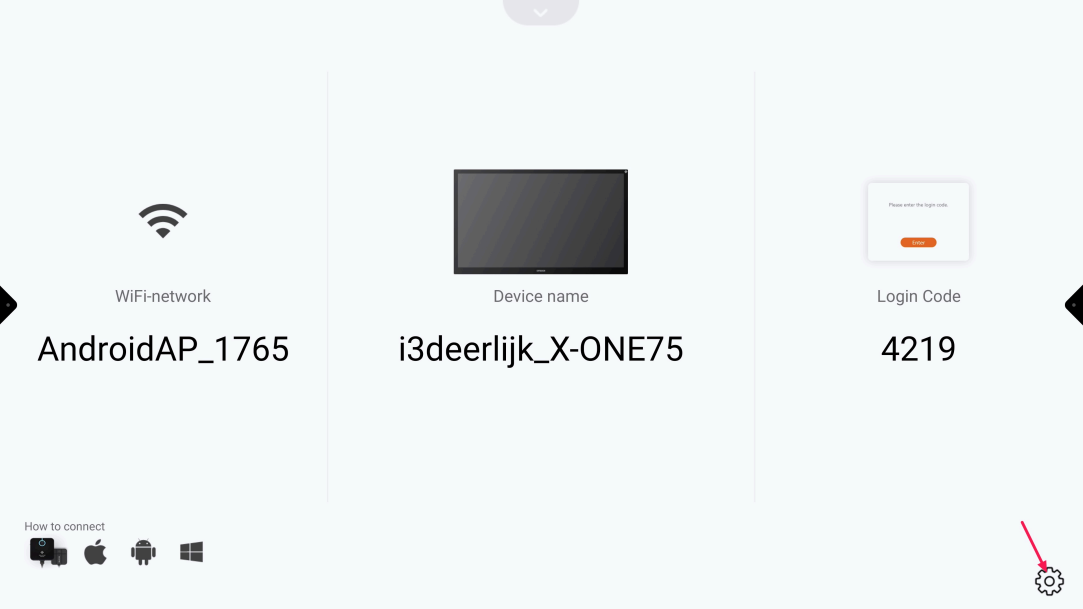
Press the “Settings cog-wheel”
-
Press “Pair dongle” and follow the instructions onscreen