Instructions
-
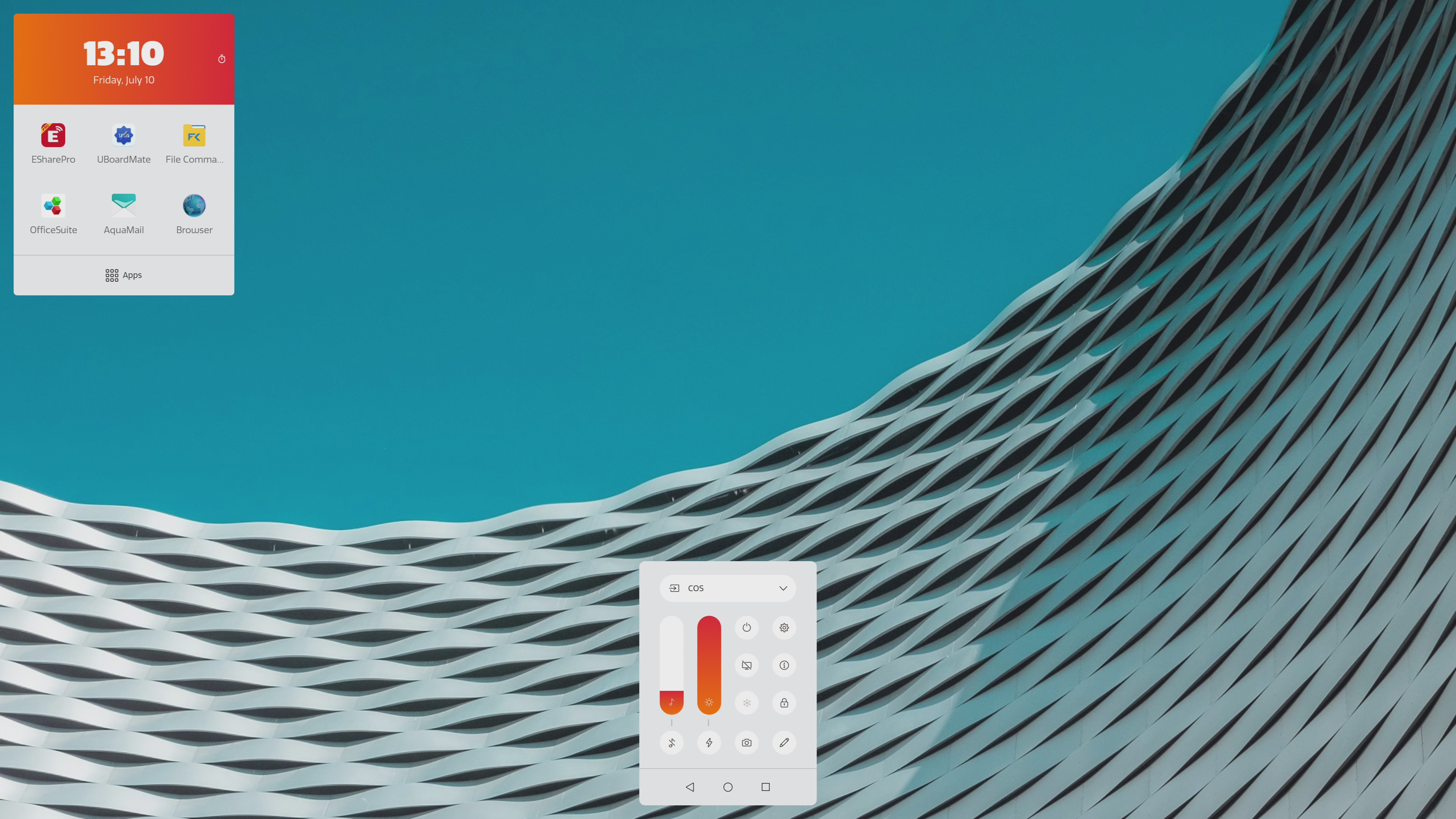
Open the Float Bar by short pressing the center button on your CTOUCH screen.
-
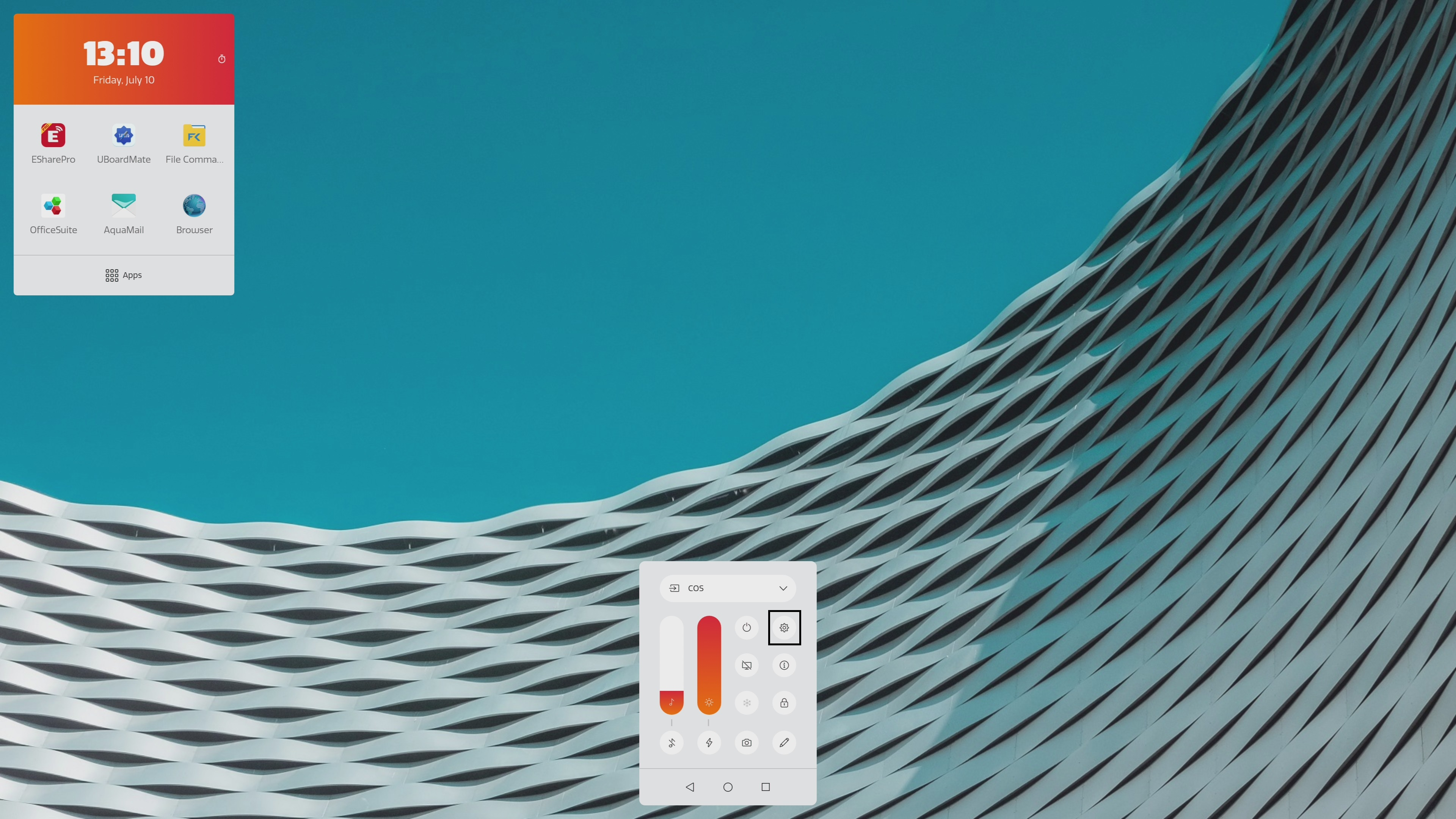
Click on Settings Menu (Gear symbol).
-
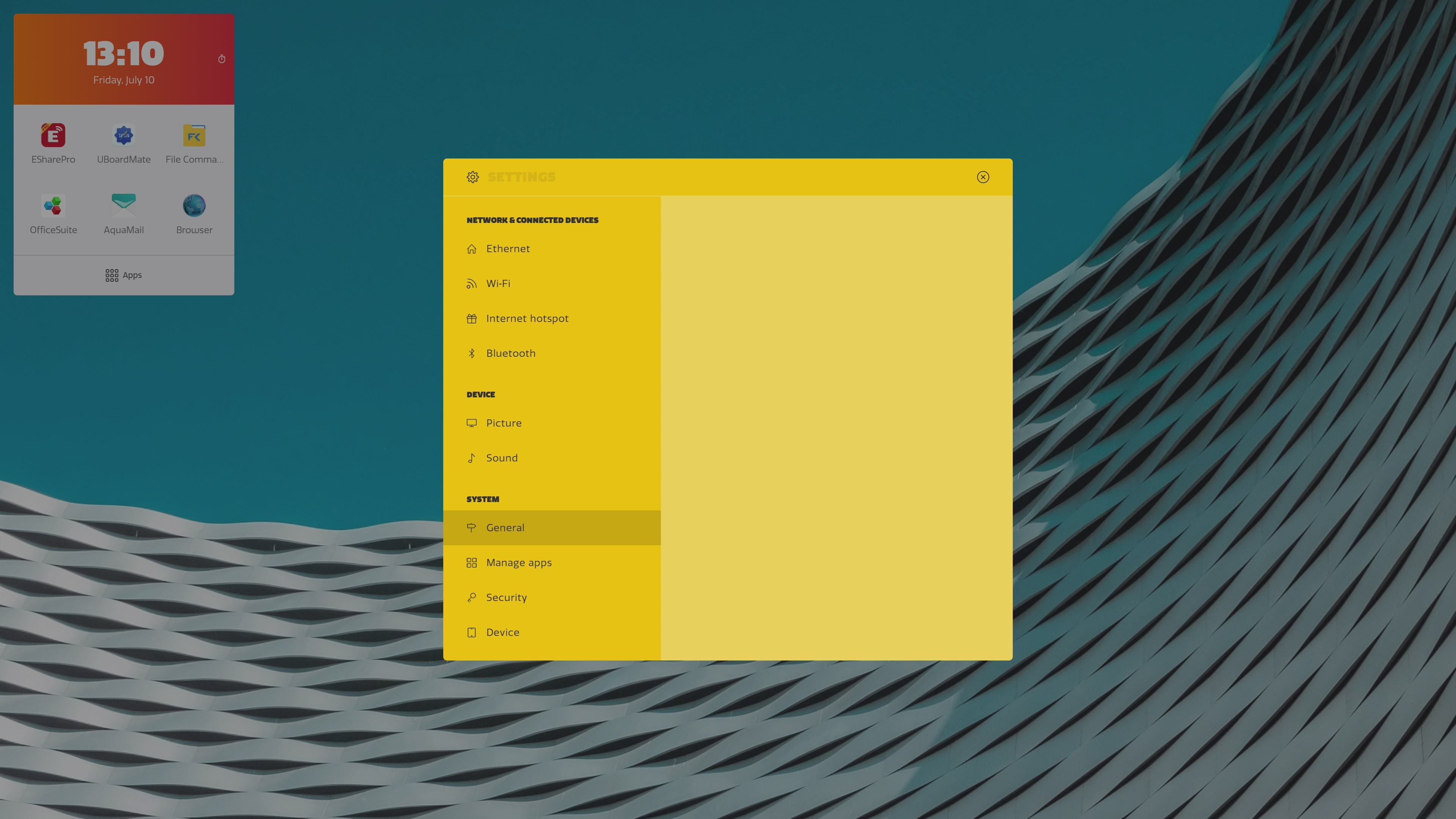
Click on General.
-
Click on Keyboards & Inputs.
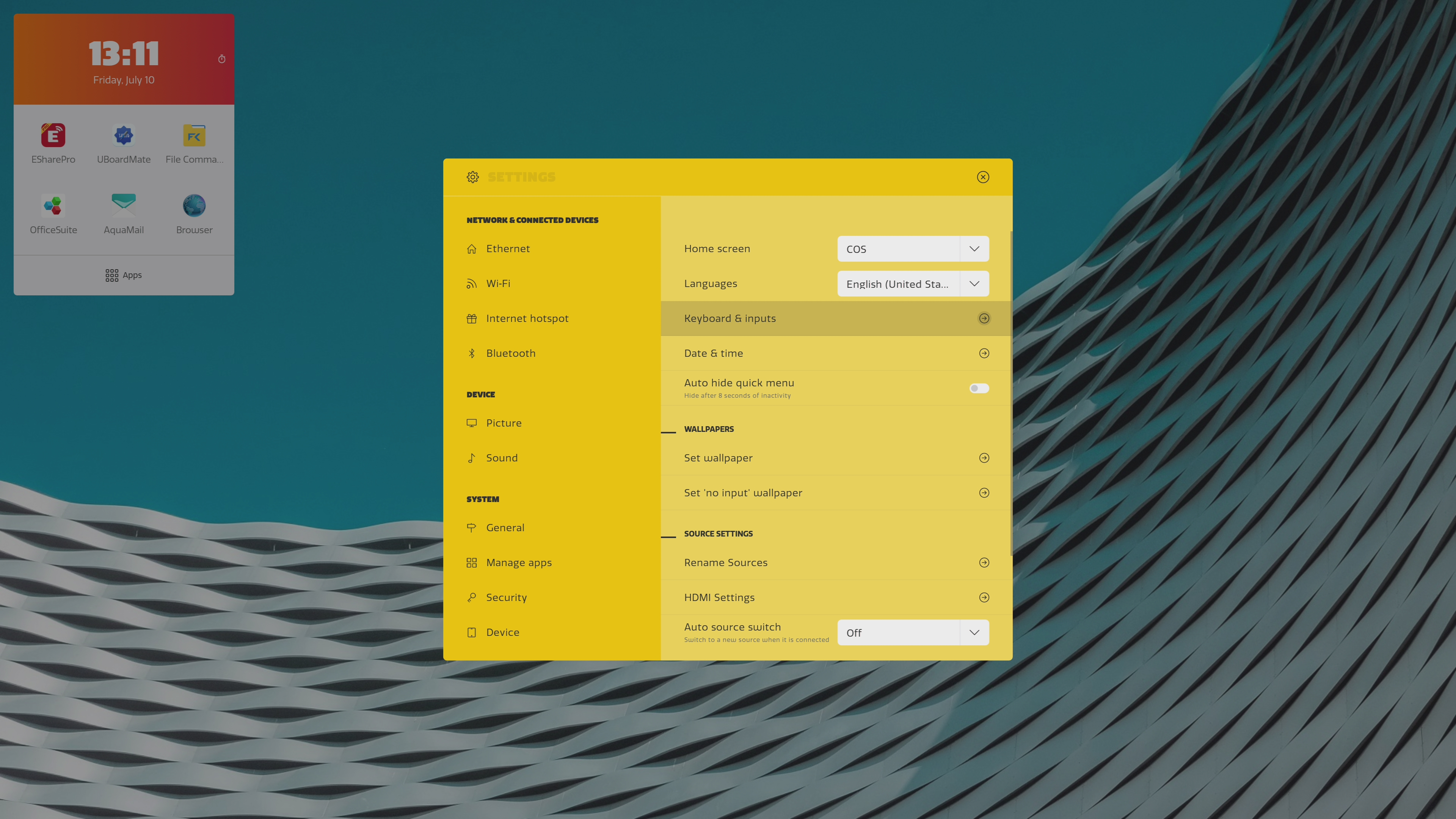
-
Click on Android Keyboard (AOSP).
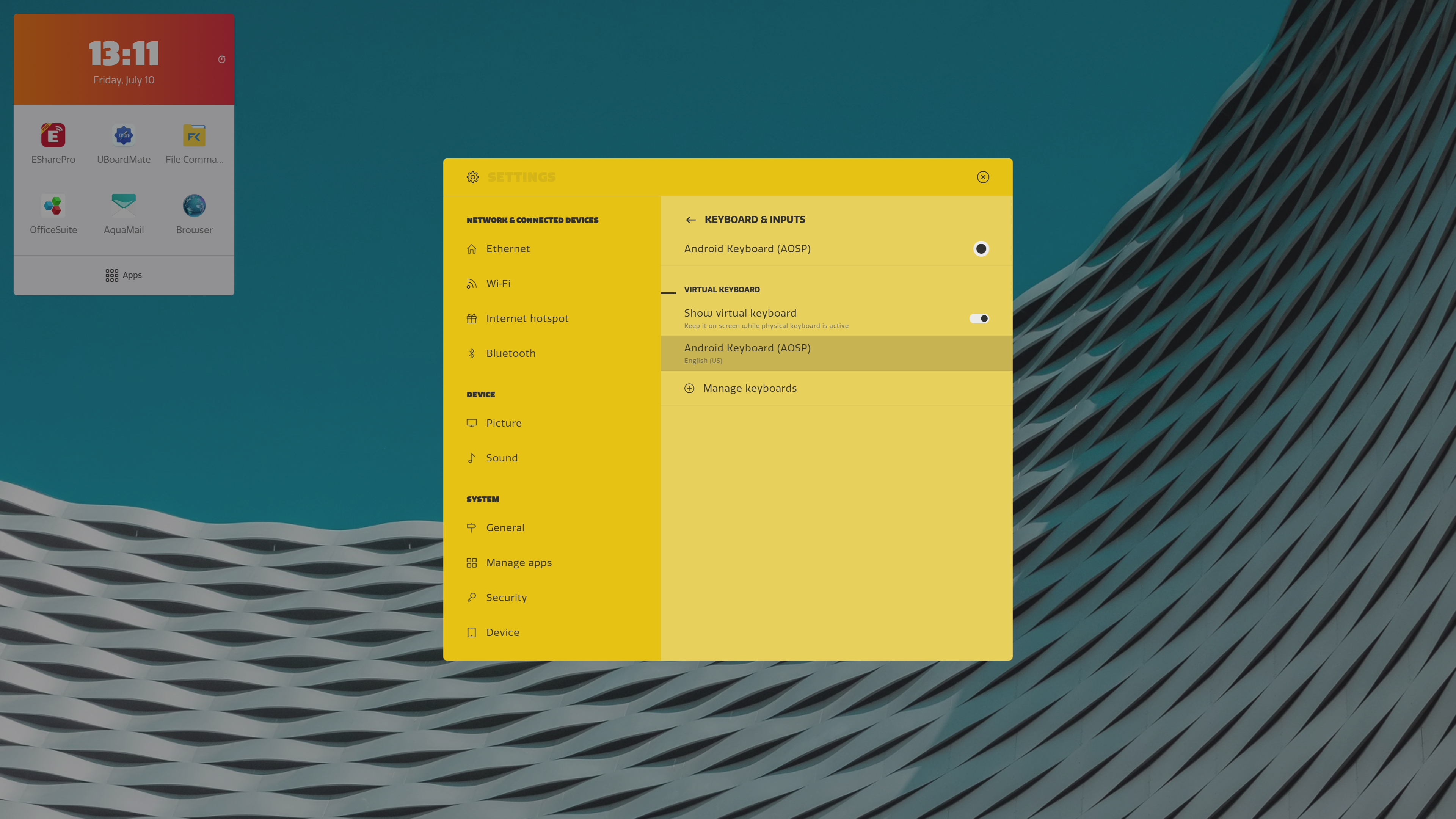
-
Click on Preferences.
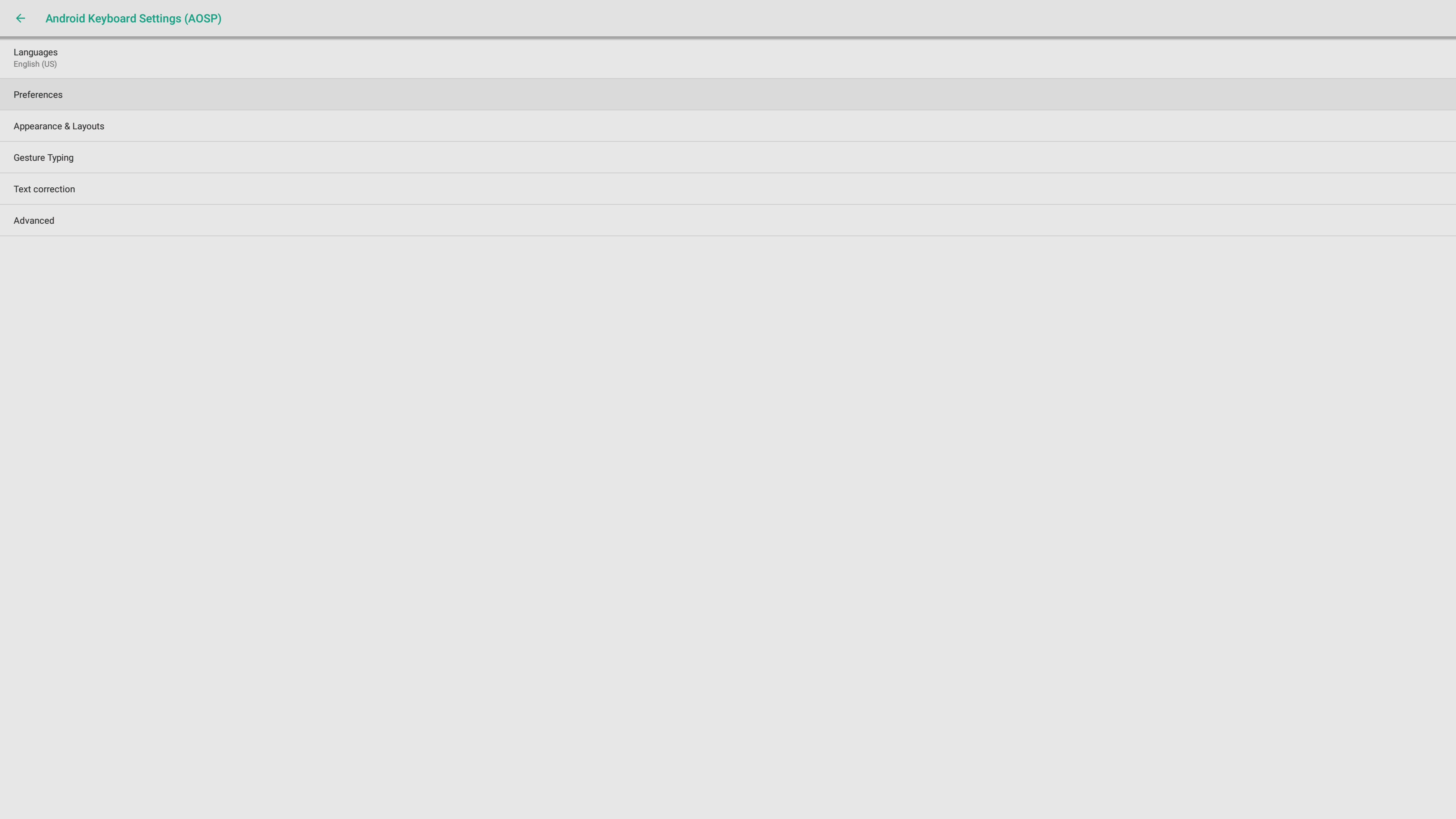
-
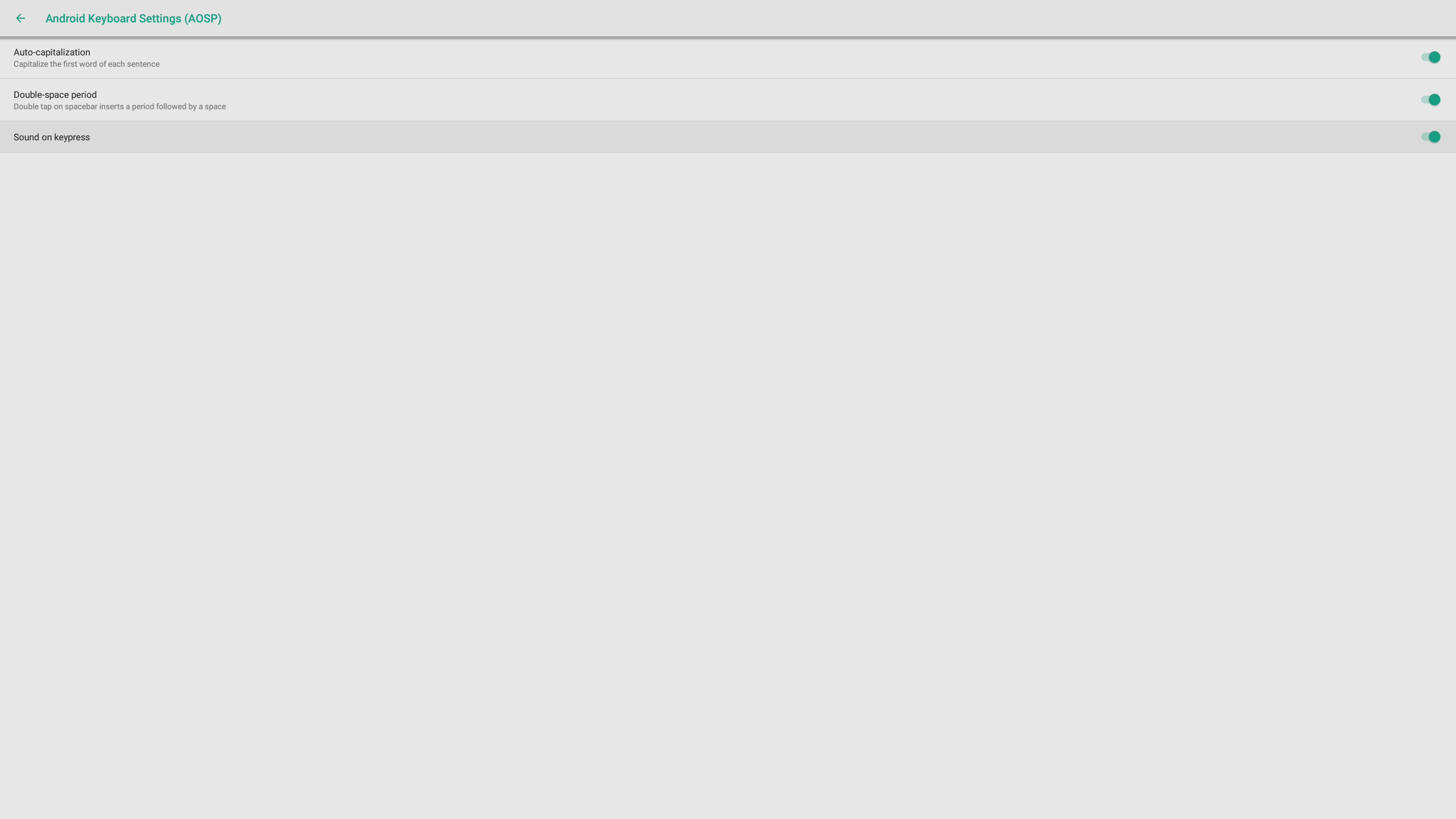
Click on Sound on keypress to disable the sound.