Screenshots in the Laser Sky will be stored in the internal memory of the device. Because there is no File explorer available in the Laser Sky, (Only in Laser Nova) screenshots stored in the internal storage can’t be accessed anymore.
However, there are 2 ways to ‘export’ screenshots from the Laser Sky.
Instructions: saved on a USB stick
-
Use a USB stick (FAT32 formatted) and connect it into the USB port locate above HDMI1 input (left side of the screen). The port is labeled USB 2.0.
-
A screenshot will now automatically be saved in a newly created ‘screenshot’ folder on the connected USB drive.
Instructions: email saved files using AquaMail
-
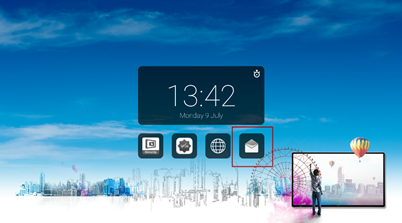
Select AquaMail by touching the envelope on the start screen.
-
From the internal storage, screenshots are accessible via AquaMail and can be send as an attachment.