
Instructions
-
Open the MirrorOp app.
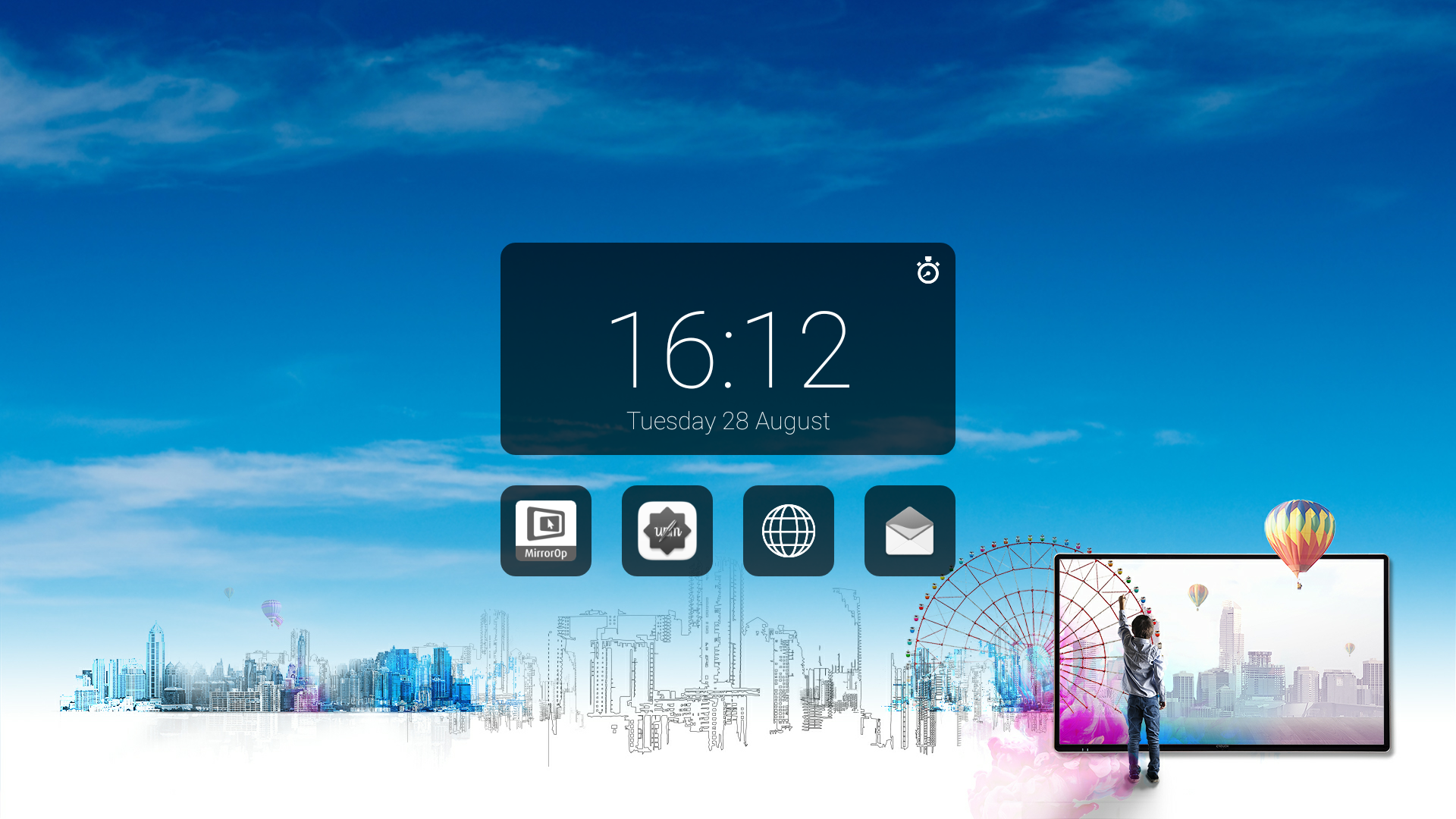
-
Click on the icon on the right bottom corner.

-
Click on ‘Login Code’.
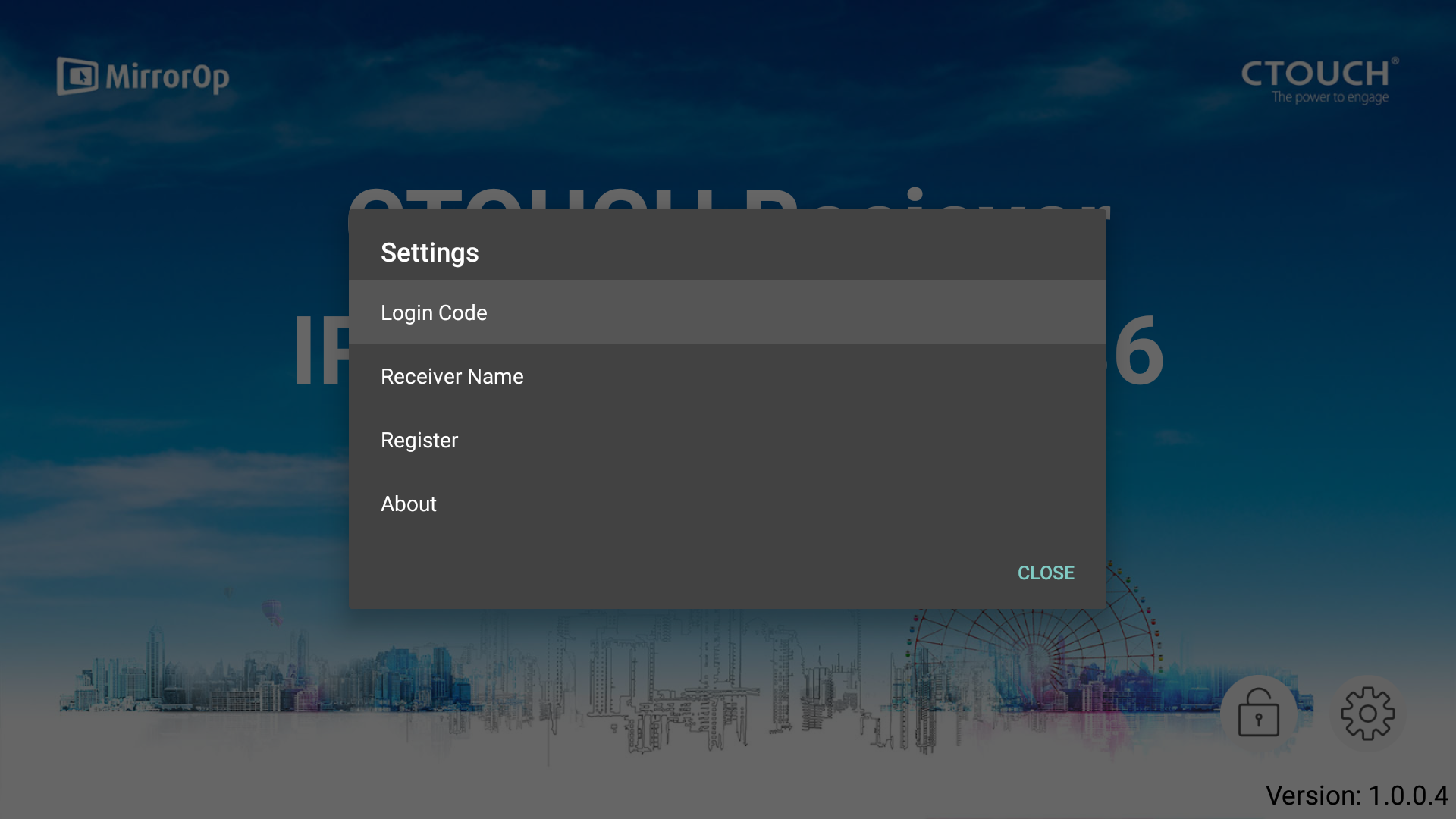
-
Select the Method you prefer.
-
Disable = no code required to connect.
-
Random = code changes every session.
-
Fix = you can select your own Login Code.
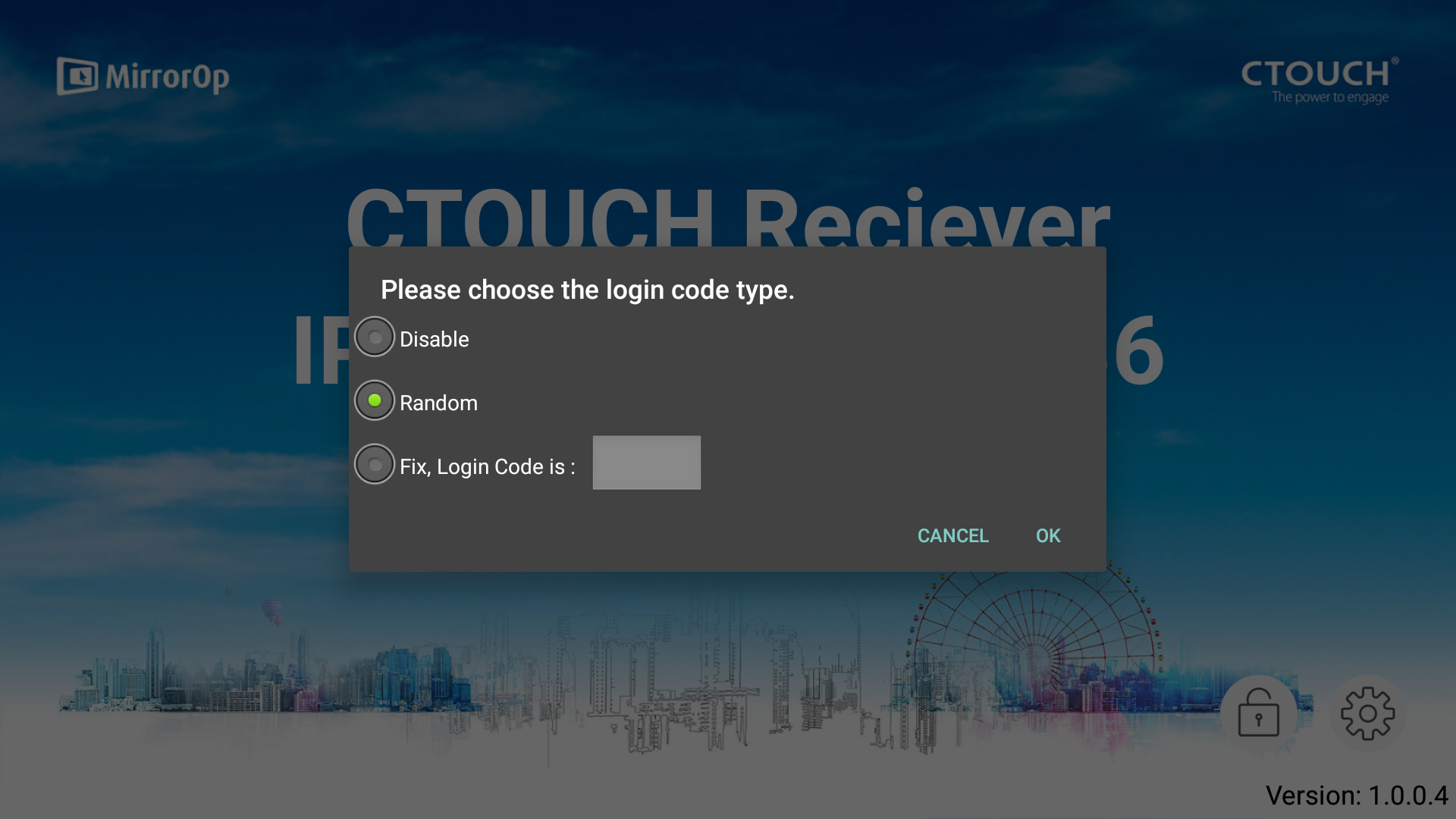
-
-
Click on OK to go back to the MirrorOp Home Screen.