
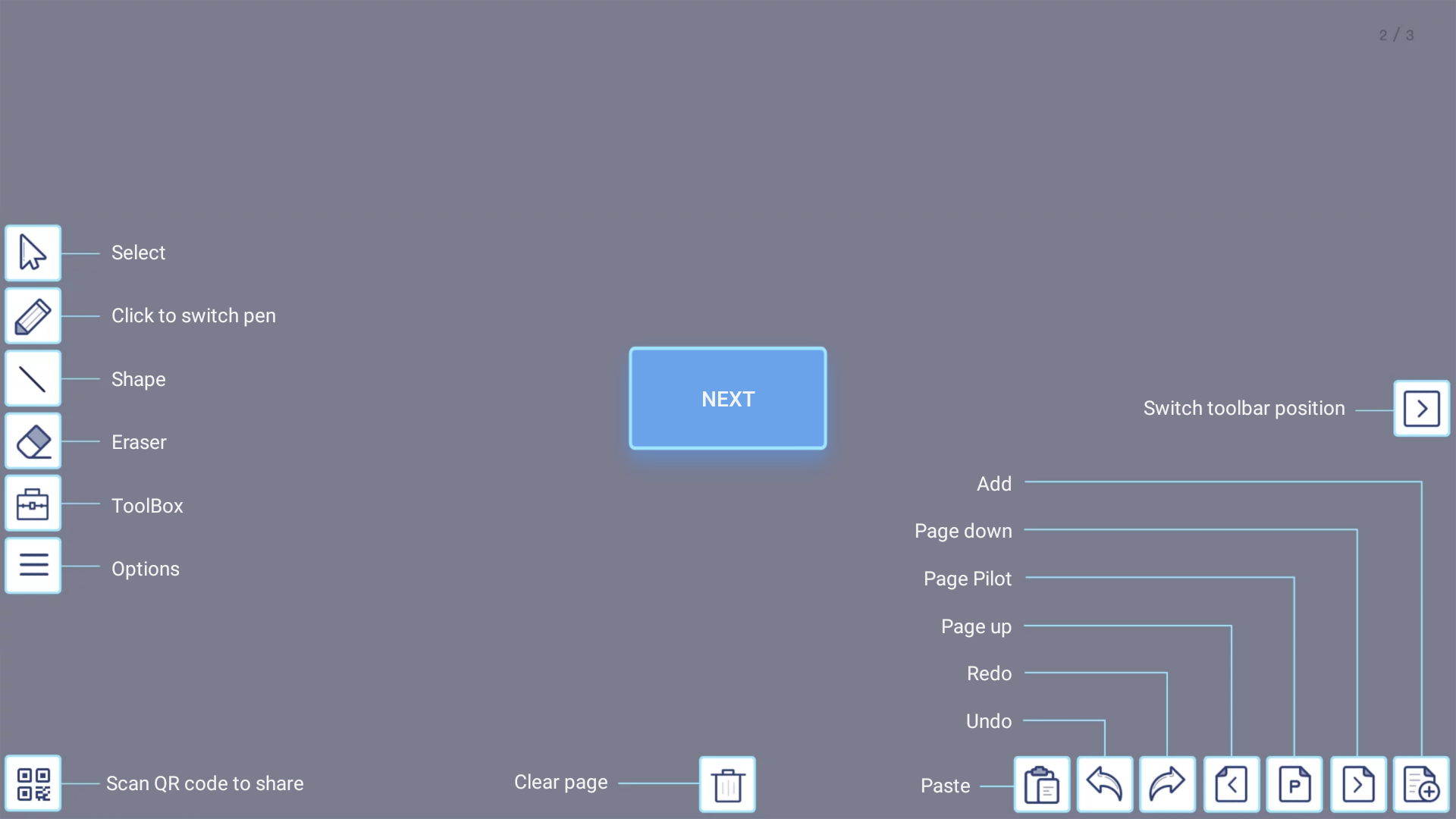
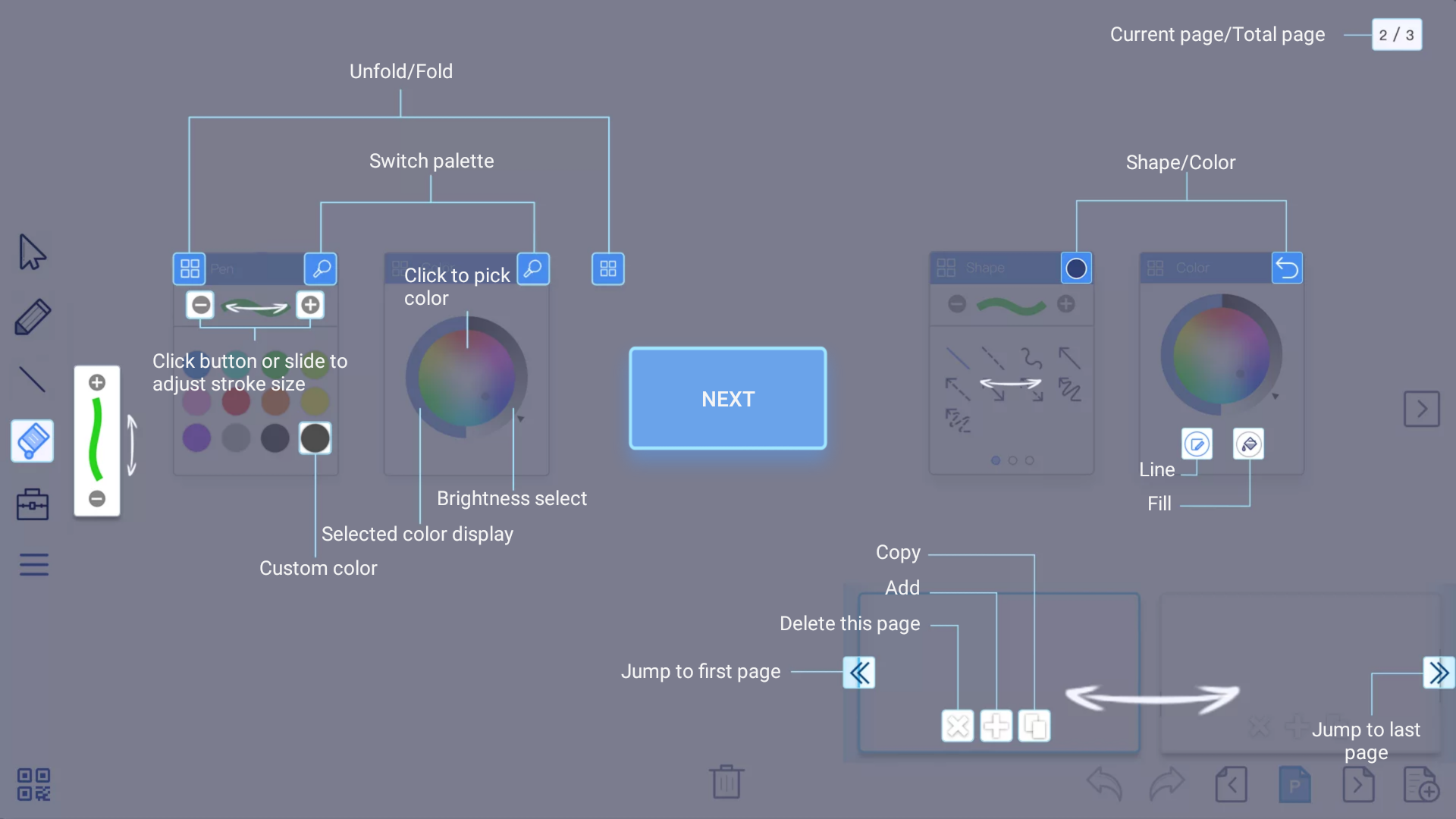
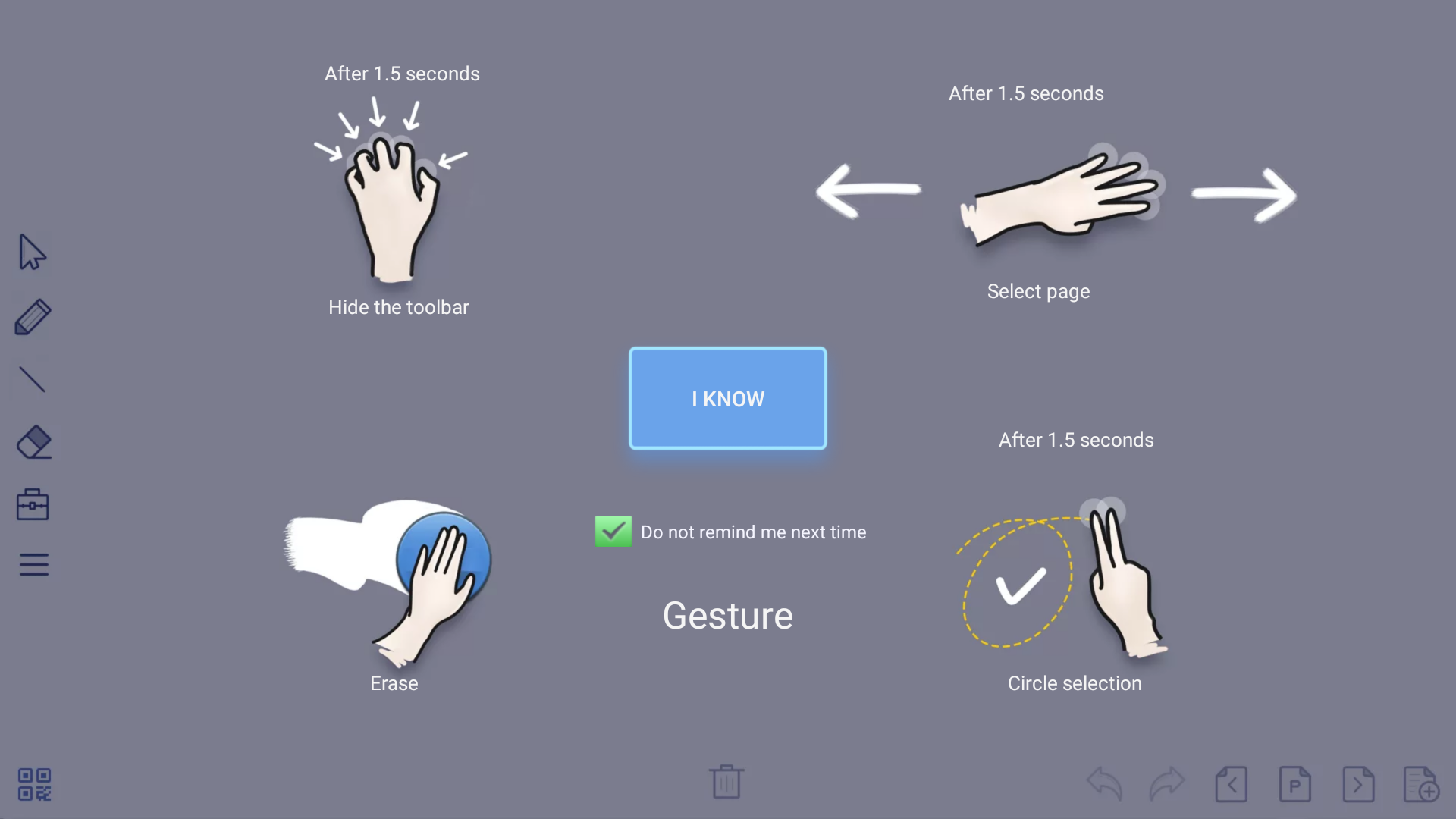
After activating the UBoardMate you are ready to use it. The following screens will explain the functions of the UBoardMate App. This tutorial will pop up when you run it for the first time.
This tutorial can be found under [Options] [Help].
TIP: To store your images directly to a USB drive, choose 'save to USB' from the Options button. Ensure that a USB drive is inserted in one of the USB ports at the lower left of the screen.