Instructions: When Nova has no LAN
-
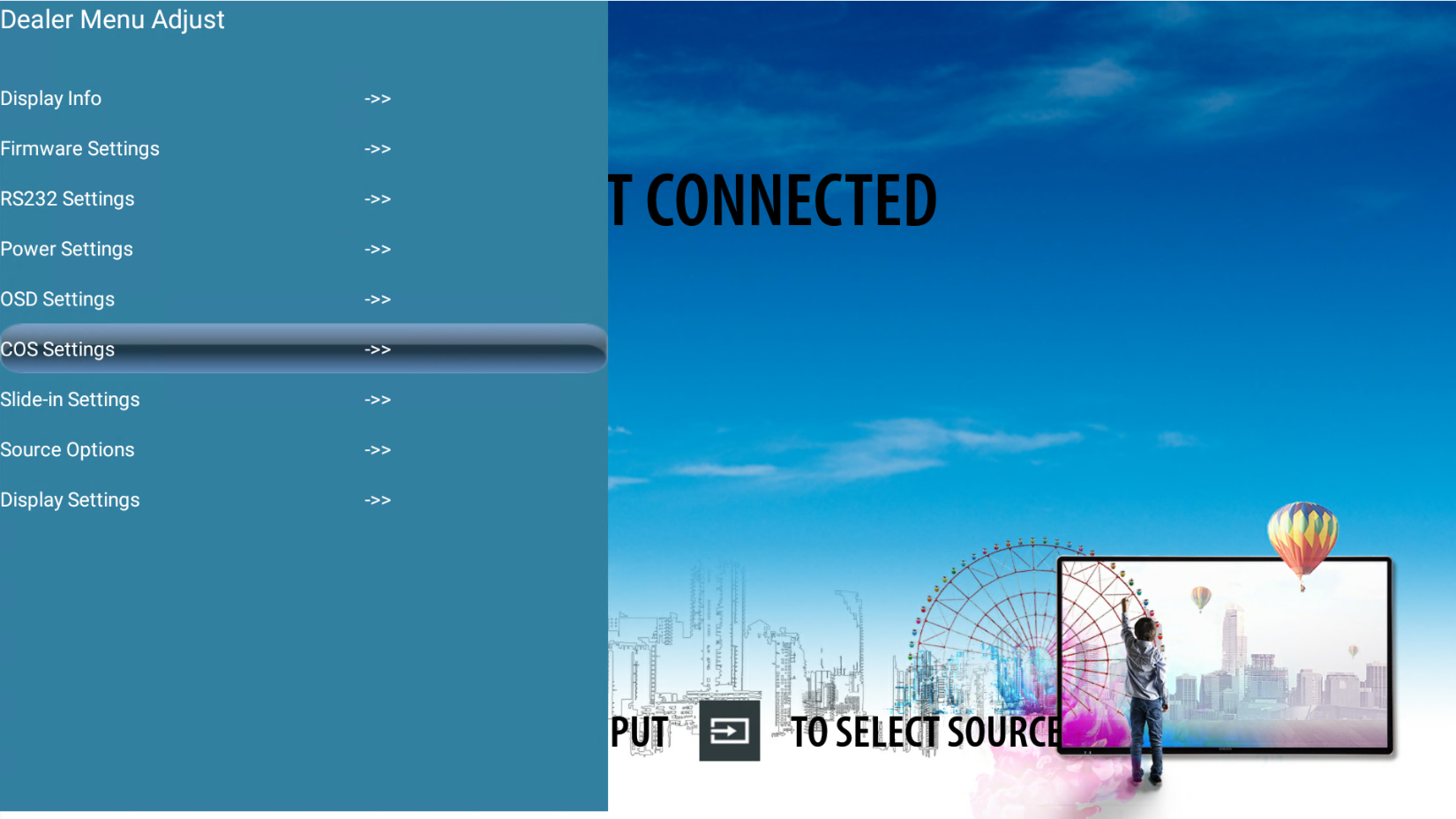
Go to "the Dealer Menu" and select "COS Settings".
-
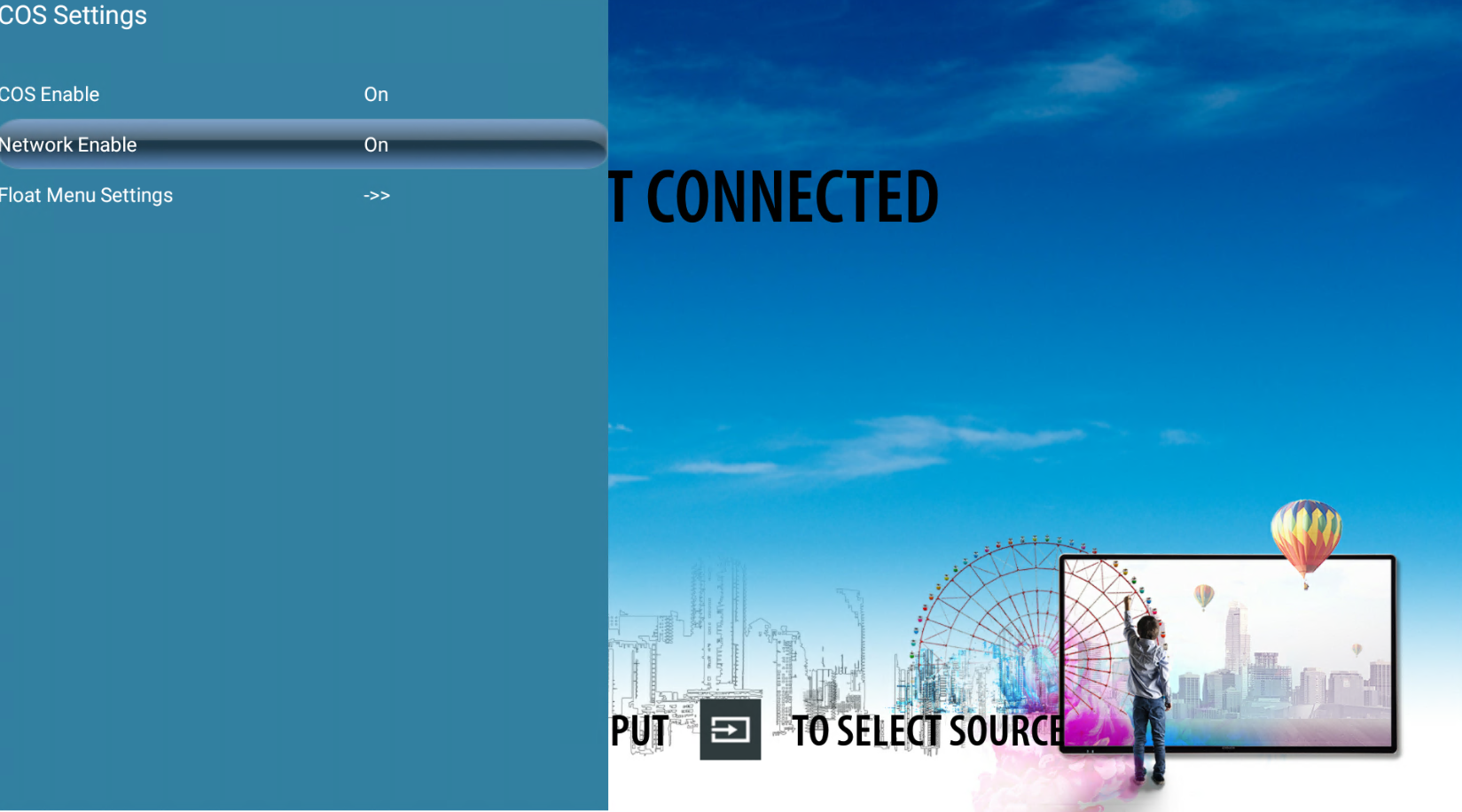
Make sure "Network Enable" is "On".
-
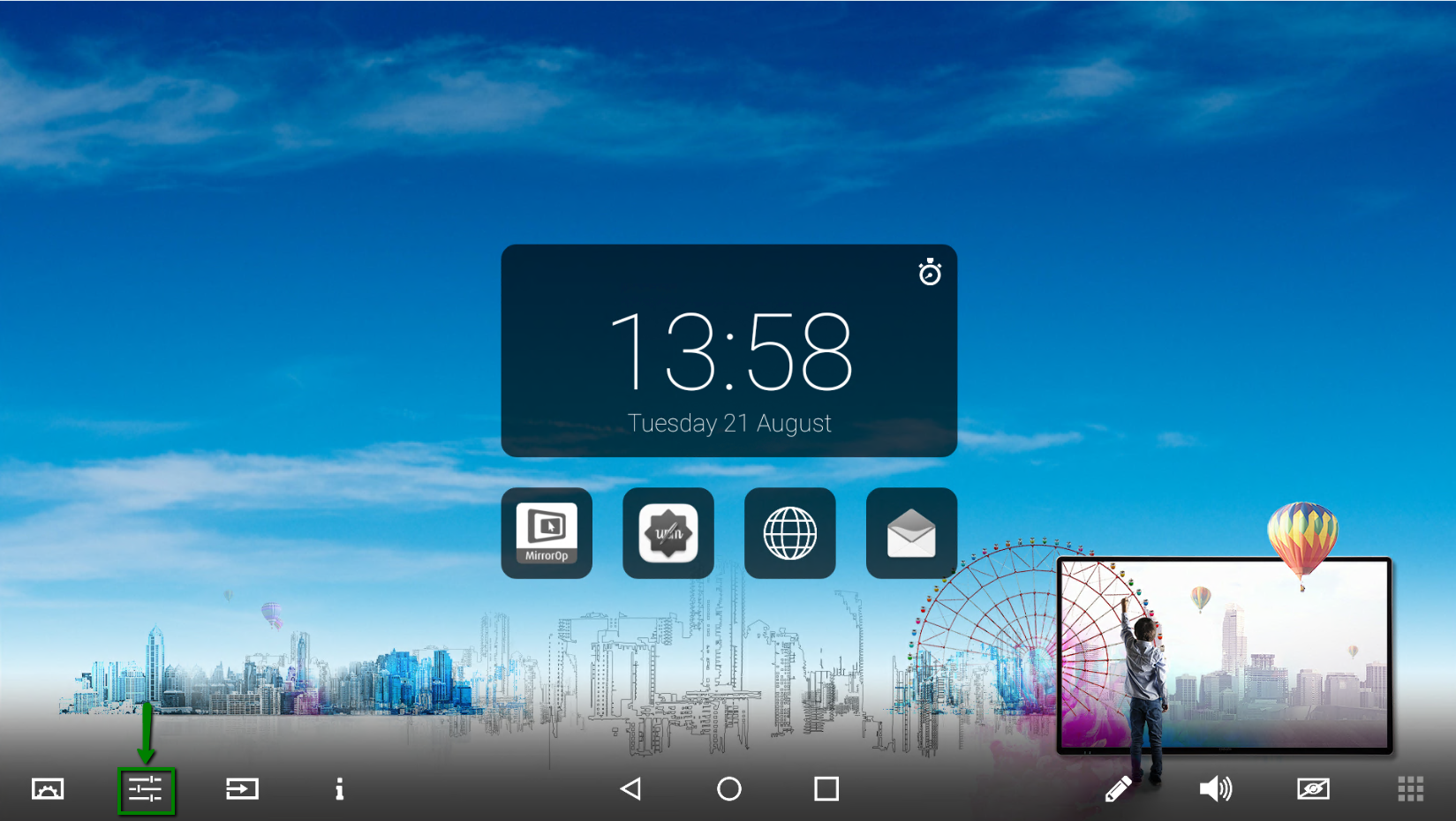
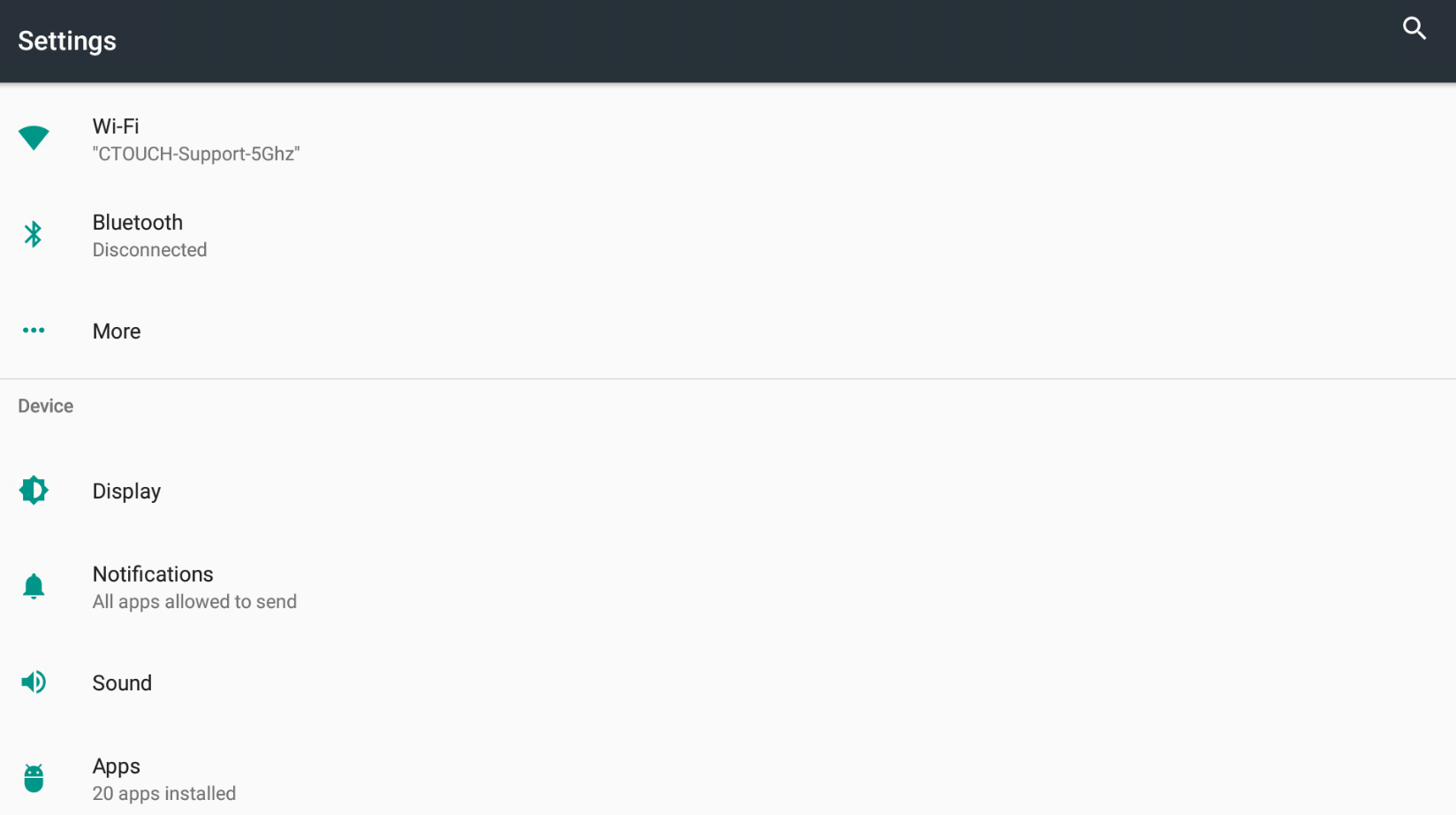
To check if the screen has Ethernet, go to "System settings" via the floating bar.
-
Go to "More".
-
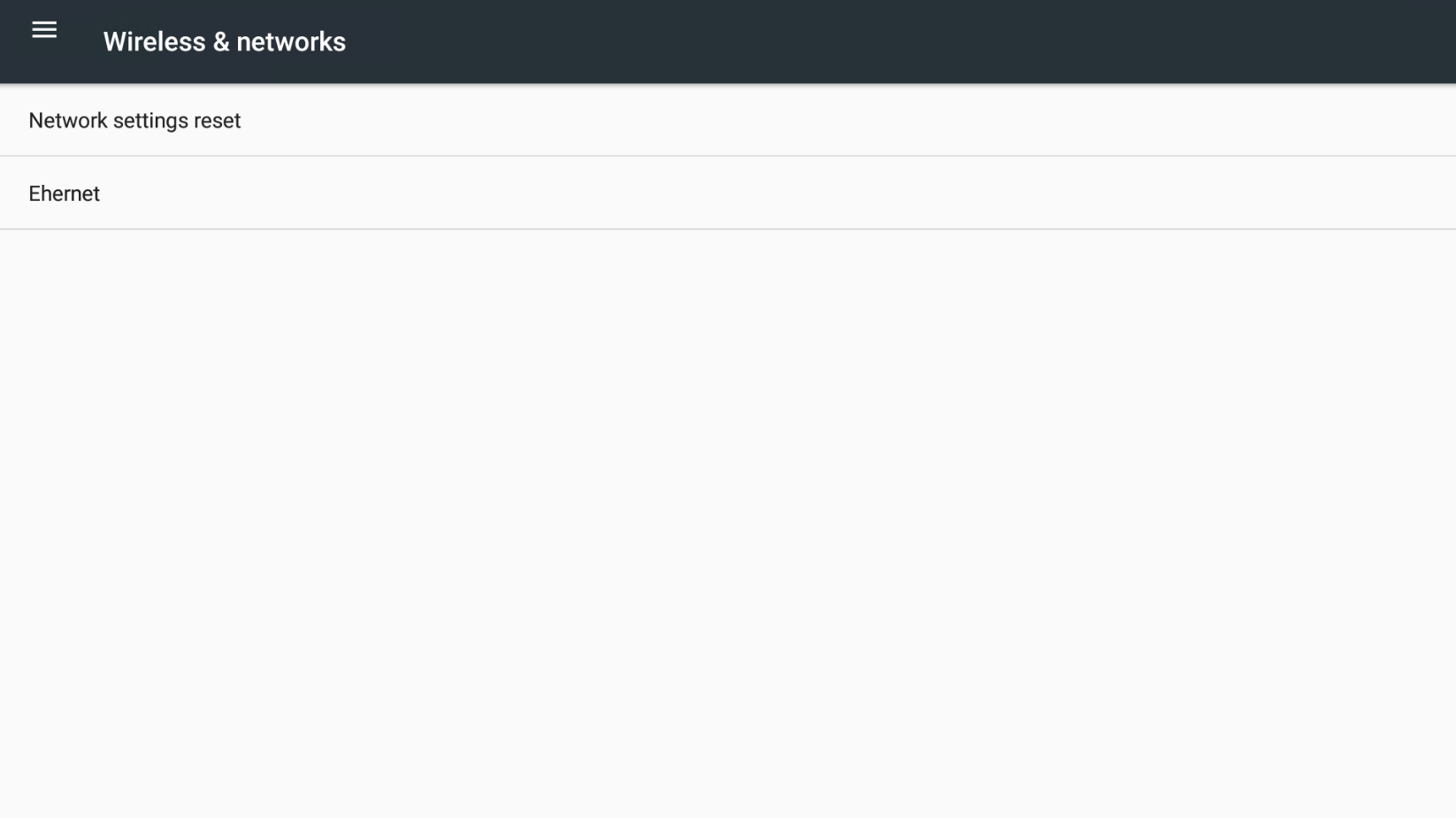
Go to "Ethernet".
-
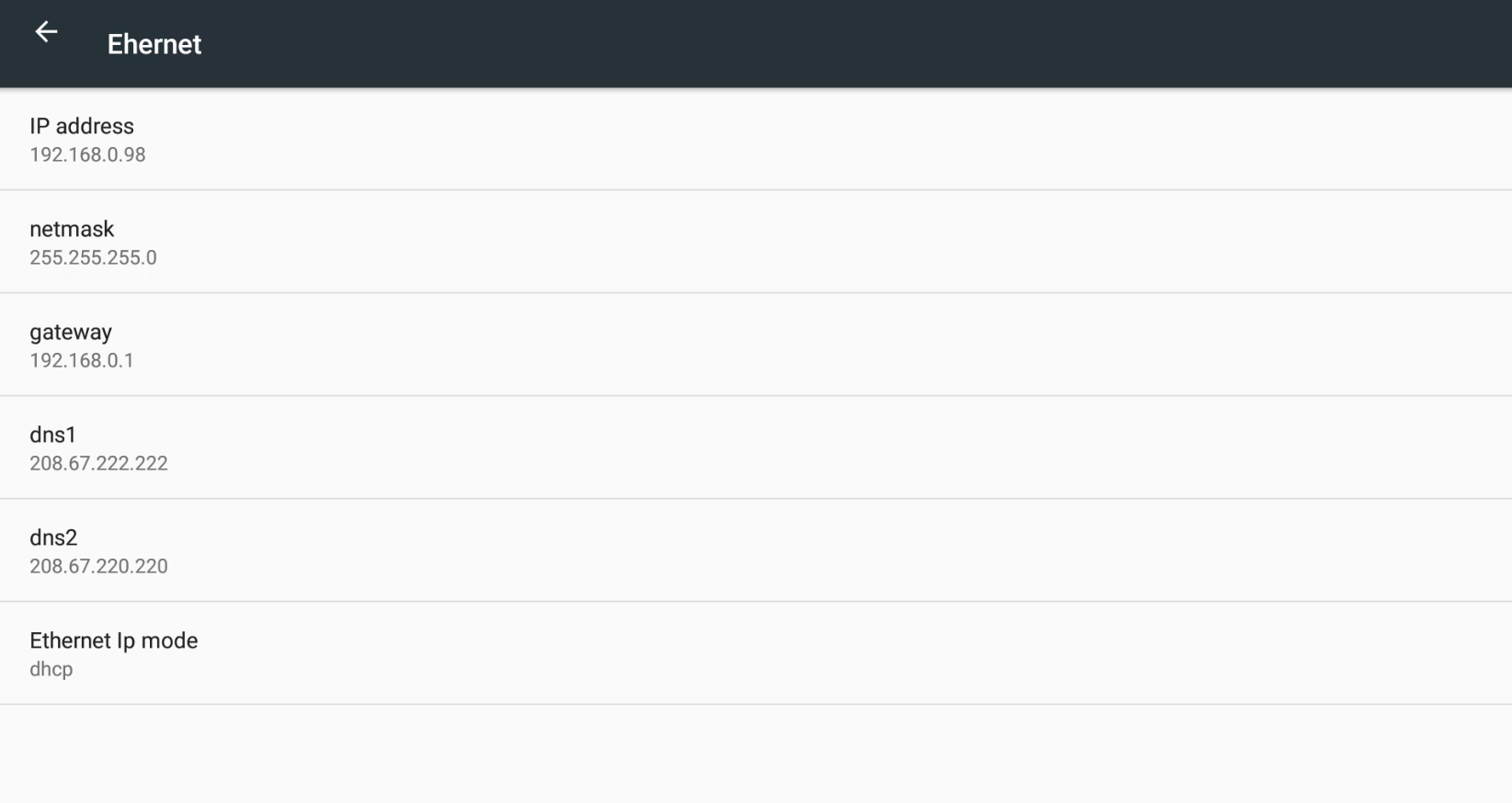
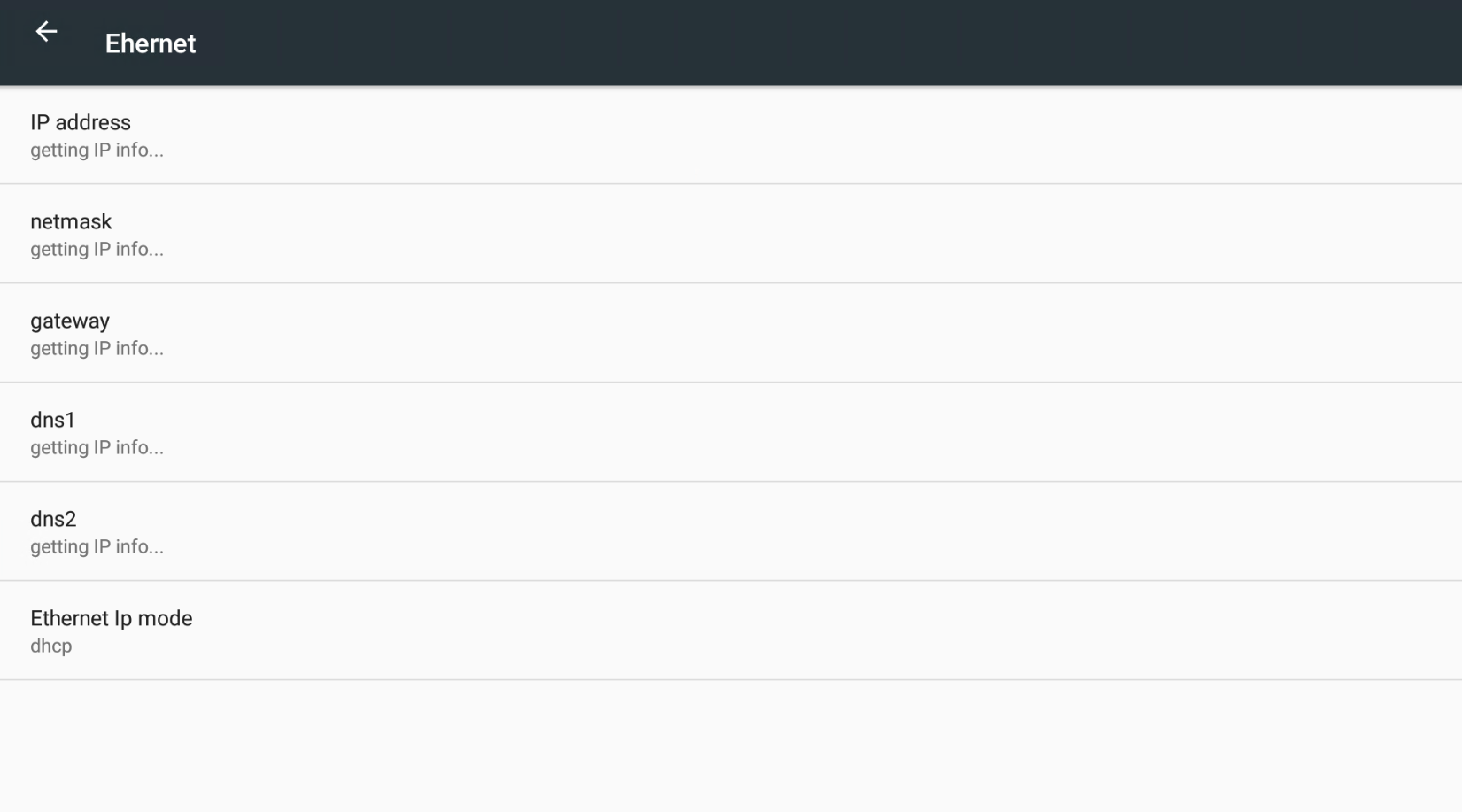
This page will show if you have an Ethernet connection. The first picture is an example of a screen with Ethernet. The second picture is an example of a screen without Ethernet.
Instructions: Nova has no Wi-Fi network:
-
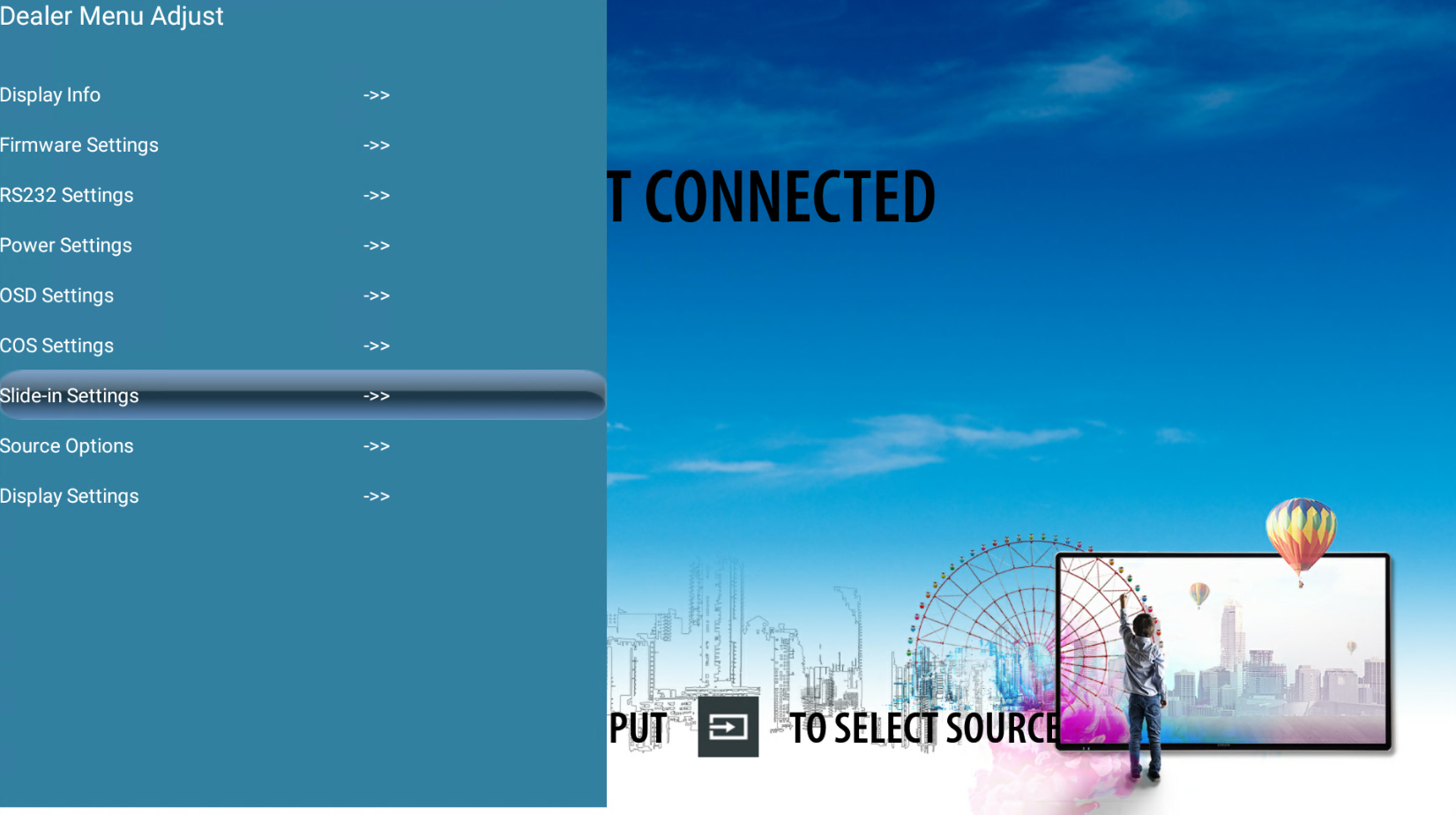
Go to "the Dealer Menu" and select "Slide-in Settings".
-
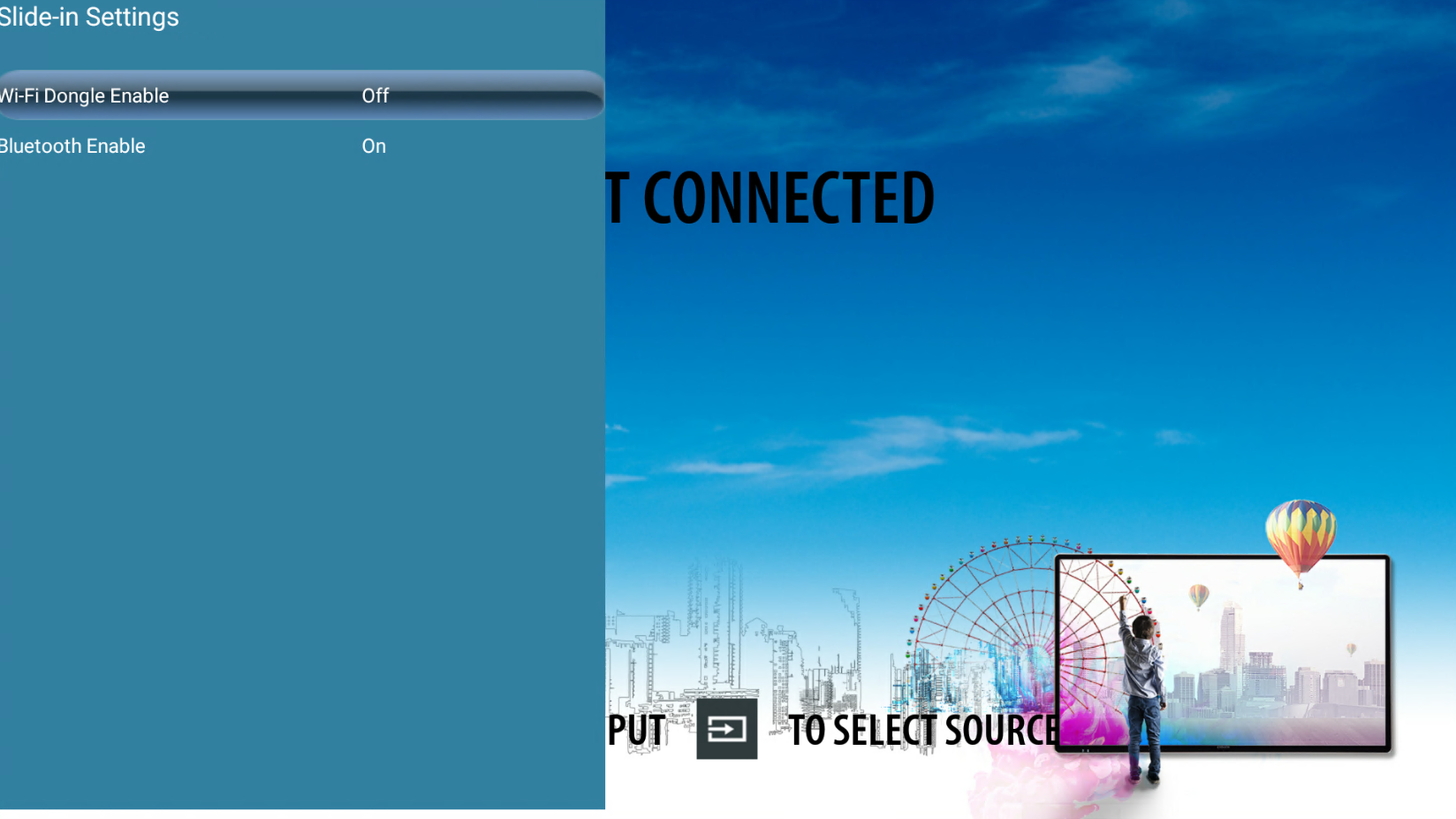
Make sure "Wi-Fi Dongle Enable" is "On".
-
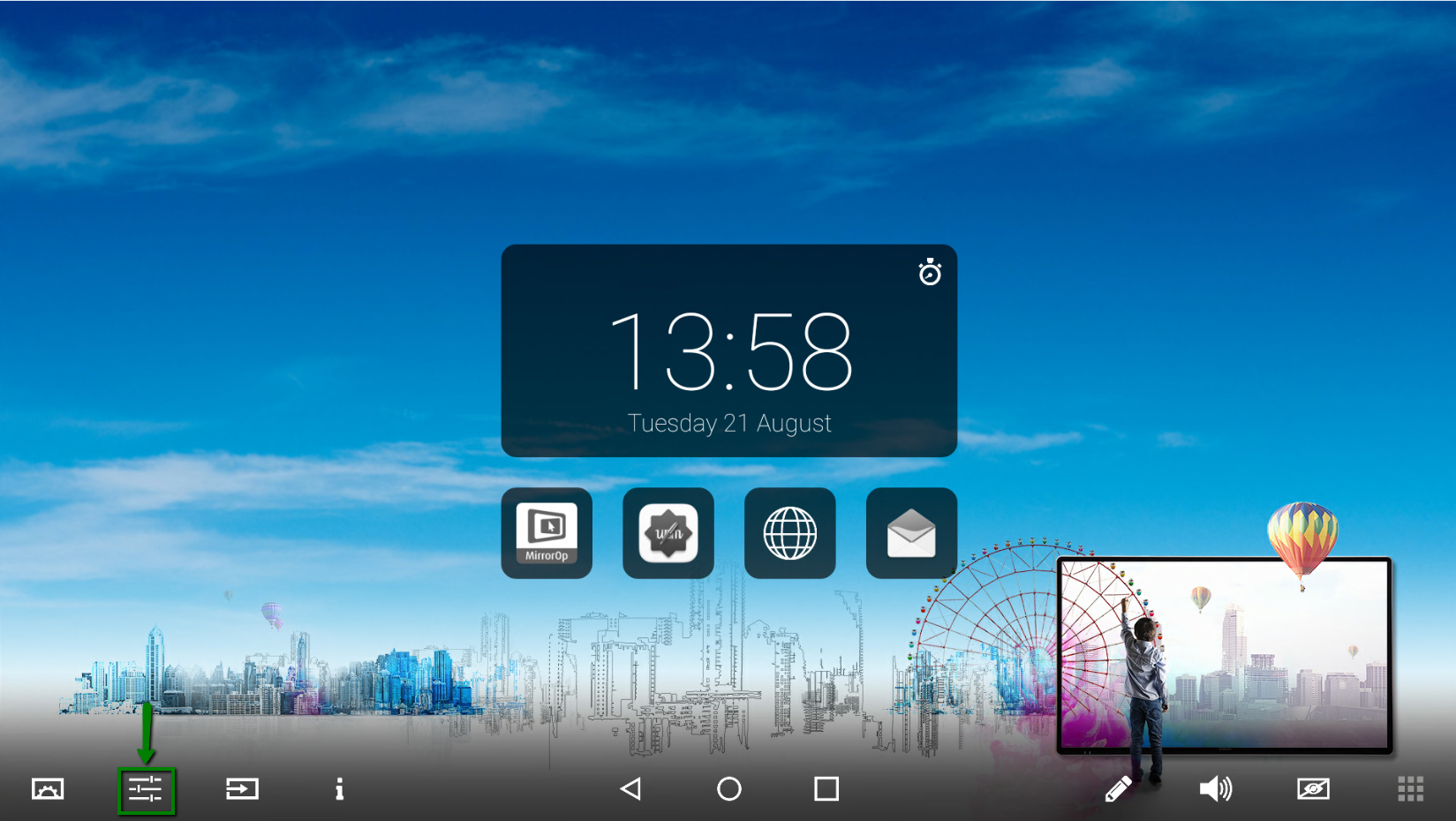
To check if the screen has Wi-Fi go to "System settings" via the floating bar.
-
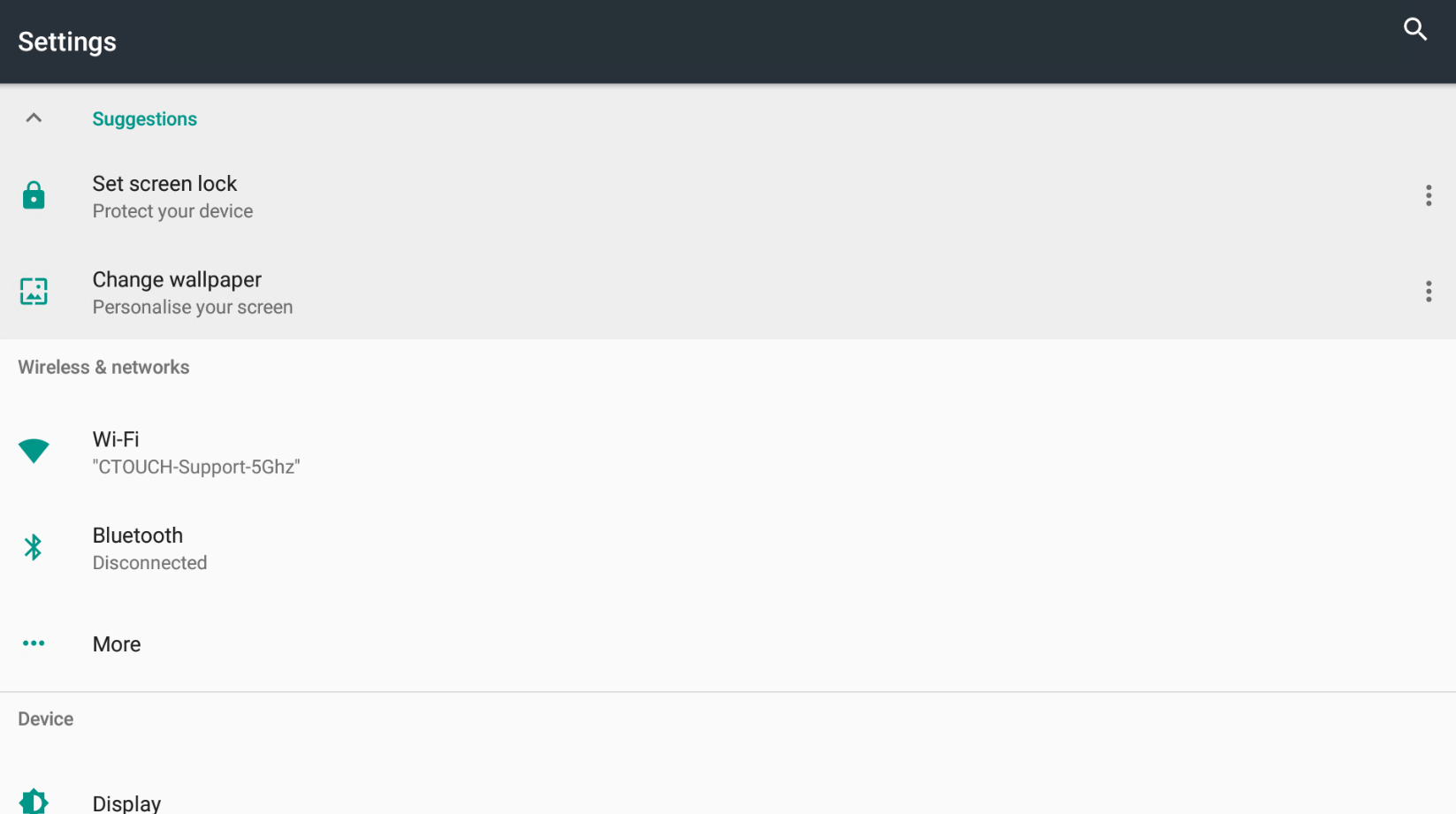
Press on "Wi-Fi"
-
If the Wi-Fi is "Off", please put it "On". Now all the available networks will pop up and you can choose the one you would like to connect with.
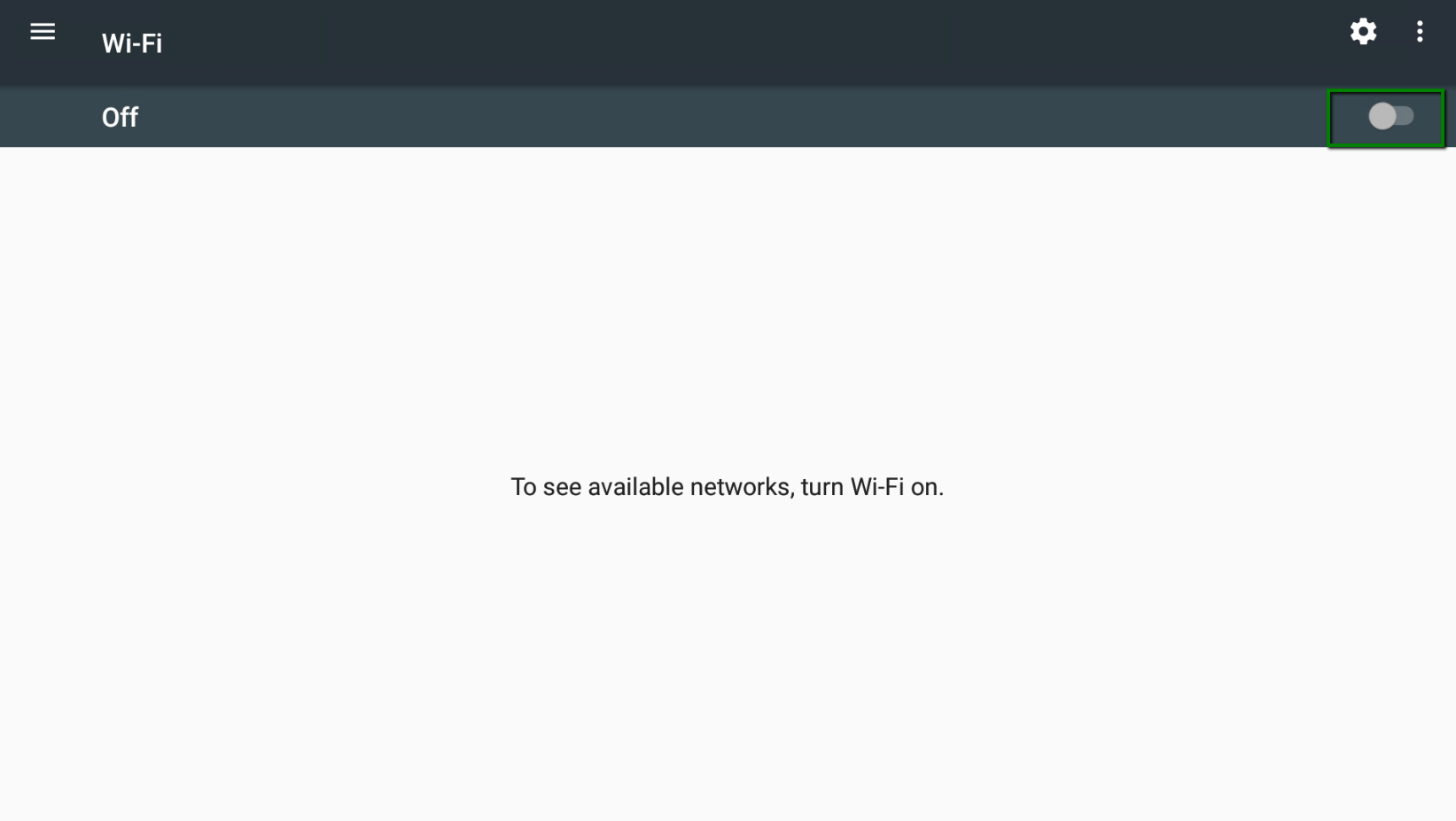
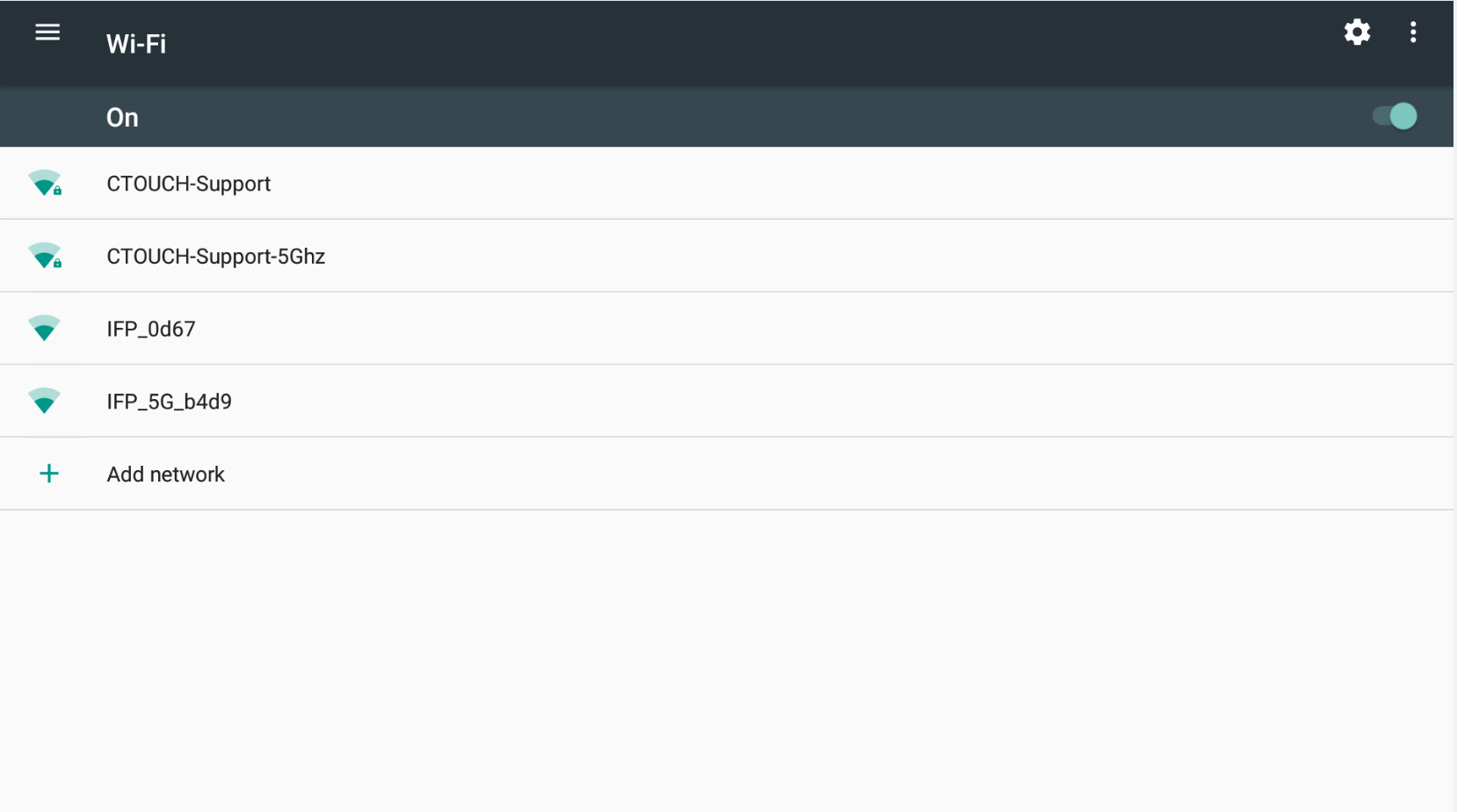
-
You will need to enter the password of the network you just chose.
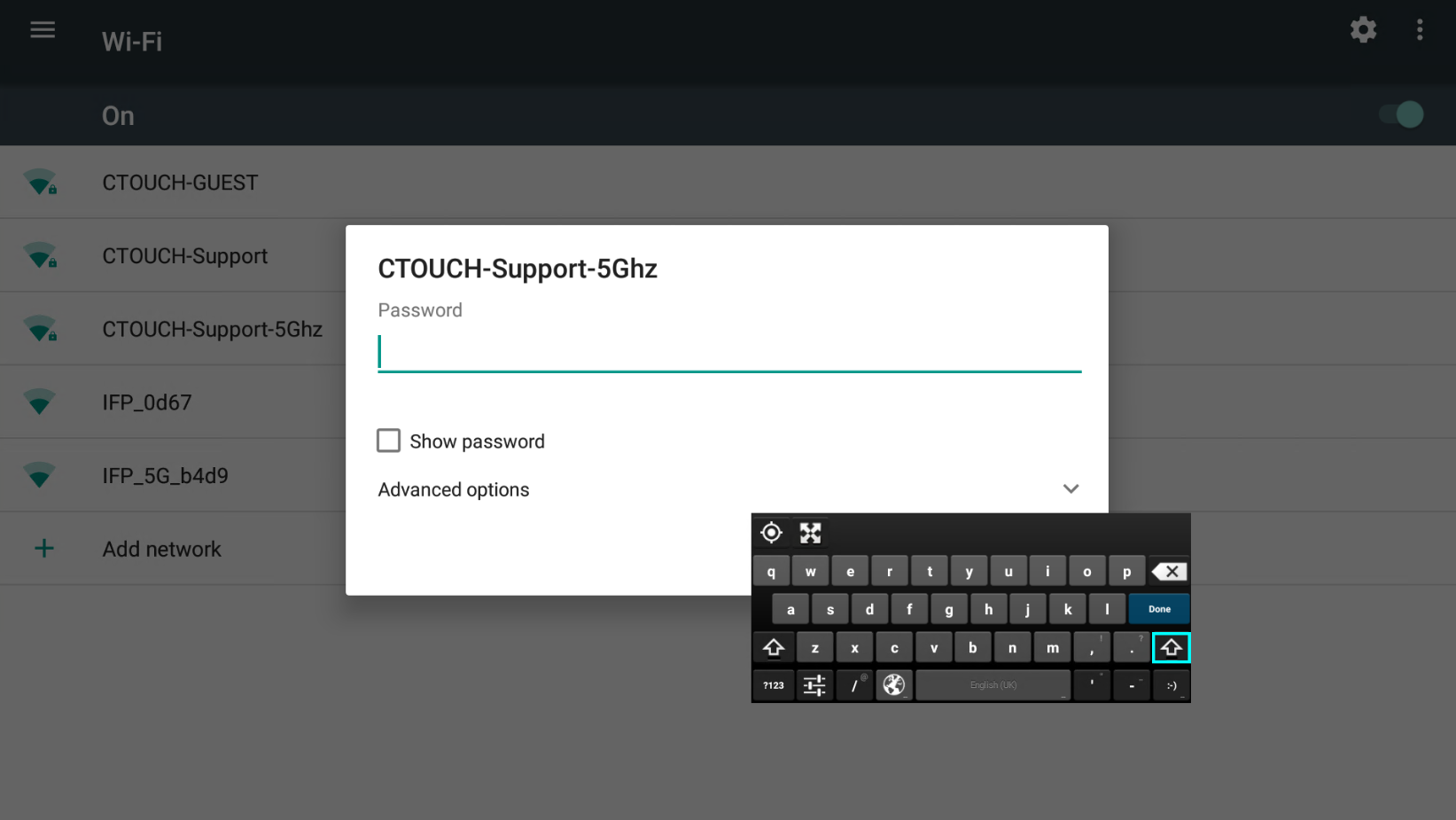
-
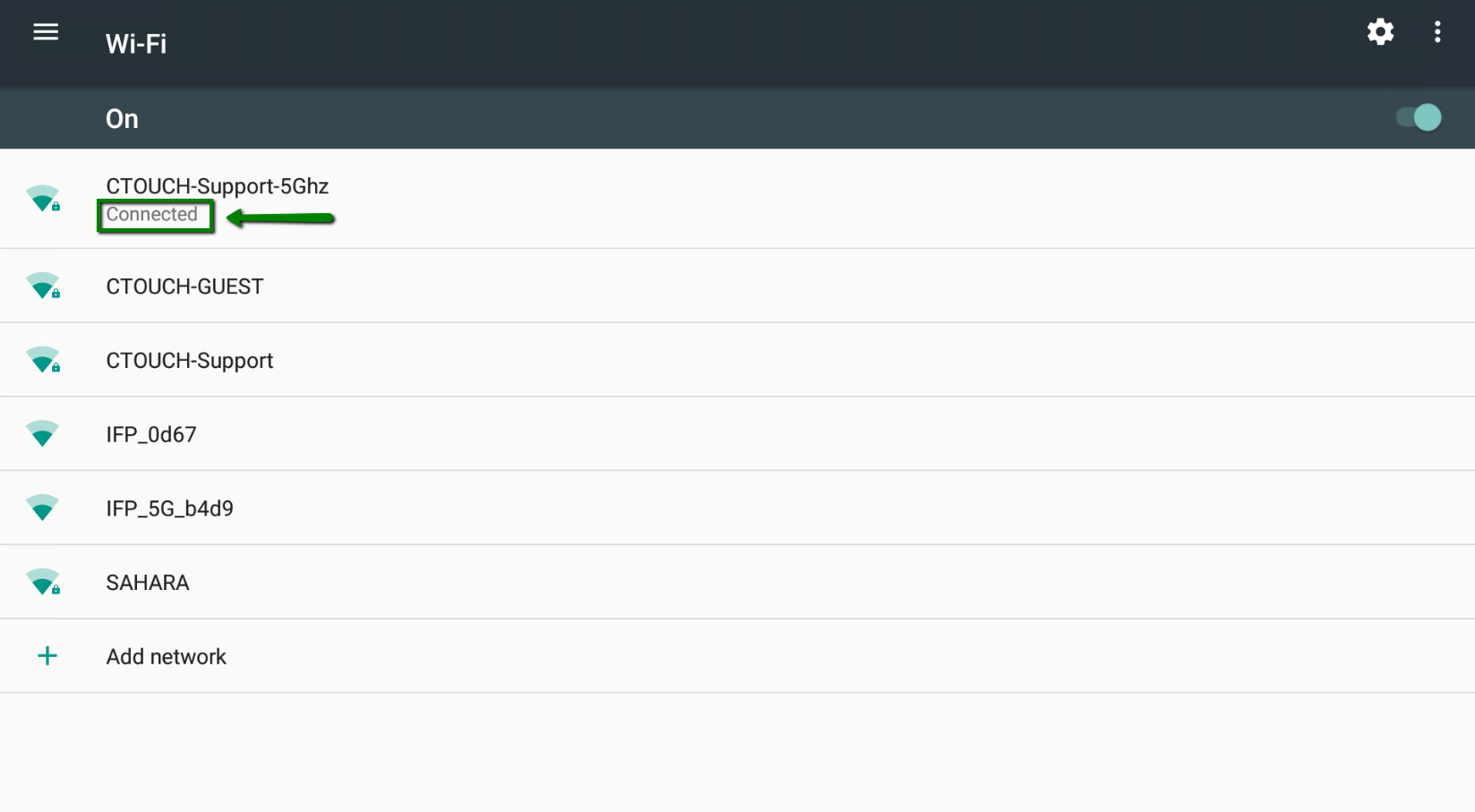
If you have entered the network password you will go back to the Wi-Fi Network settings page. Here you will see that you are connected to the network.