If your display firmware is version 1.4.2 or higher, to our regret, you must do a manual reinstallation of your firmware to remove the pin code.
The firmware can be found at the URL below https://firmware.i3-connect.com/
Instructions
-
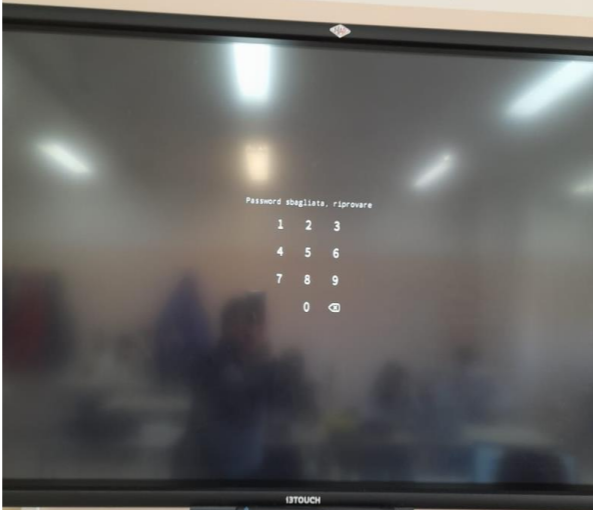
If your display has a locked screen like this
-
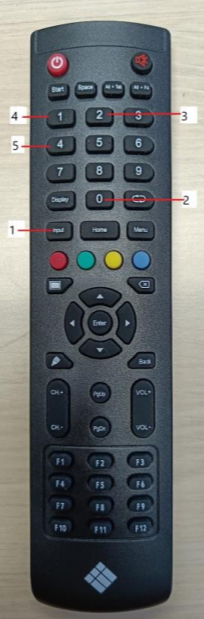
You can delete that password by using the remote and press “input → 0 → 2 → 1 → 4”