Instructions
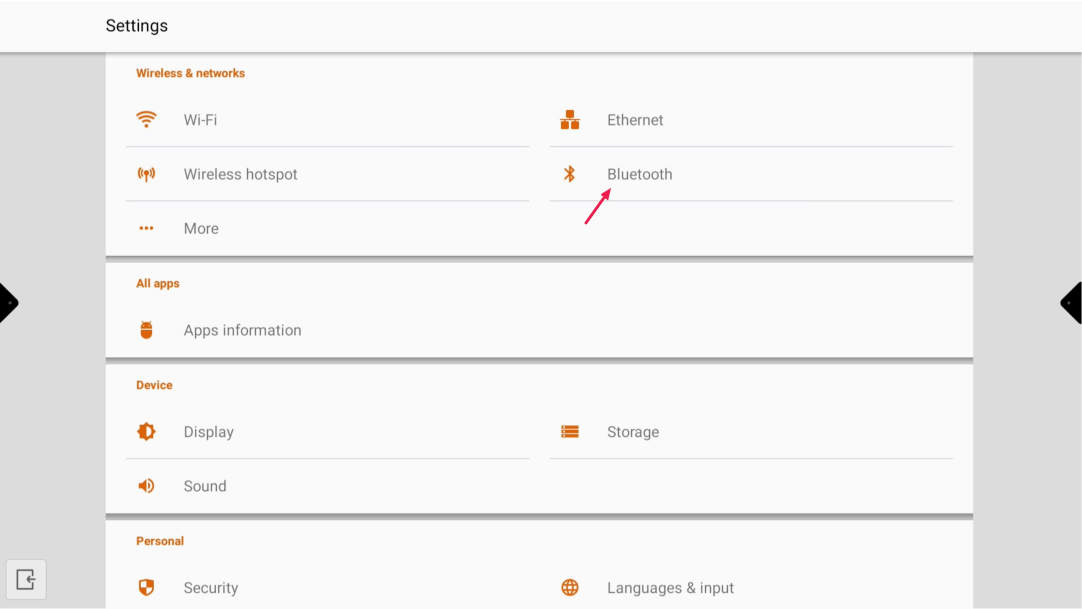
Go to Android settings and select “Bluetooth”.
-
-
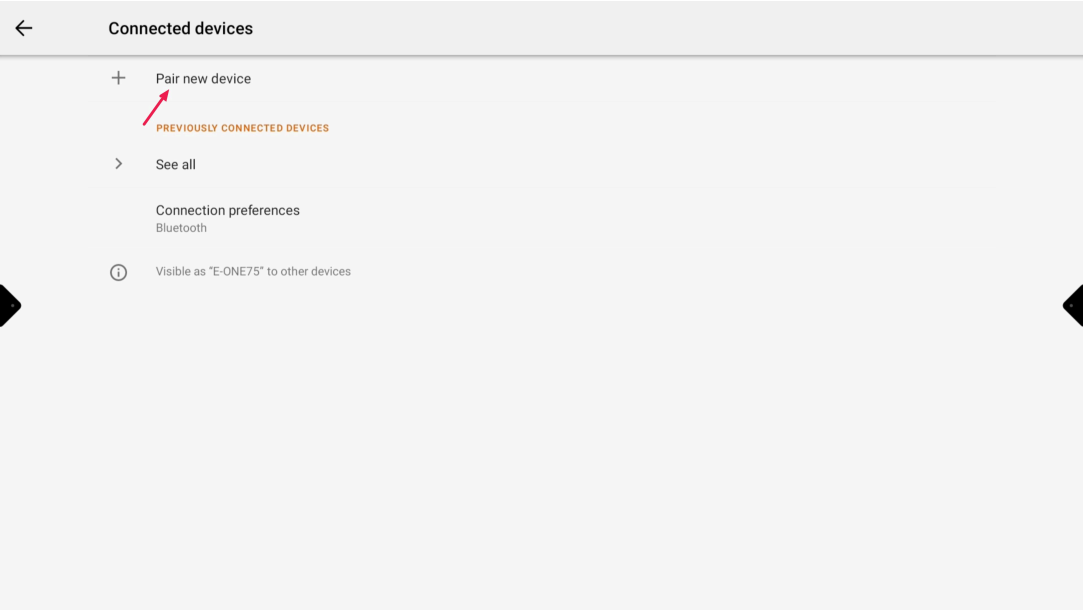
select “Pair new device”
-
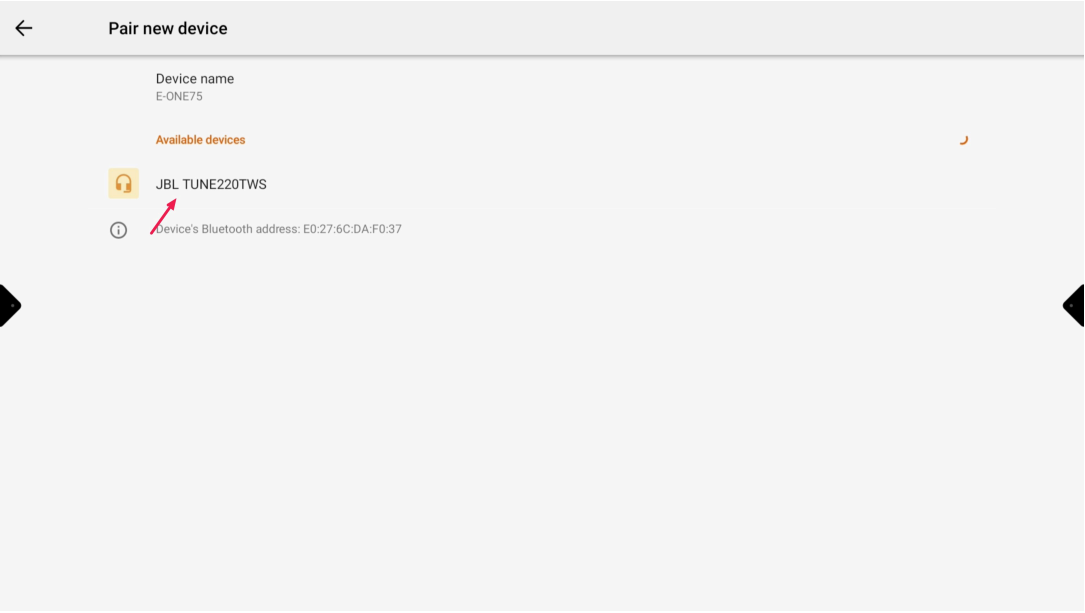
Put your bluetooth device in pair mode and select the device on the display
-
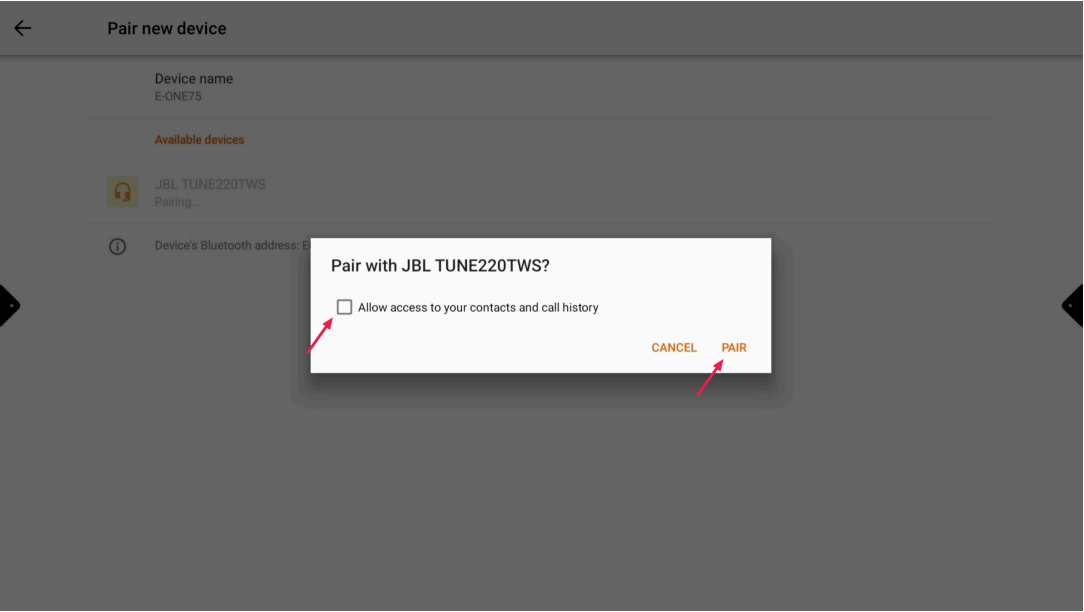
Allow the permission and select “PAIR”
-
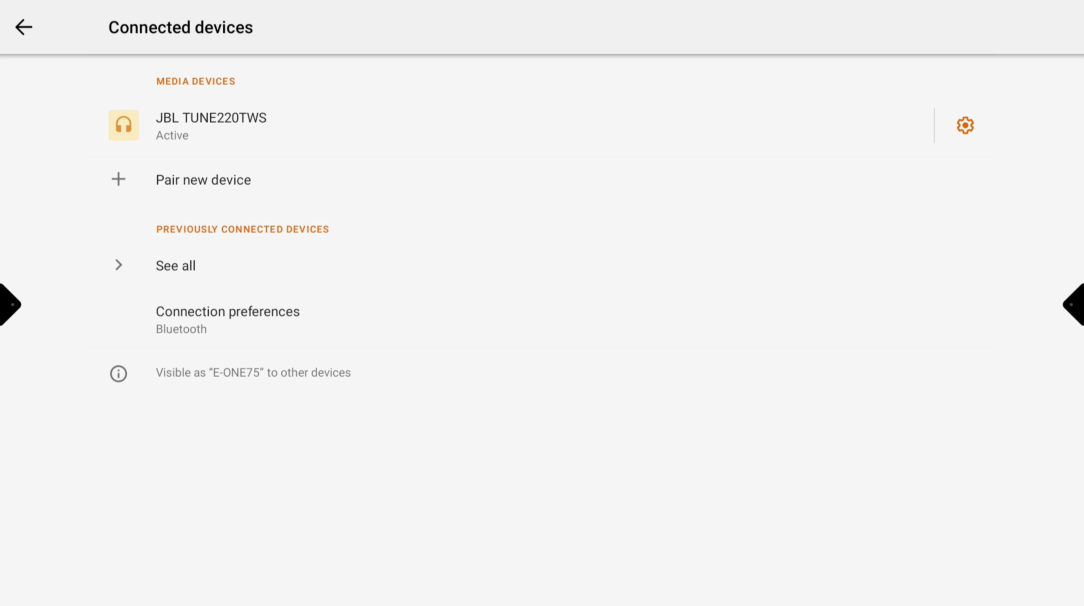
Your bluetooth device is now connected to the display