
Cortex automations let the system perform actions on your behalf, based on conditions that you define. Following a familiar ‘if this, then that’ principle, an automation continuously monitors the devices assigned to it and acts the moment your conditions are met. This removes the need for manual checks and ensures that events which would otherwise go unnoticed — such as a display unexpectedly going offline — are picked up and acted upon automatically.
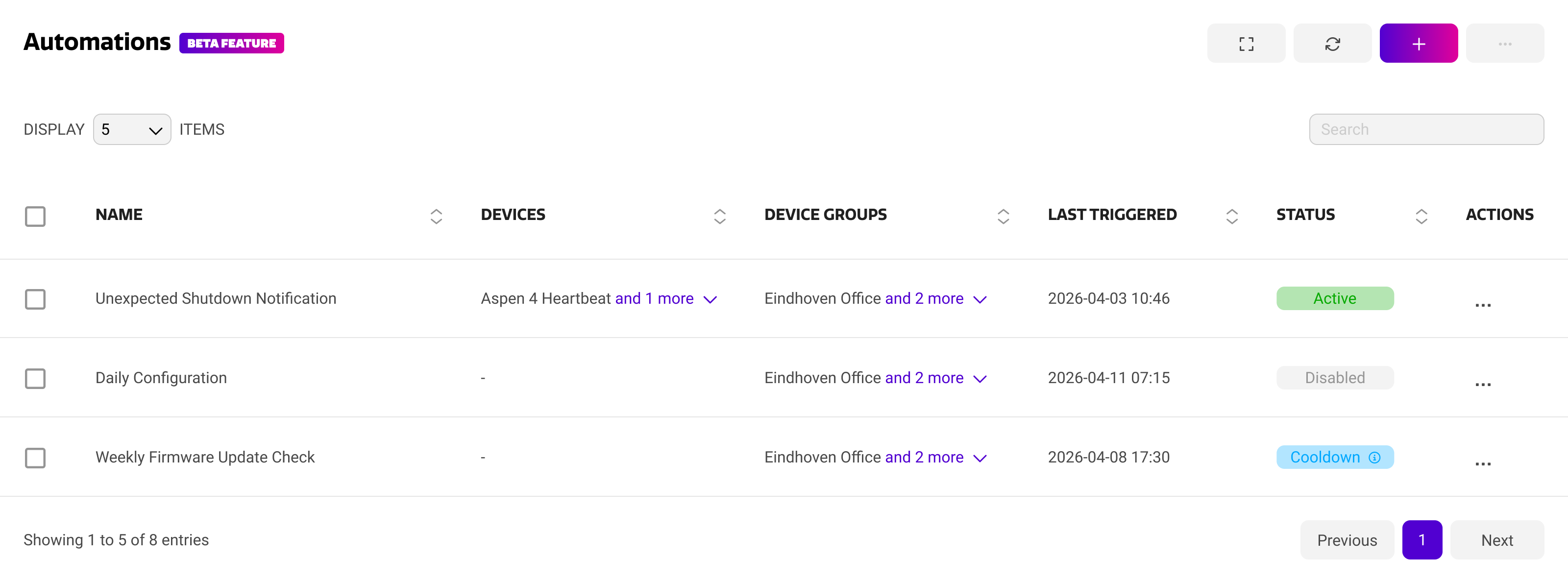
The automation overview shows a summary of all automations within your organization. For each automation, you can see which devices and device groups it applies to, when it was last triggered, and its current status.
The automation overview
|
Column |
Description |
|---|---|
|
Automation |
The name of the automation, along with a short custom description. |
|
Devices / Groups |
The devices and/or device groups that the automation is applied to. |
|
Last Triggered |
The most recent moment at which the automation ran. This gives you an indication of whether an automation is still relevant to your fleet. |
|
Status |
Whether the automation is currently enabled, actively monitoring, or in cooldown. |
Selecting an automation opens the automation details page, where you can review or adjust its conditions, actions and properties.
Automation status
The status column tells you at a glance what an automation is doing at this moment.
|
Status |
Meaning |
|---|---|
|
ACTIVE |
The automation is switched on and will run as soon as its conditions are met. |
|
COOLDOWN |
The automation has recently run and is temporarily paused. Hover over the status to see when the automation becomes active again. |
|
Disabled |
The automation is switched off and will not run, even when its conditions are met. |
Cooldown and safeguards
Automations run unattended, so Cortex applies a number of safeguards to keep system load predictable and to prevent an automation from flooding your fleet or your inbox.
-
Cooldown — each automation can be given a cooldown time, which is set when the automation is created. During the cooldown period the automation will not run again, even if its conditions are met.
-
Rate limiting — an automation can only run a maximum amount of times per second. This means that some triggers might not result in an action because an automation ran too many times sequentially.
Check your automations against looping to prevent your account to be rate-limited. This can result in the automations feature to be turned off for your account.
Automations and the action history
Every action performed by an automation is recorded in the Cortex action history, alongside actions performed manually by your users. This gives you full transparency on what the system did, when it did it, and which automation was responsible.
For more information, see Action History.
Actions are performed instantly on devices that are online. For offline devices, the action is placed in pending actions until the device comes back online.