
During touch firmware update, do not touch the display
Files
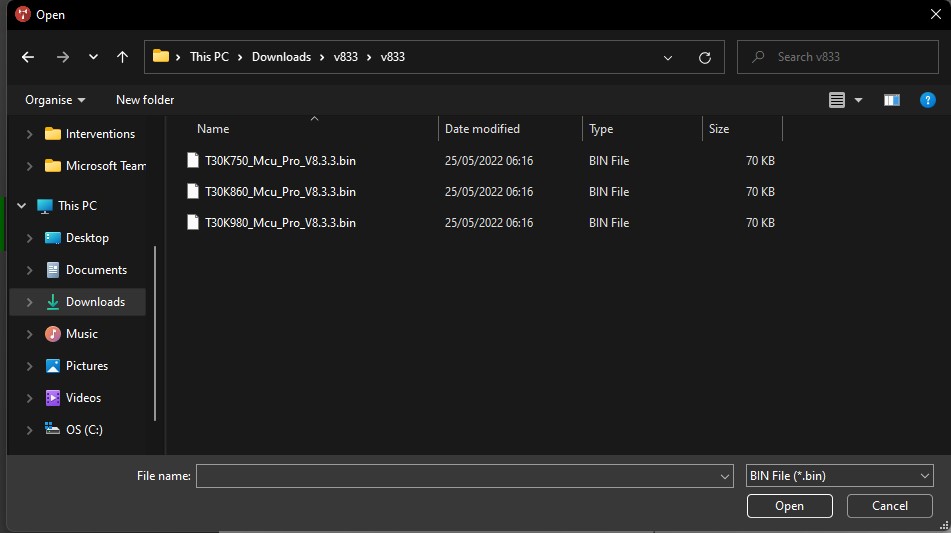
Choose the correct size of you display. Find out reading the serial number. For example i3TES75XXXXXXX is 75 inch.
|
Display size |
Touch Firmware |
|---|---|
|
75inch |
|
|
86inch |
|
|
98inch |
|
|
KTC tool |
Instructions
-
Download KTC tool en the touch firmware
-
Connect you pc with HDMI + USB touch cable to the display
-
Open KTC tool

-
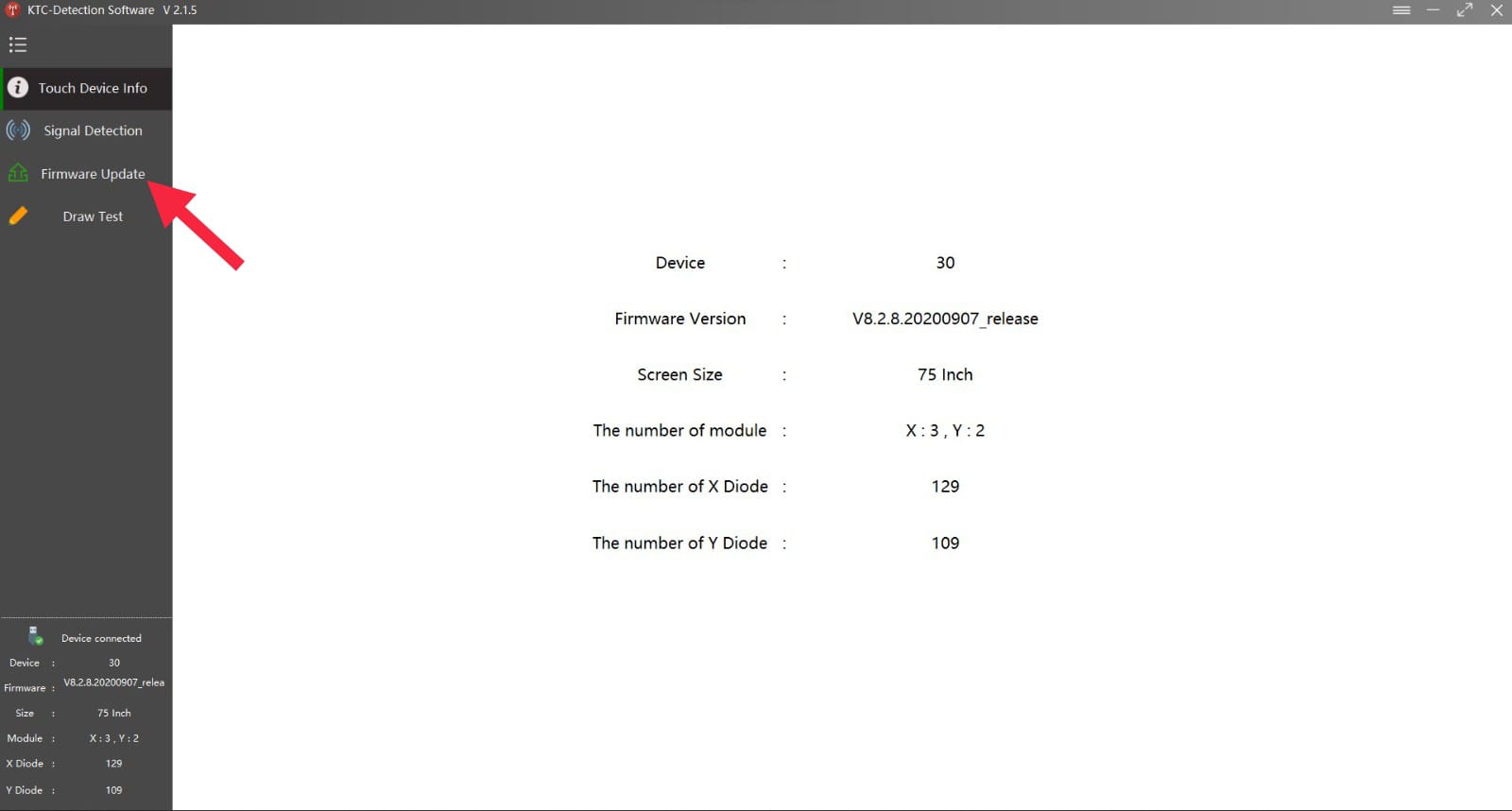
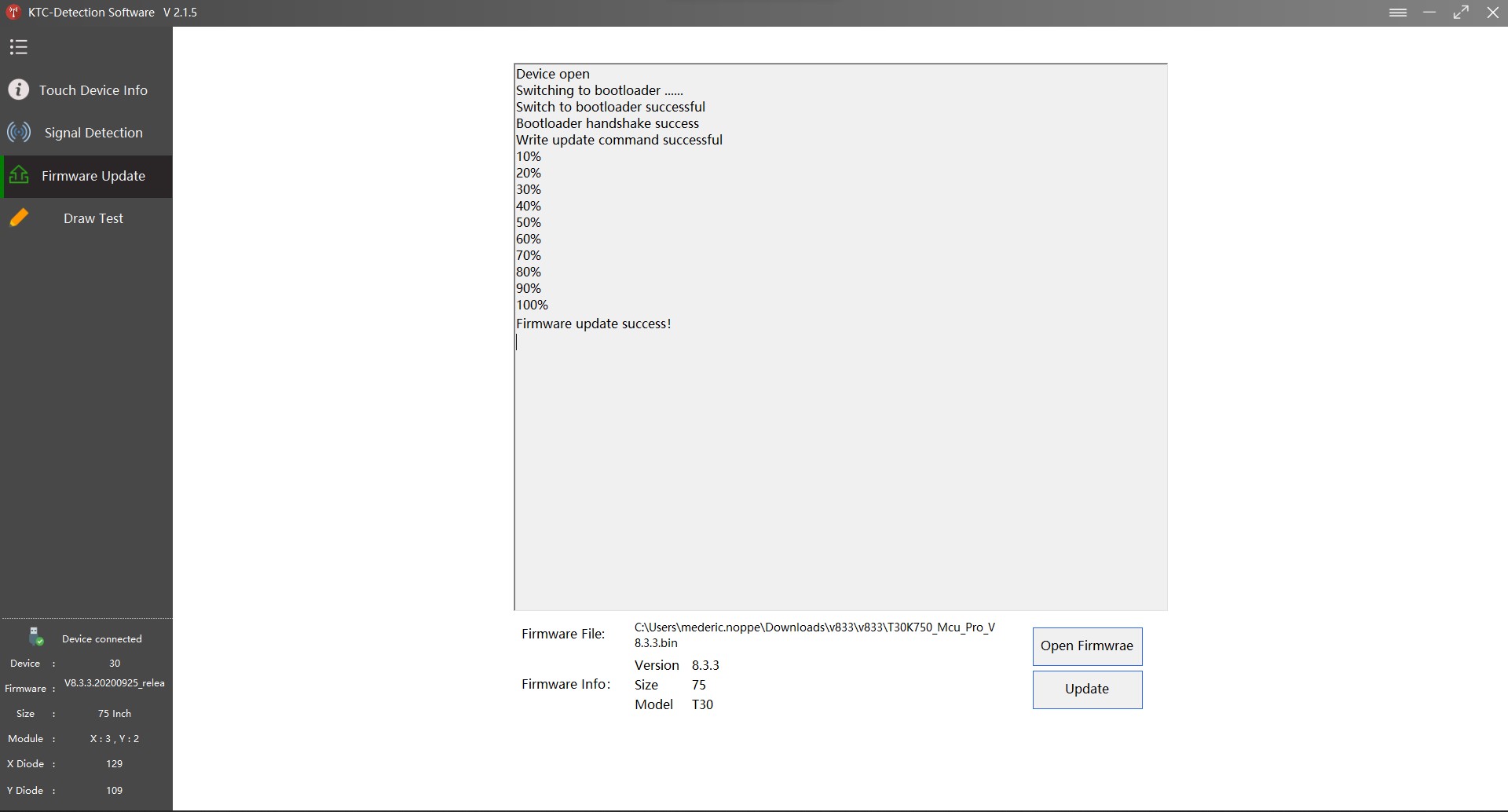
Click on “firmware update”
-
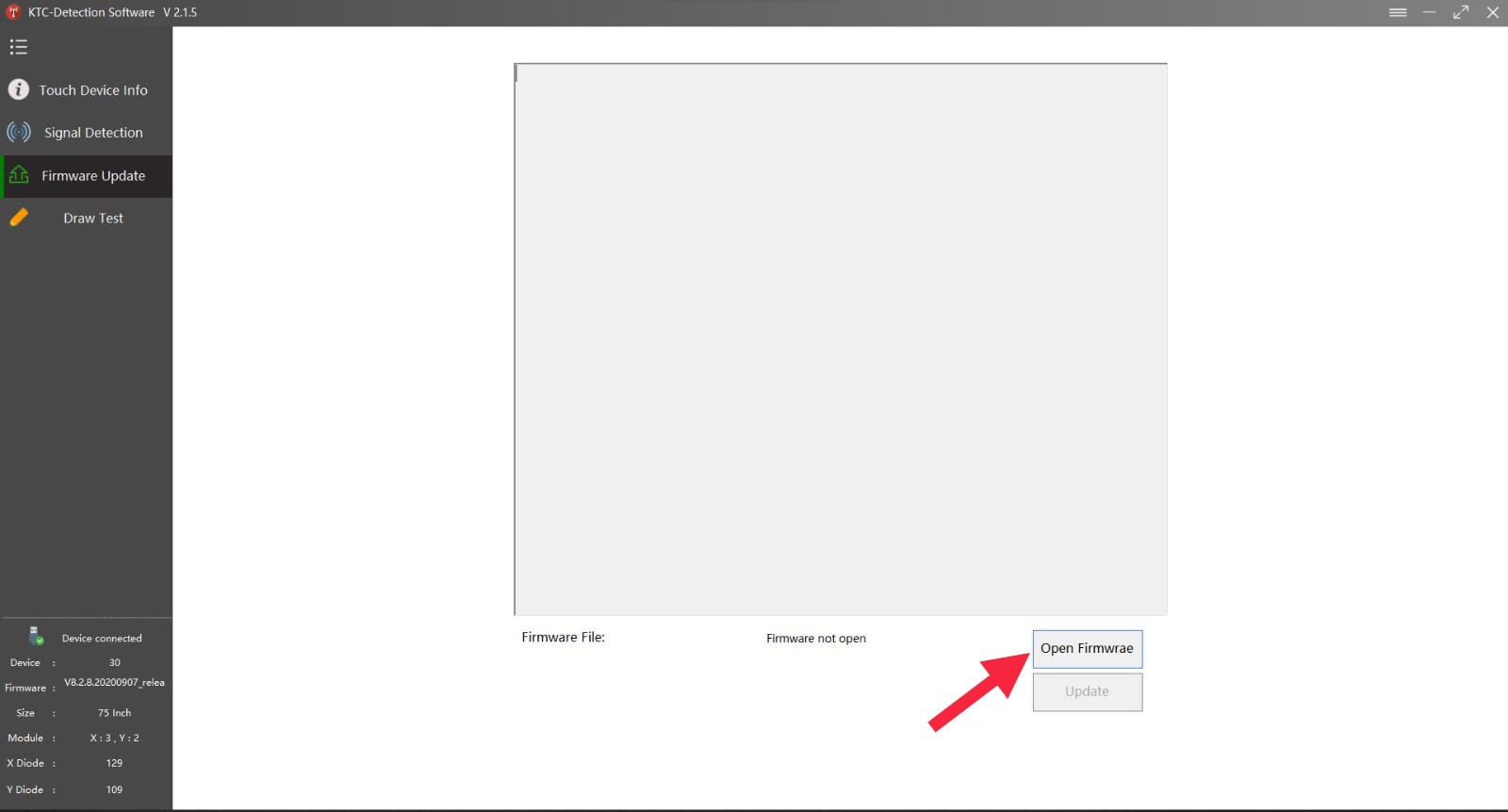
Click on “open firmware”
-
Select the right touch firmware file
-
Click on “Update”
-
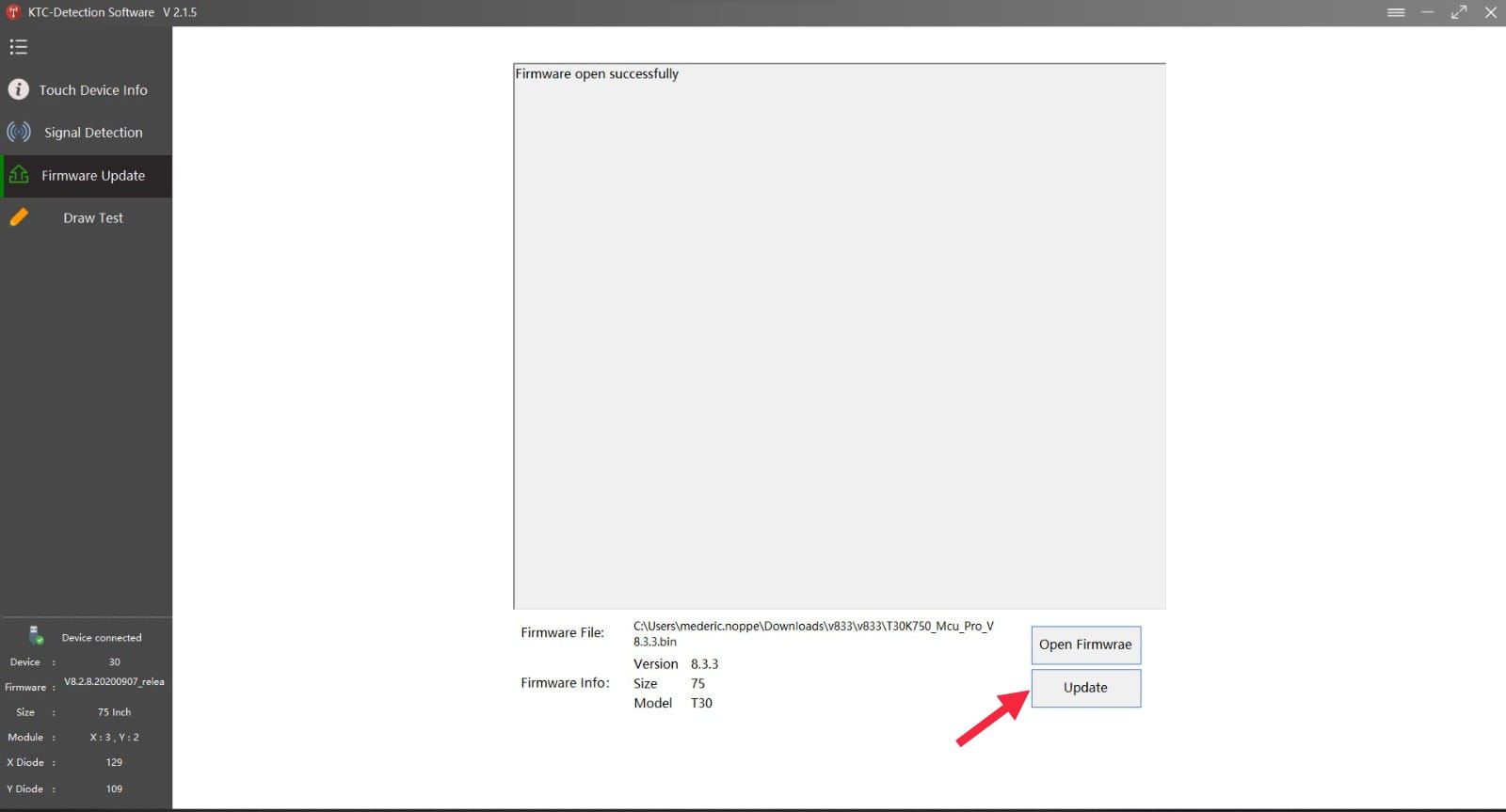
When the update is finished restart your display and open KTC tool again
-
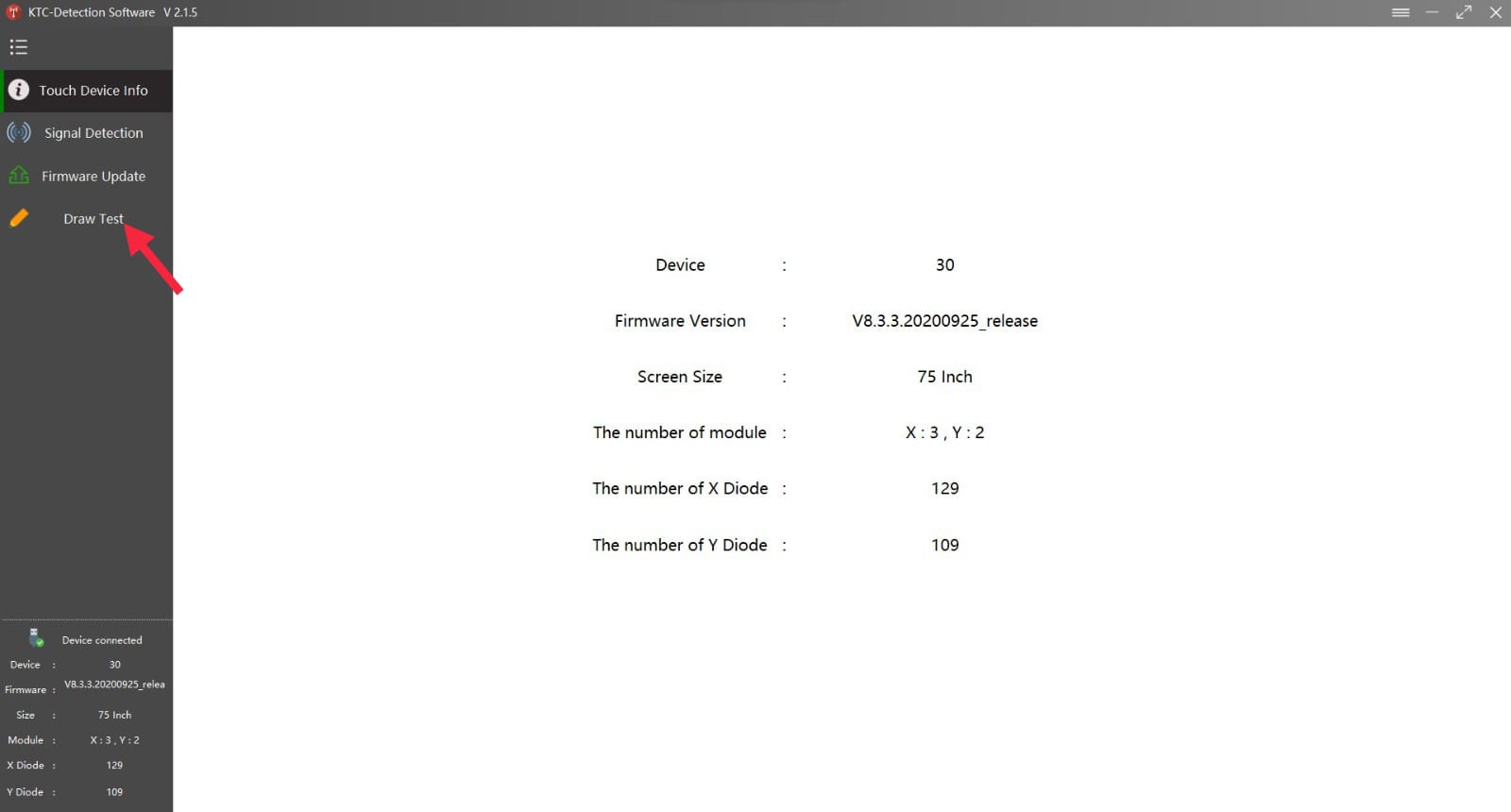
When opening click on “draw test”
-
in this you draw horizontal and vertical lines
If you still experience problems after the update, please film the “draw test” and take a picture of the “touch device info” page