Instructions
-
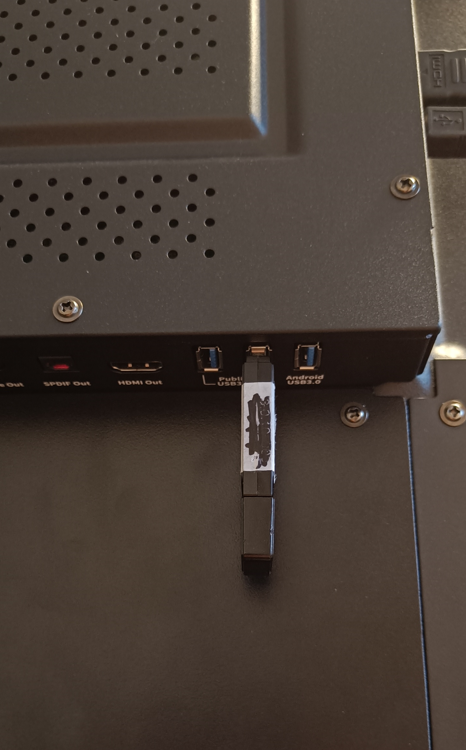
Place the desired APK on a USB stick and insert the USB stick into the Android Public port. This may be different per display, please review the Android port for your display in it’s product sheet.
-
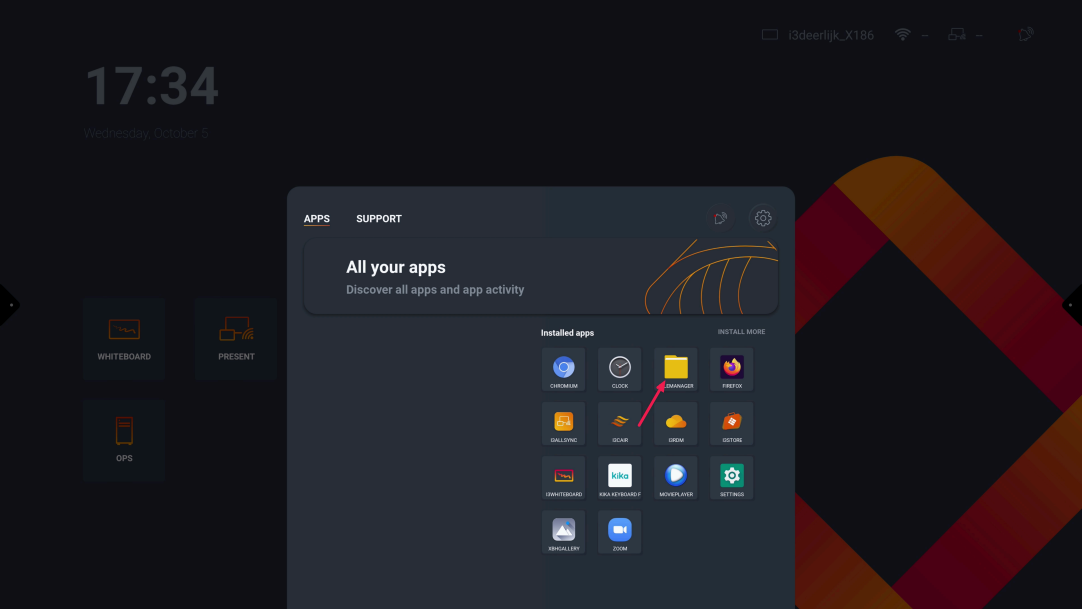
Once the USB stick is connected, you will need to navigate to "file manager"
-
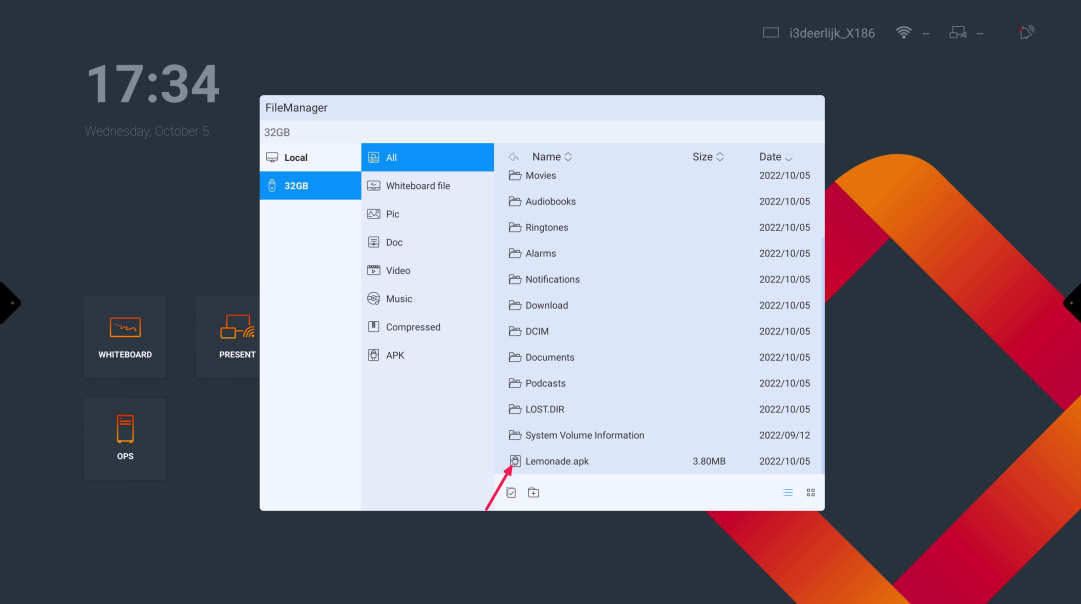
Select the USB stick and navigate to the APK you want to install
-
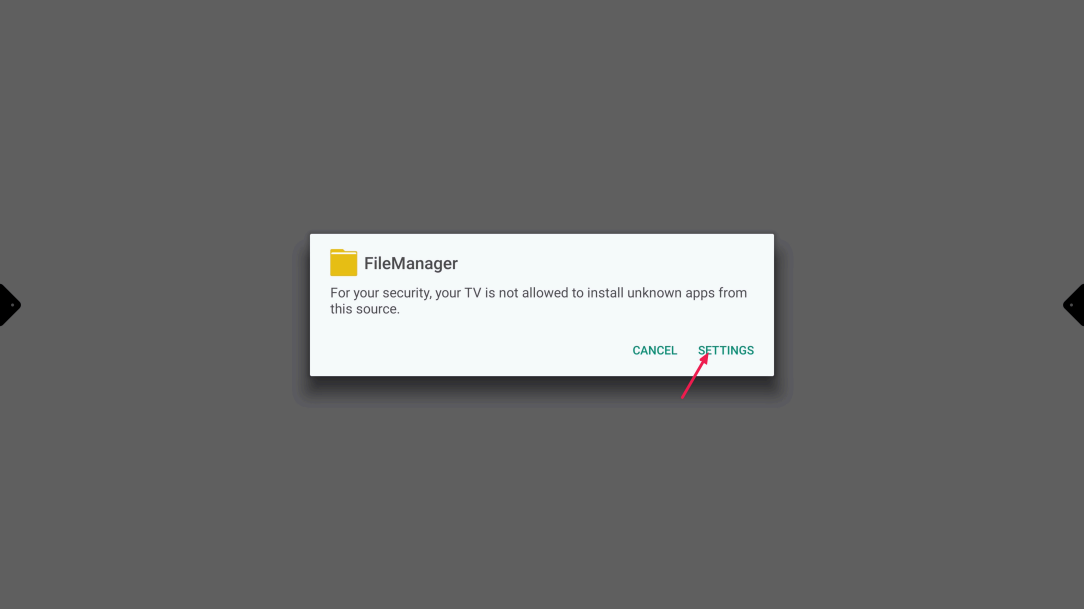
If it is the first time you are installing an APK via a USB stick you still need to give permission to File manager. This is done by selecting on “settings”
-
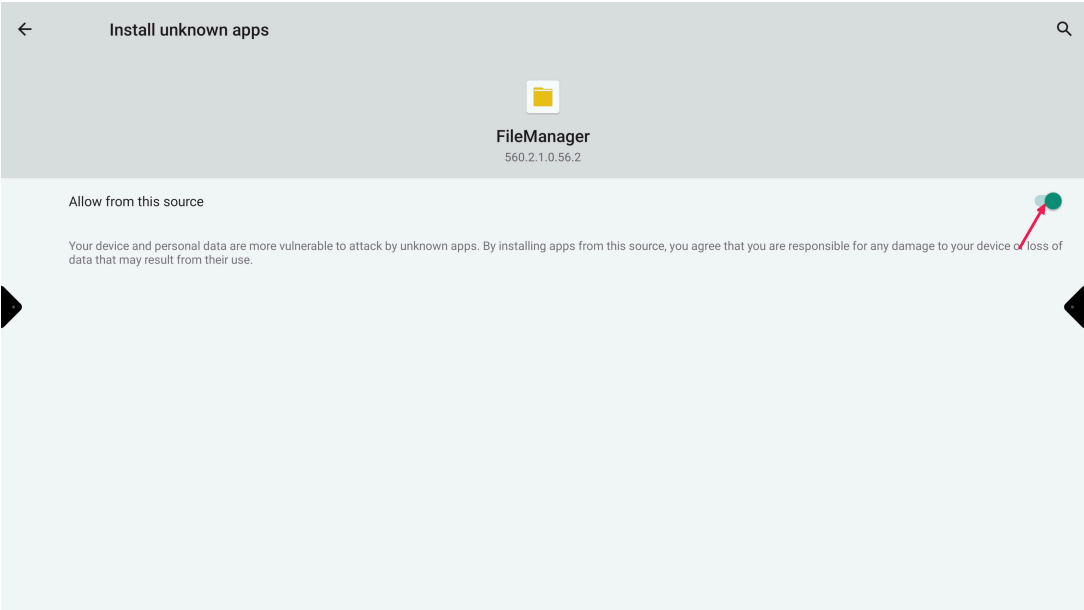
Toggle the switch to “on” and press the “back arrow” (top left)
-
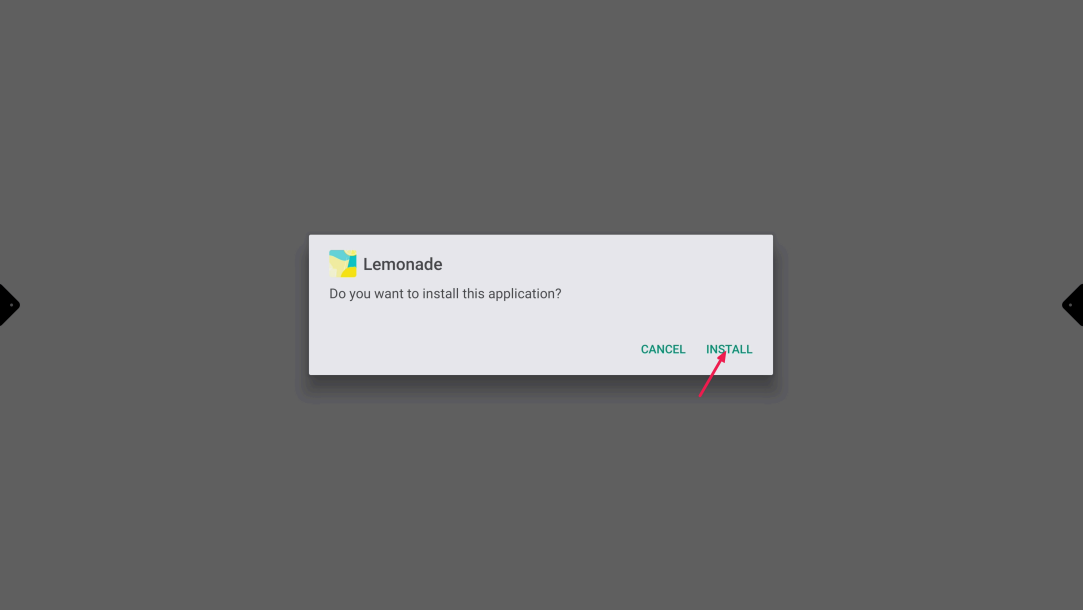
Select “Install”