Instructions
-
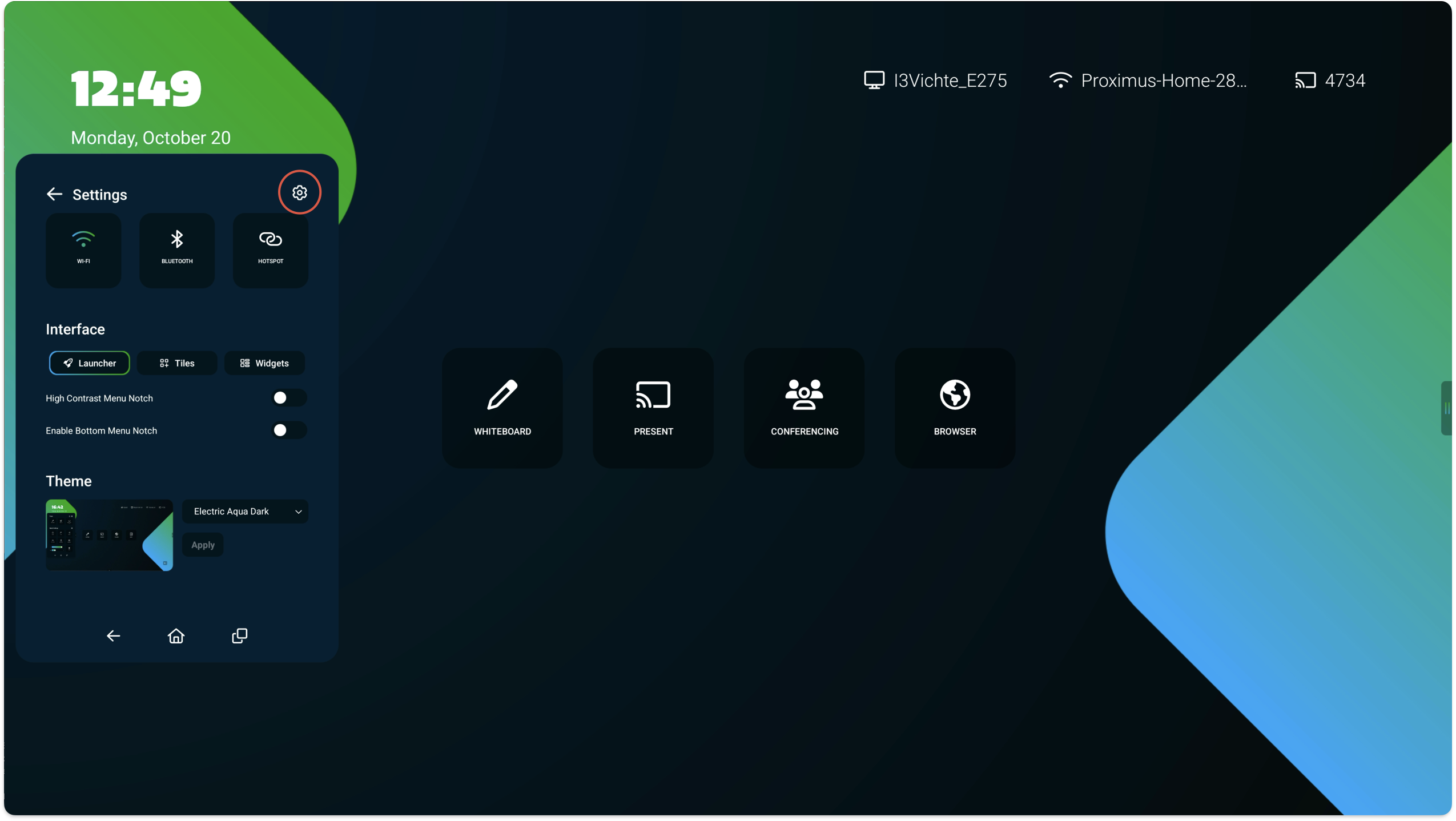
Open the side menu and select the Cogwheel, and select the Cogwheel again to open Settings.
-
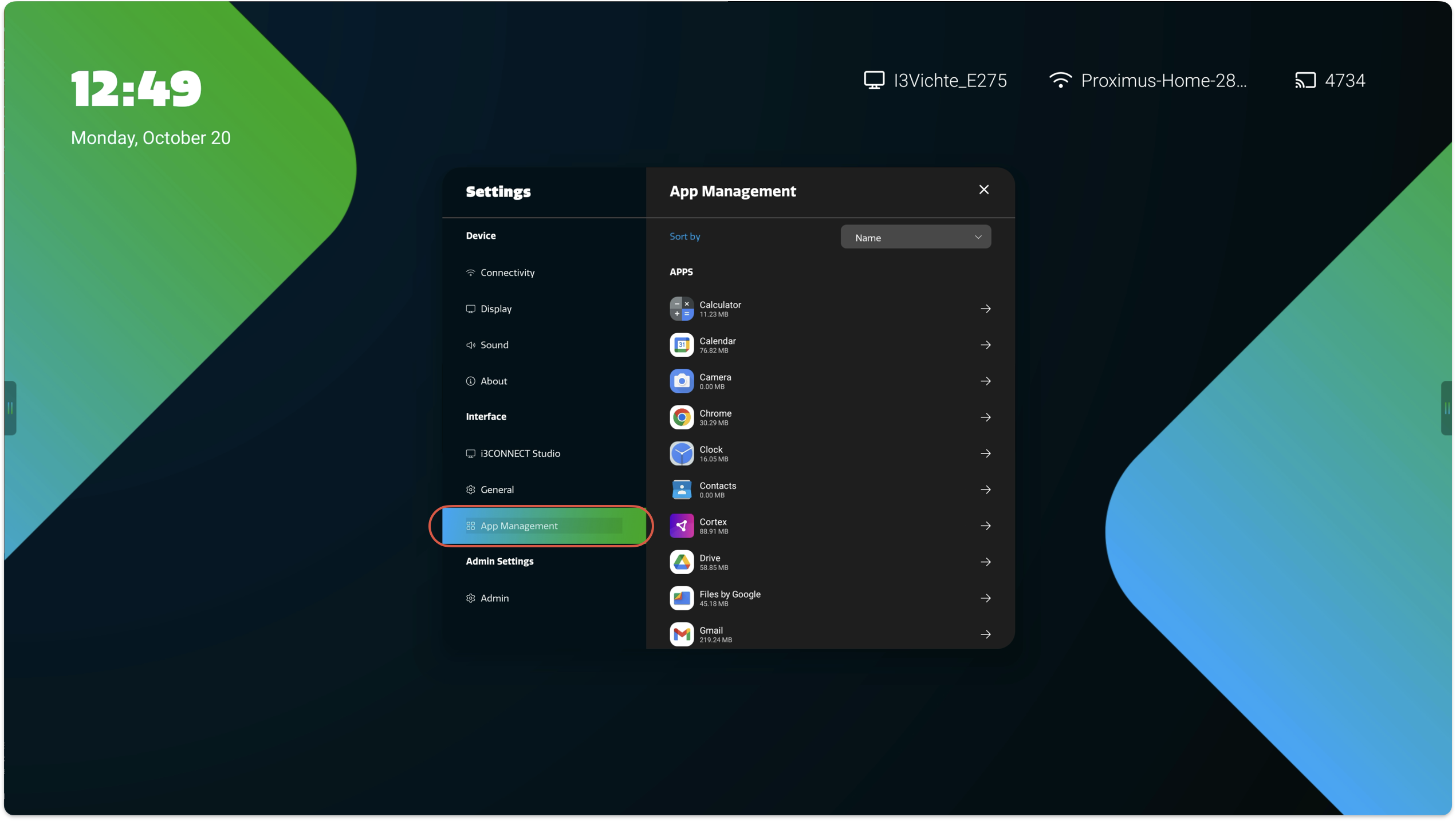
Select App Management and search for the app that needs to be reset.
-
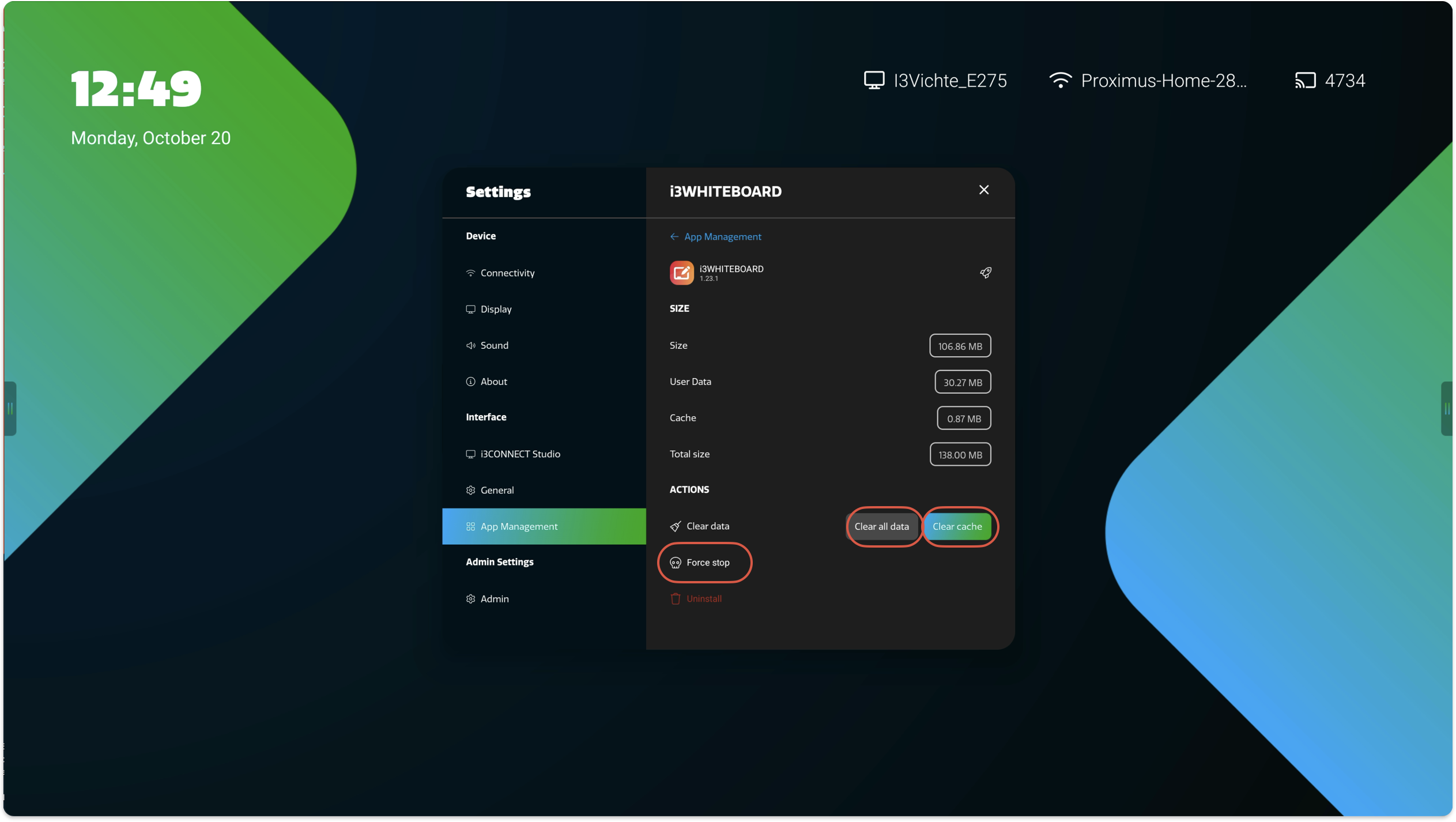
Press Force Stop and then Clear cache and Clear all data to reset the app