
📘 Instructions
-
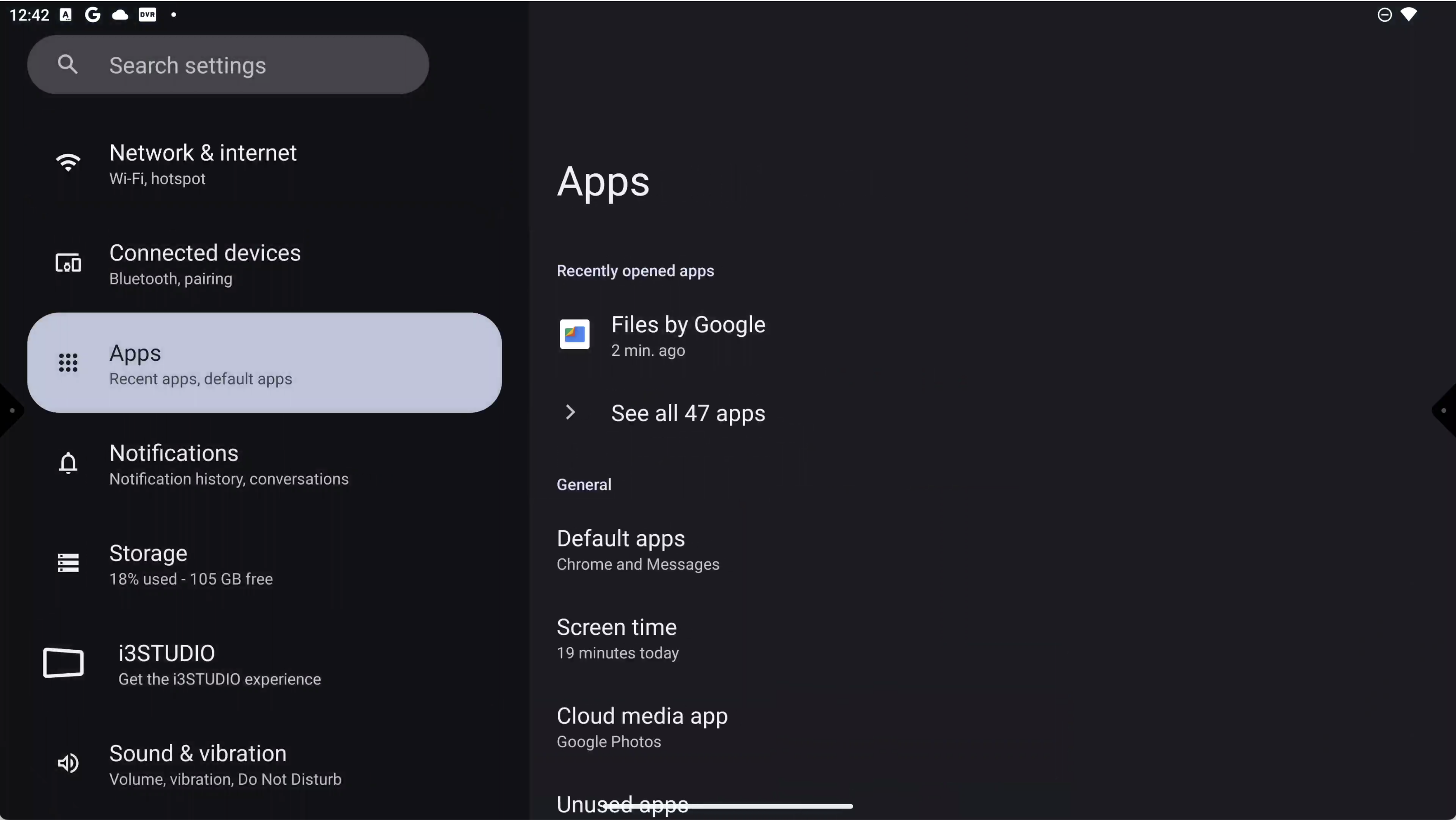
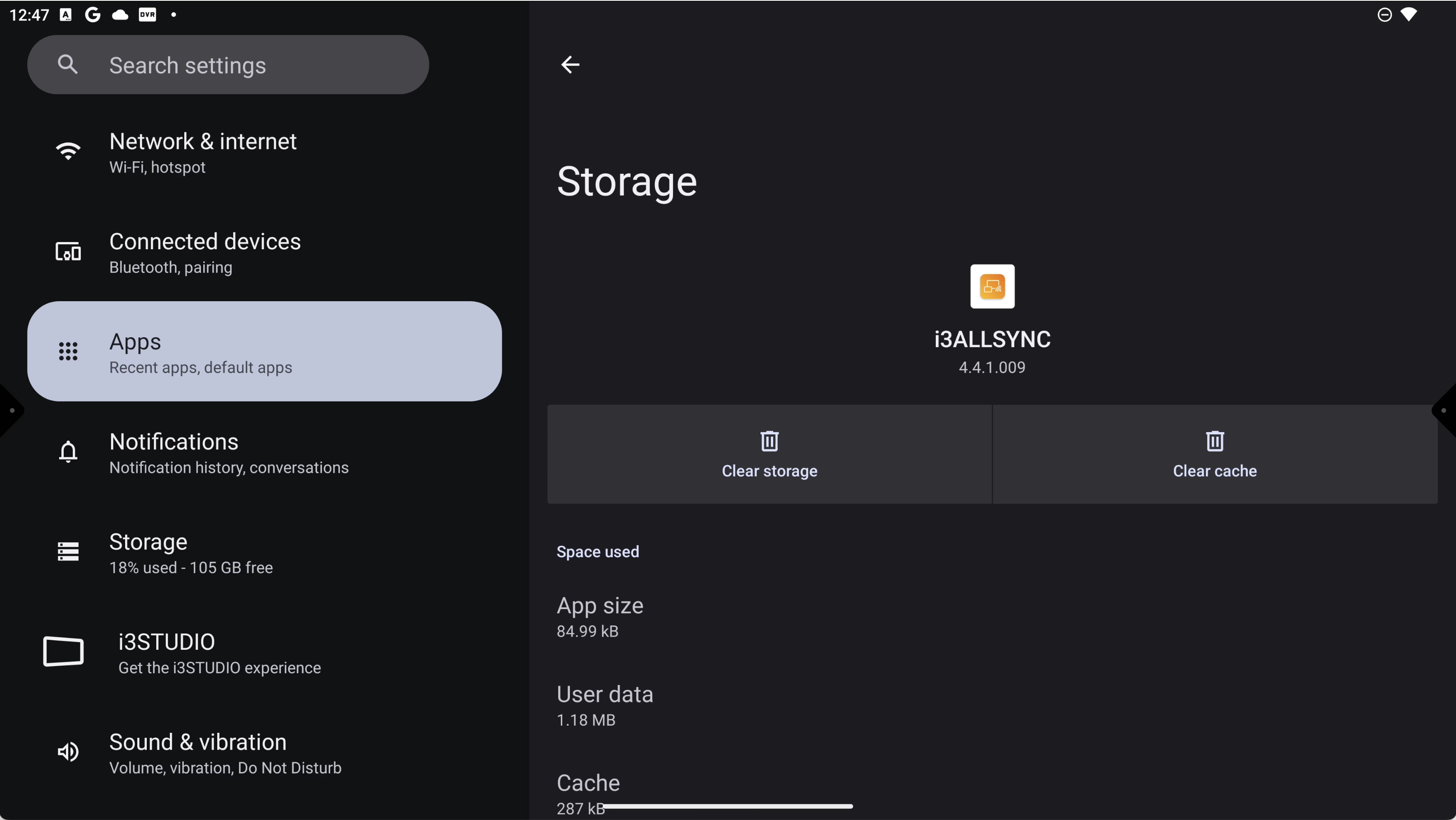
Open “Android settings” and select “Apps”
-
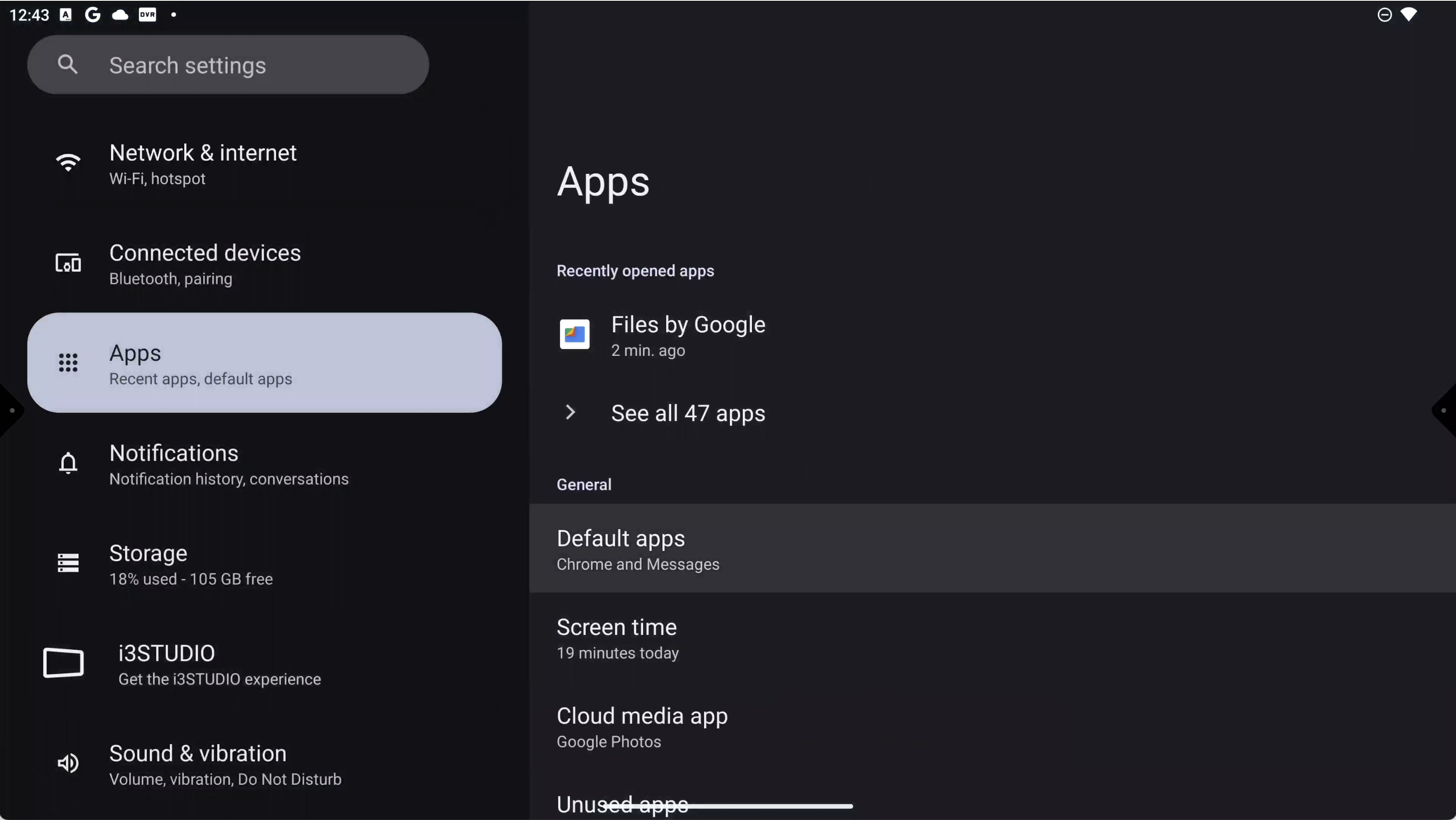
Select “See all xx apps”
-
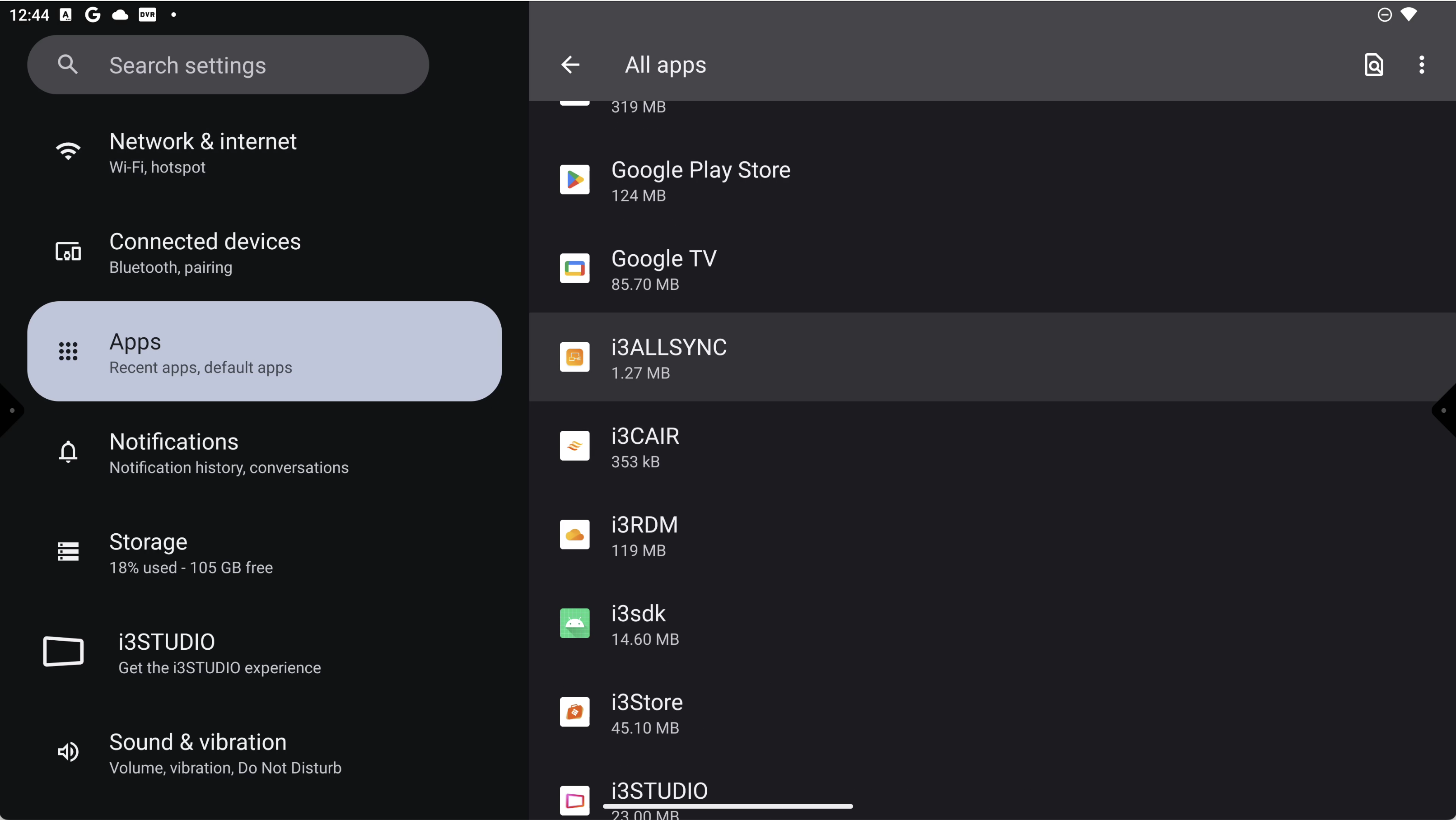
Search for the required app. E.g. i3Allsync.
-
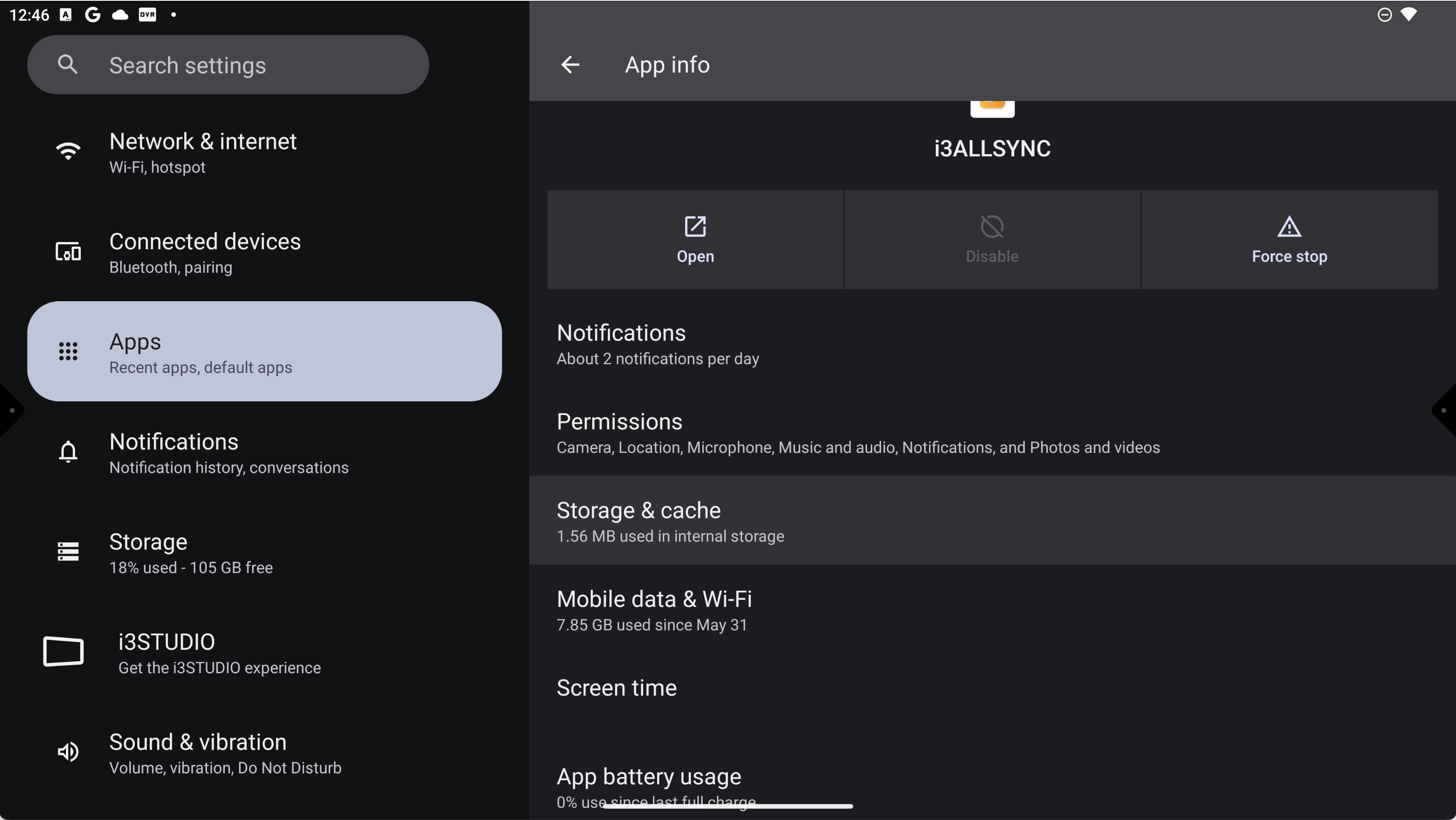
Select “Storage & cache”
-
Select “Clear Cache” and “Clear storage” to reset the app.
-
Exit the setting and open the app you were working with.