
If your AR (Augmented Reality) tools are missing or unavailable in i3WHITEBOARD, this guide will help you restore them. This article is for users who have completed the initial setup but do not see AR tools in the app. If you are experiencing other issues with i3WHITEBOARD, please refer to the main troubleshooting articles for i3WHITEBOARD.
By following these steps, you should see AR tools available in i3WHITEBOARD. If AR tools are still missing after completing these steps, contact i3CONNECT support.
Instructions
-
Open the side menu on your i3CONNECT display and select the cogwheel to access the “Wizard”.
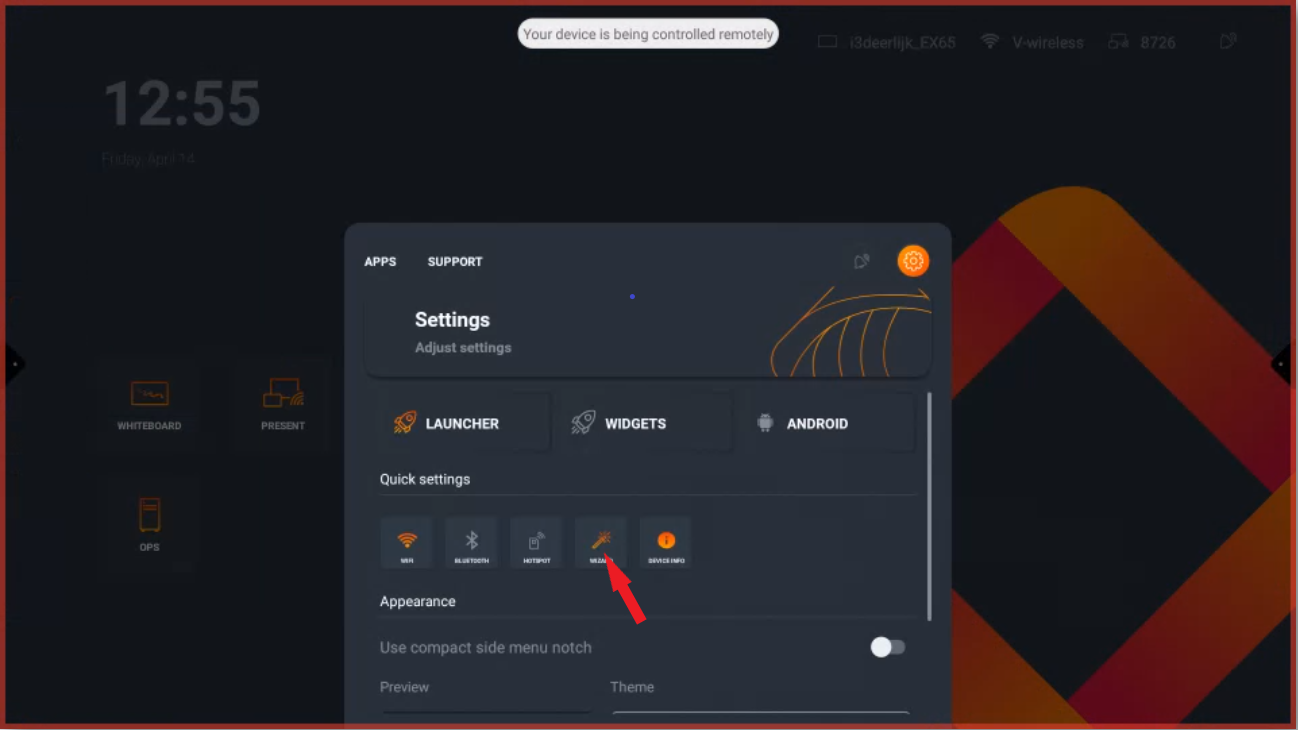
-
Complete the wizard and select “EDUCATION” when prompted.
-
After finishing the wizard, clear the cache and data from the i3WHITEBOARD app.
How to clear cache and data from i3WHITEBOARD
-
For E-ONE Display: Follow these instructions.
-
For EX Display: Follow these instructions.
-
For ES Display: Follow these instructions.
-
For PX Display: Follow these instructions.
-
For X-One Display: Follow these instructions.
Troubleshooting
If AR tools are still not visible after clearing cache and data, or if you encounter errors during the process, please contact i3CONNECT support for further assistance.