
This guide is for anyone managing apps on an i3CONNECT interactive display. By the end of these steps, all your i3STORE apps should be updated to the latest versions.
Instructions
-
Open the side-menu by pressing on the gripper on the left or right of the display
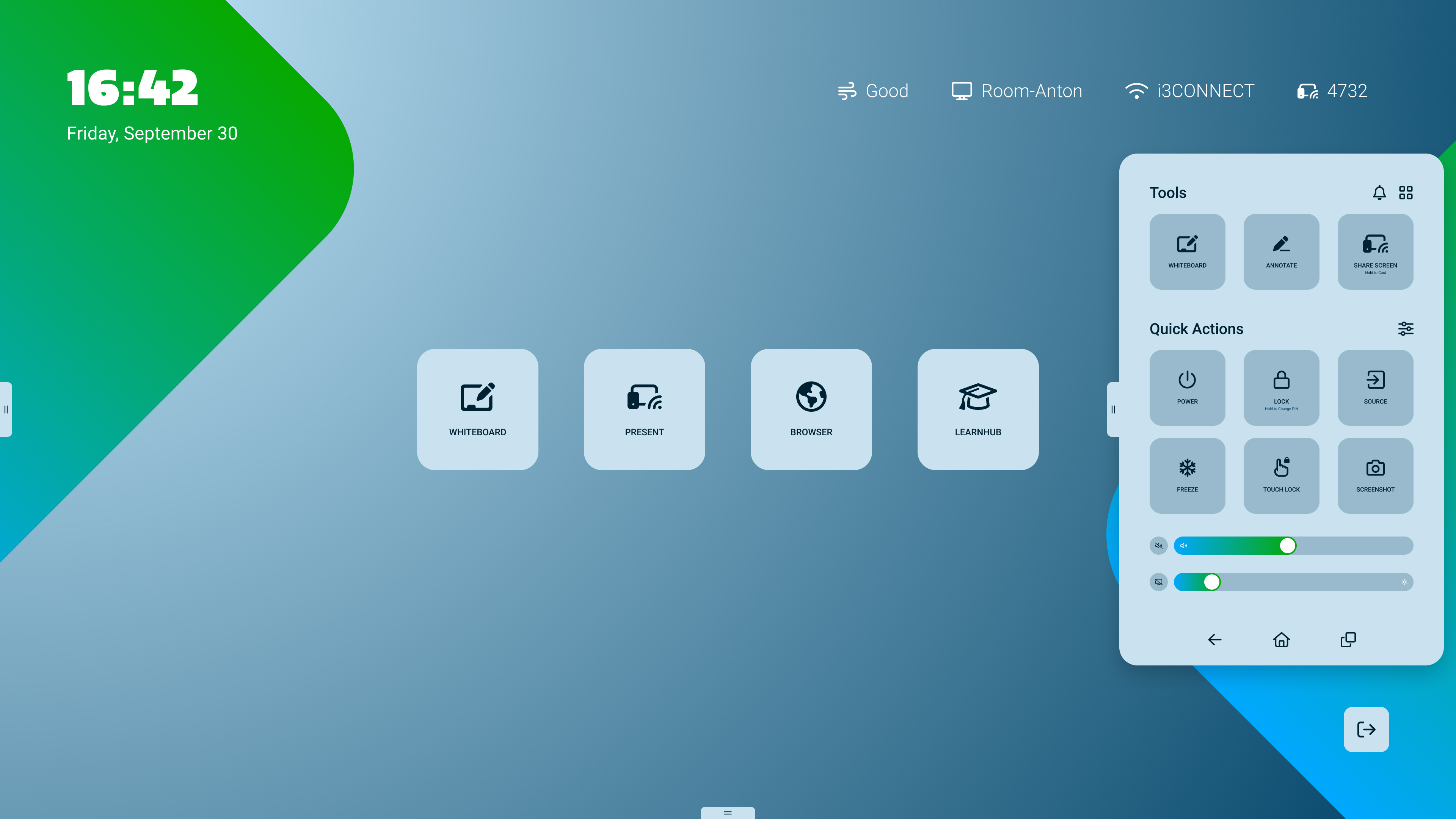
-
Tap on the

-
Tap on the i3STORE app
-
Tap the Updates tab.
-
Swipe down in the Updates tab to refresh the list.
-
Tap Update All to install the latest versions of your apps.
Troubleshooting
-
If the Updates tab doesn’t show any apps, make sure your display is connected to the internet.
-
If updates fail, restart your display and try again.
-
For persistent issues, contact i3CONNECT support.