📘 Instructions
-
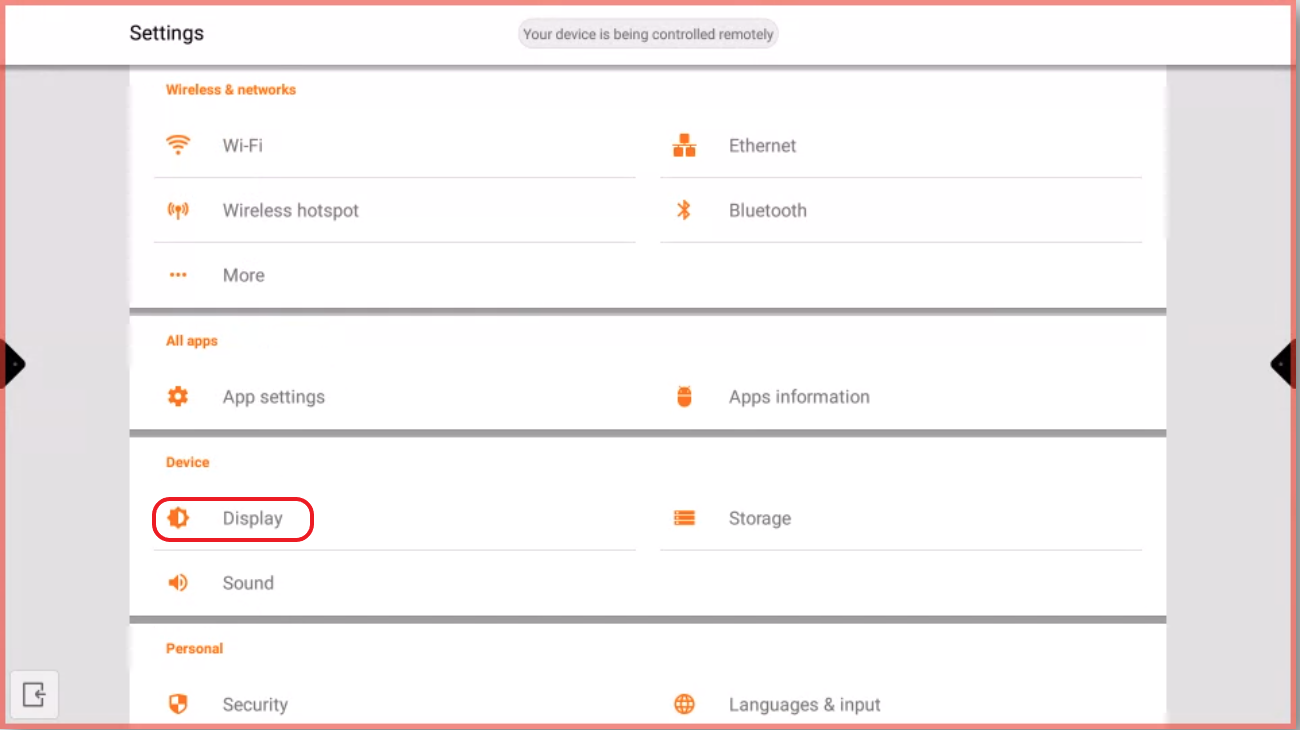
Go to the Android settings and press on “Display”
-
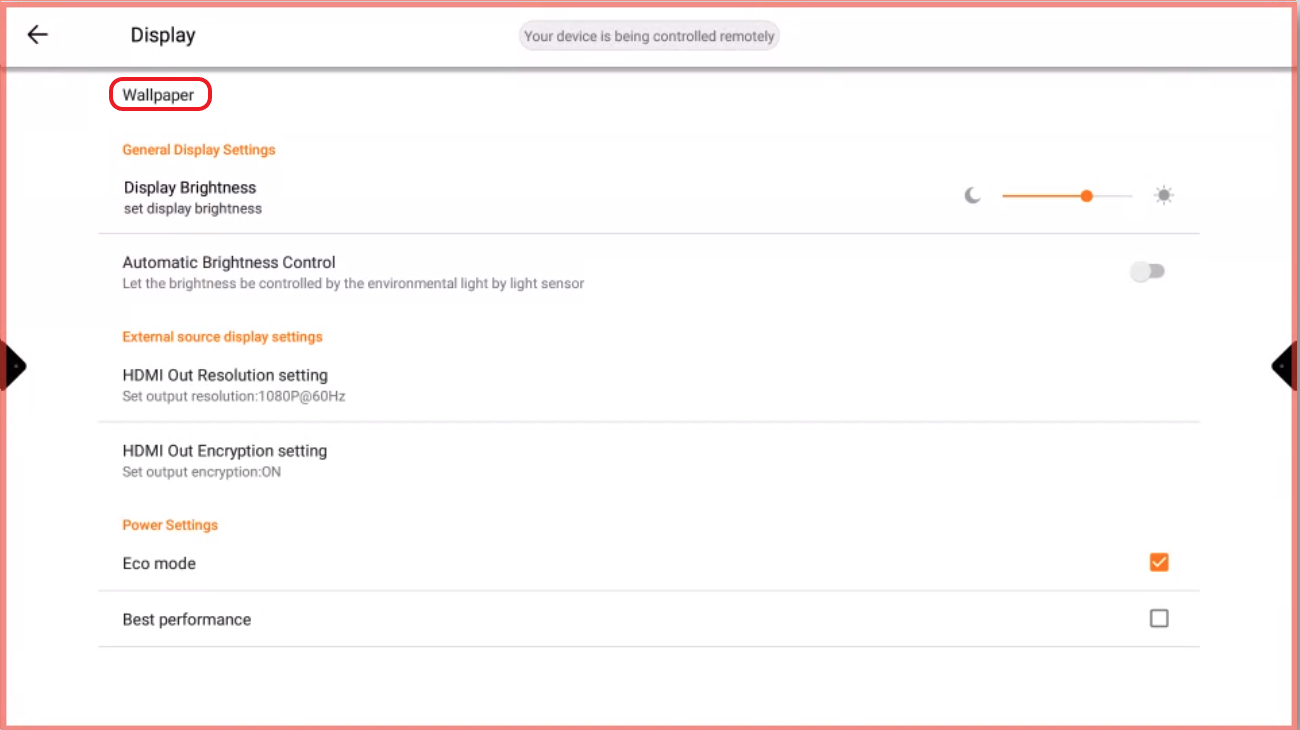
Press on “Wallpaper”
-
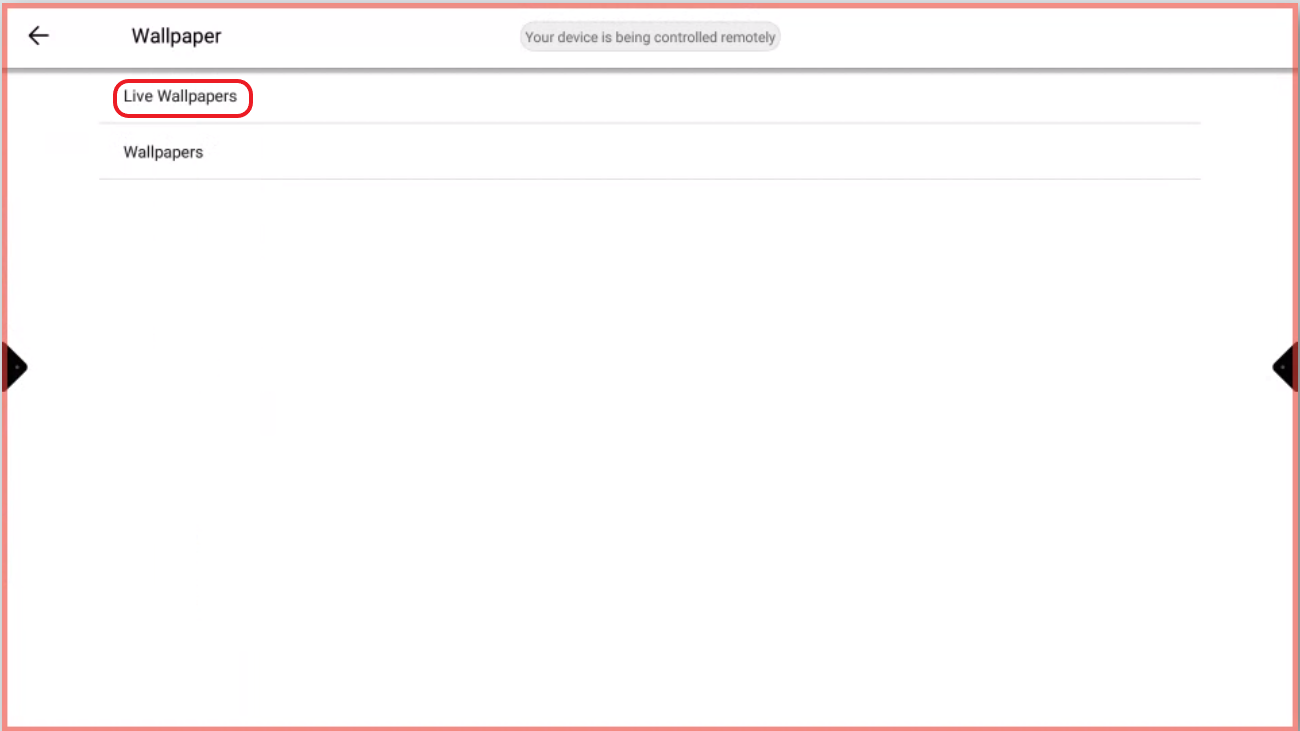
Press on “Live Wallpapers” to use the default wallpaper
-
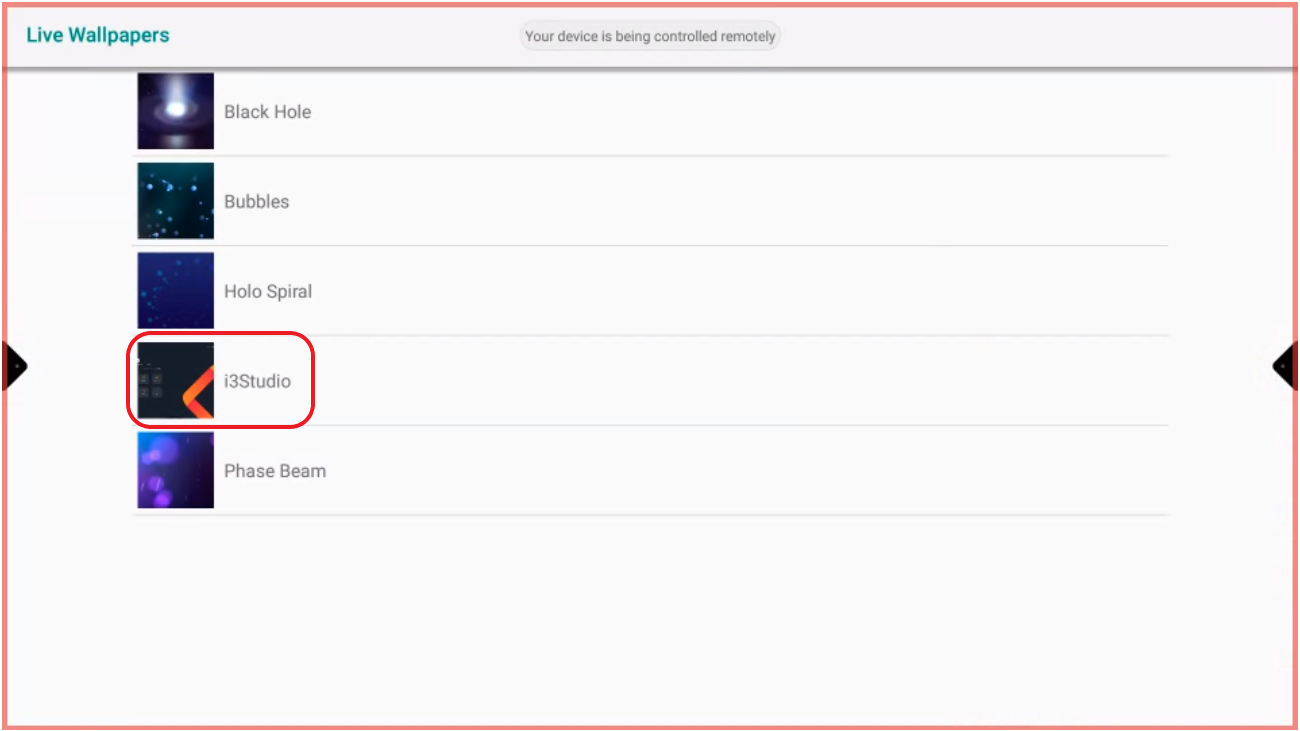
Press on “i3Studio”
-
Select “Set Wallpaper”


Go to the Android settings and press on “Display”
Press on “Wallpaper”
Press on “Live Wallpapers” to use the default wallpaper
Press on “i3Studio”
Select “Set Wallpaper”